Take a shares deposit or withdrawal at the counter
Summary
Record a member buying shares, or withdrawing from their share account, at the teller counter.
About 4 minutes · 7 steps. Also called: share purchase, share deposit, share withdrawal, shares at the till.
Yingira ne email yo osobole okusoma ekisigadde ku kiwandiiko kino, olondoole by'omaze, era ofune satifikeeti yo.
YingiraPrerequisites
- Your CAMS sign-in mapped to your own teller till, with the till open — see Open your till, top it up, and close it.
- The member's name, Member Id or share account number.
- The cash counted before you post.
Step-by-step
Sign in to CAMS. In the left menu, expand Transactions and click Teller.
Click New Transaction, then choose Client Transaction.
Pick Shares Deposit — or Shares Withdrawal when the member is taking money out.
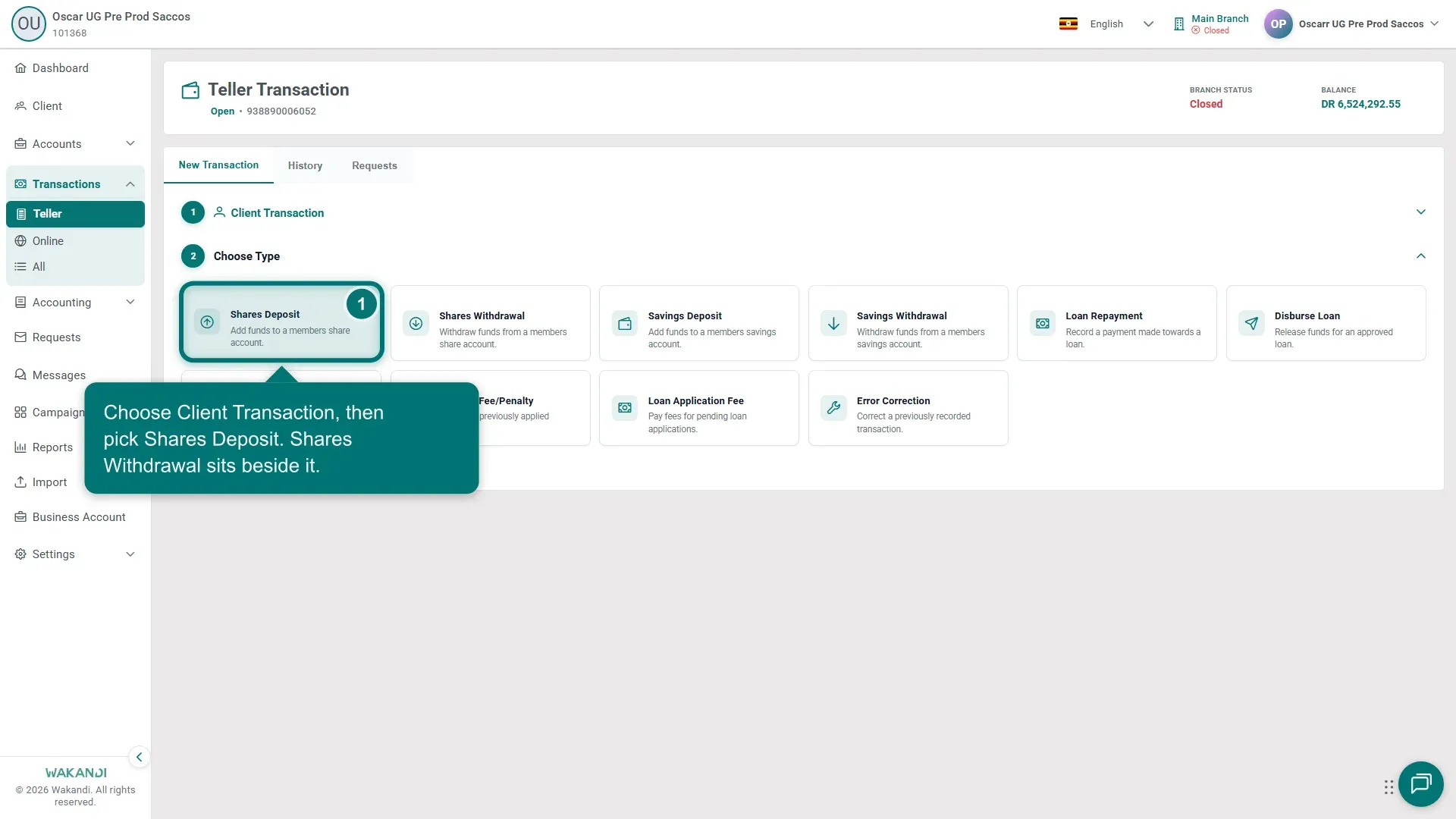
Ekifaananyi 1: Teller Choose Type step with Shares Deposit and Shares Withdrawal tiles In Search Account, type the member's name or account number and select their share account.
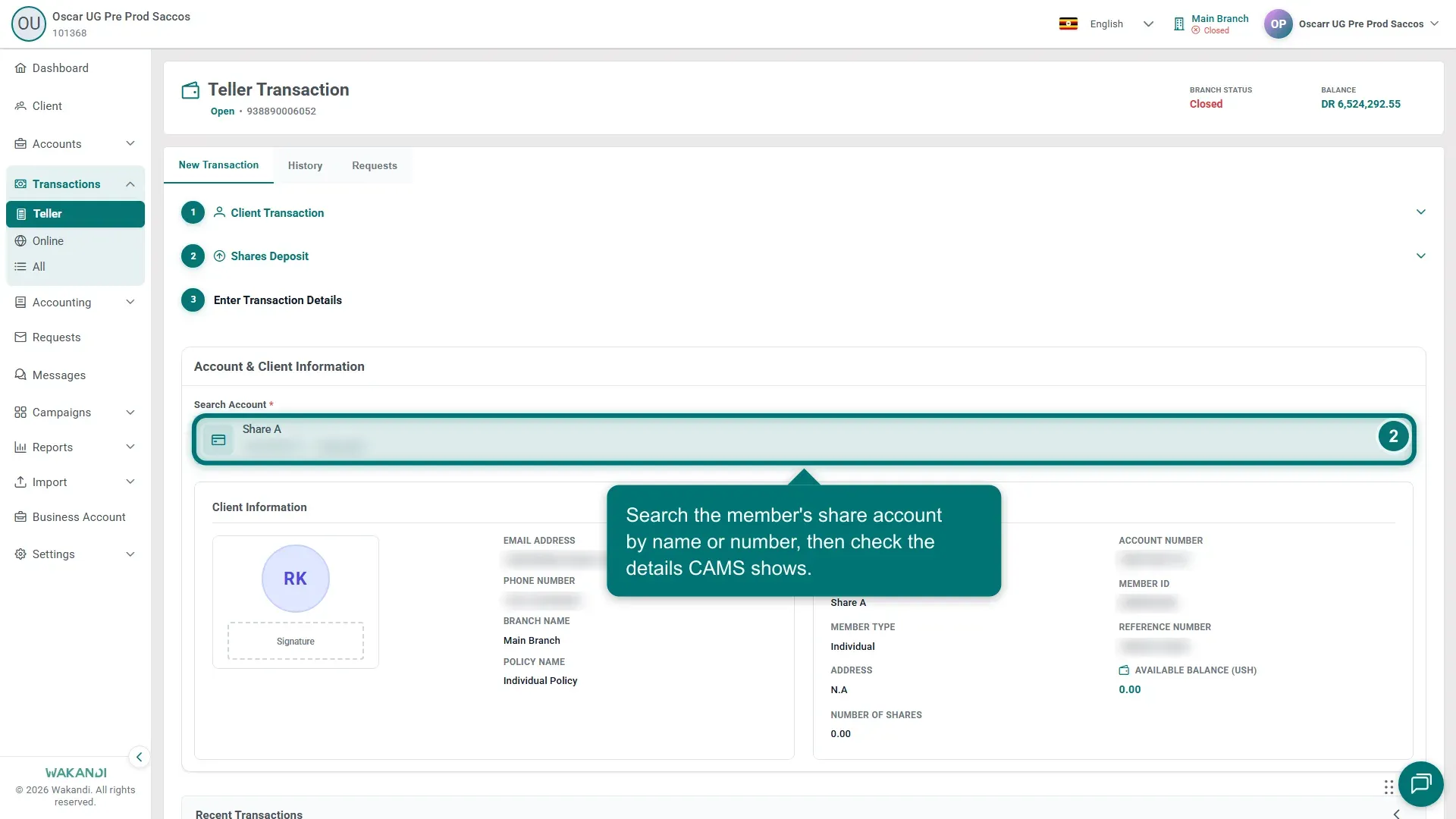
Ekifaananyi 2: Shares Deposit details step with the account search and client information Check the client information and account details that load — the right member, the right share product, and the current balance.
Enter the amount, the transactor's name, and a clear narration. Reference, receipt and cheque numbers are there when your institution uses them.
Submit, then confirm the posting on the History tab.
Common pitfalls & FAQ
- The withdrawal is refused. A member cannot withdraw more than their available share balance, and shares pledged as loan security are not available.
- The posting is not in History. It may be waiting for approval on the Requests tab — see Approve or reject a teller transaction request.
- Minimum shares. Your institution's policy can require members to keep a minimum shareholding; the withdrawal form enforces it.