Getting started on USSD
Summary
Use your SACCO from any phone, with no internet and no app, by dialling a USSD code. About 2 minutes · 5 steps. Also called: shortcode, dial code, star-hash code, feature phone.
Sign in with your email to read the rest of this article, track what you have finished, and earn your certificate.
Sign inPrerequisites
- Any mobile phone with the number your SACCO registered for you.
- An active membership. Some services must be switched on by your SACCO first.
Try it yourself
The simulator below runs the real menu flow — dial, reply, and see every screen. Nothing you do here touches a real account, and the amounts are examples. Press Watch this flow for a guided walk-through.
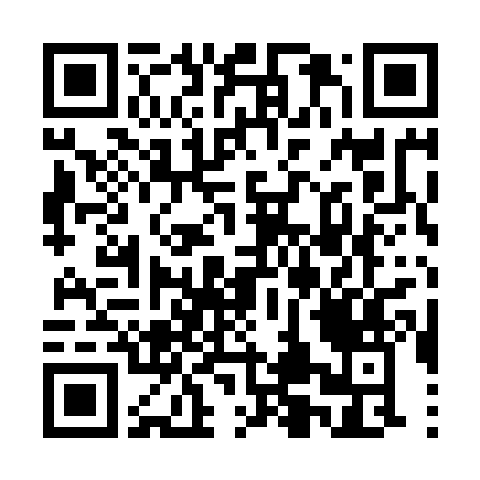
Test on your own phone
Step-by-step
Your SACCO's dial code: *789*103#
Your SACCO's dial code: *165*4*4# on MTN · *185*7*3*3# on Airtel
Your SACCO's dial code: *384*25611#
Open your phone's dialler and call your SACCO's dial code shown above. There's no sign-in screen or password — the phone number you dial from is what identifies you as a member.
Read the menu that opens. It lists the shared services — Pay to Account, Pay to Reference Number, Register, QuickLoan, QuickLoan Repayment, Church Pay — then the SACCOs on this code. Some lines appear only when they apply to you, and replying # takes you back one screen.
Reply with the number next to your SACCO (for example 5) and send. Your SACCO menu opens.
Read the SACCO menu: 1. Saving, 2. Shares, 3. Loan, 4. Create / Reset PIN.
The first time, reply 4 and set your PIN — see Set or reset your USSD PIN. After that, pick an option and answer the questions on screen.
Note: the network closes an idle session after 20–30 seconds. If you see "Session timed out", dial again and reply without long waits.
Warning: Never share your PIN, account details or confirmation messages. If you lose your phone or see a payment you did not make, tell your SACCO straight away.
The rest of this course: lesson 2 walks the SACCO menu and lesson 3 sets your PIN. Then the tasks: balances (4), saving (5), loans (6 and 7), paying to an account (8), QuickLoan (9).
Common pitfalls & FAQ
- I don't see my SACCO in the list. USSD matches the number you dial from against your member record, so another number will not work. If yours changed, ask your SACCO to update it. A leading zero is fine — the system removes it.
- Nothing happens when I dial. Check you typed the whole code, including the leading
*and the trailing#, and that you have network signal. - Do I need airtime or data? USSD works without internet data. Depending on your network, a session may cost a small amount of airtime. Some payments also carry a fee set by your SACCO; the total shows before you confirm, and you can cancel there.