The AML Reports screen
Summary
Find the reports your institution owes the authority and track each one from draft to submitted.
About 2 minutes · 4 steps. Also called: STR, LCT report, suspicious transaction report, filing.
Sign in with your email to read the rest of this article, track what you have finished, and earn your certificate.
Sign inPrerequisites
- A sign-in for Wakandi AML Risk Monitoring.
- Your country's filing rules, so you know which reports are due and when.
Step-by-step
Open Wakandi AML Risk Monitoring and sign in.
In the top menu, click Reports.
Choose a status tab: All, Draft, Pending or Submitted.
Set your criteria and click Apply filters. You can search by acknowledgement reference and filter by report type.
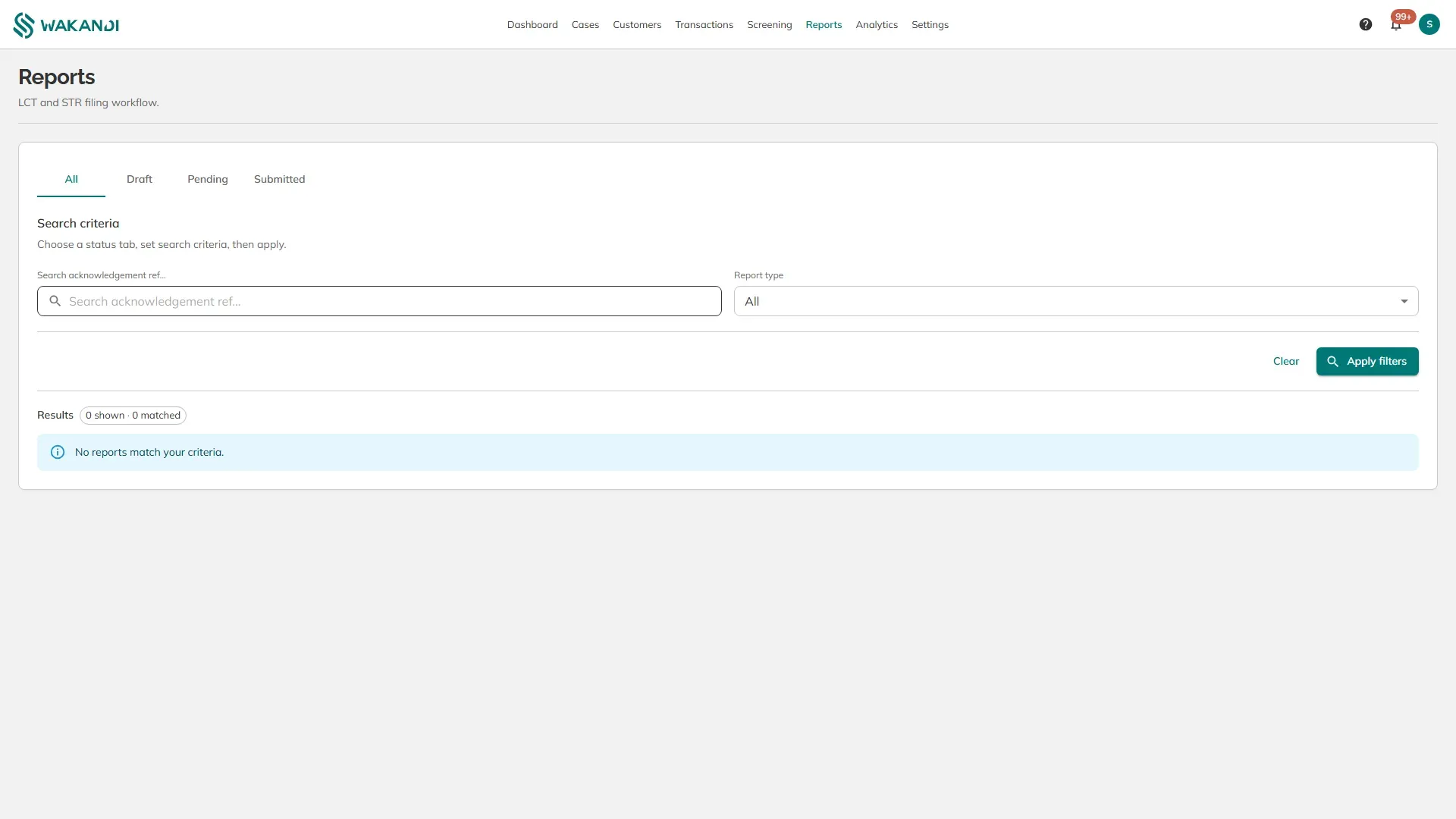
Figure 1: The Reports screen with the filing status tabs above the search criteria
The two report types:
- LCT — a large cash transaction report. Raised when a cash transaction, or a day's cash transactions added together, pass your LCT threshold.
- STR — a suspicious transaction report. Raised when an officer reviews a case and decides the activity is suspicious.
The statuses follow the filing itself:
- Draft — written but not submitted for approval.
- Pending — waiting for approval inside your institution. The dashboard's Pending reports card counts these.
- Submitted — filed with the authority. The acknowledgement reference is what the authority returns as proof, which is why it is the field you can search on.
Reports start from a case. Set a case's status to pending report when it needs filing — see How to work an AML case — and it moves into the reporting queue.
Note: Every case carries a Report due date, worked out from your STR deadline (hours) setting counted from when the pattern was detected. That deadline is the reason to work the queue daily rather than weekly.
Common pitfalls & FAQ
- The screen says no reports match. Nothing has reached this stage yet. On a new setup that is expected, not a fault.
- Where do I start a report? From the case. Open it, set the status to pending report, and it appears here.
- A report is stuck at pending. Someone with the right role still has to approve it. Check who your approvers are.
- What is the acknowledgement reference? The receipt the authority gives you when a filing is accepted. Keep it — it is your evidence you filed on time.