How to work an AML case
Summary
Pick up a case from the queue, record what you found, and move it to the right status.
About 4 minutes · 7 steps. Also called: alert, investigation, review a flag.
Sign in with your email to read the rest of this article, track what you have finished, and earn your certificate.
Sign inPrerequisites
- A sign-in for Wakandi AML Risk Monitoring with the compliance officer role.
- Your institution's policy on what counts as suspicious, so your decision matches it.
Step-by-step
Open Wakandi AML Risk Monitoring and sign in. You'll land on the dashboard.
In the top menu, click Cases. You'll see the case queue.
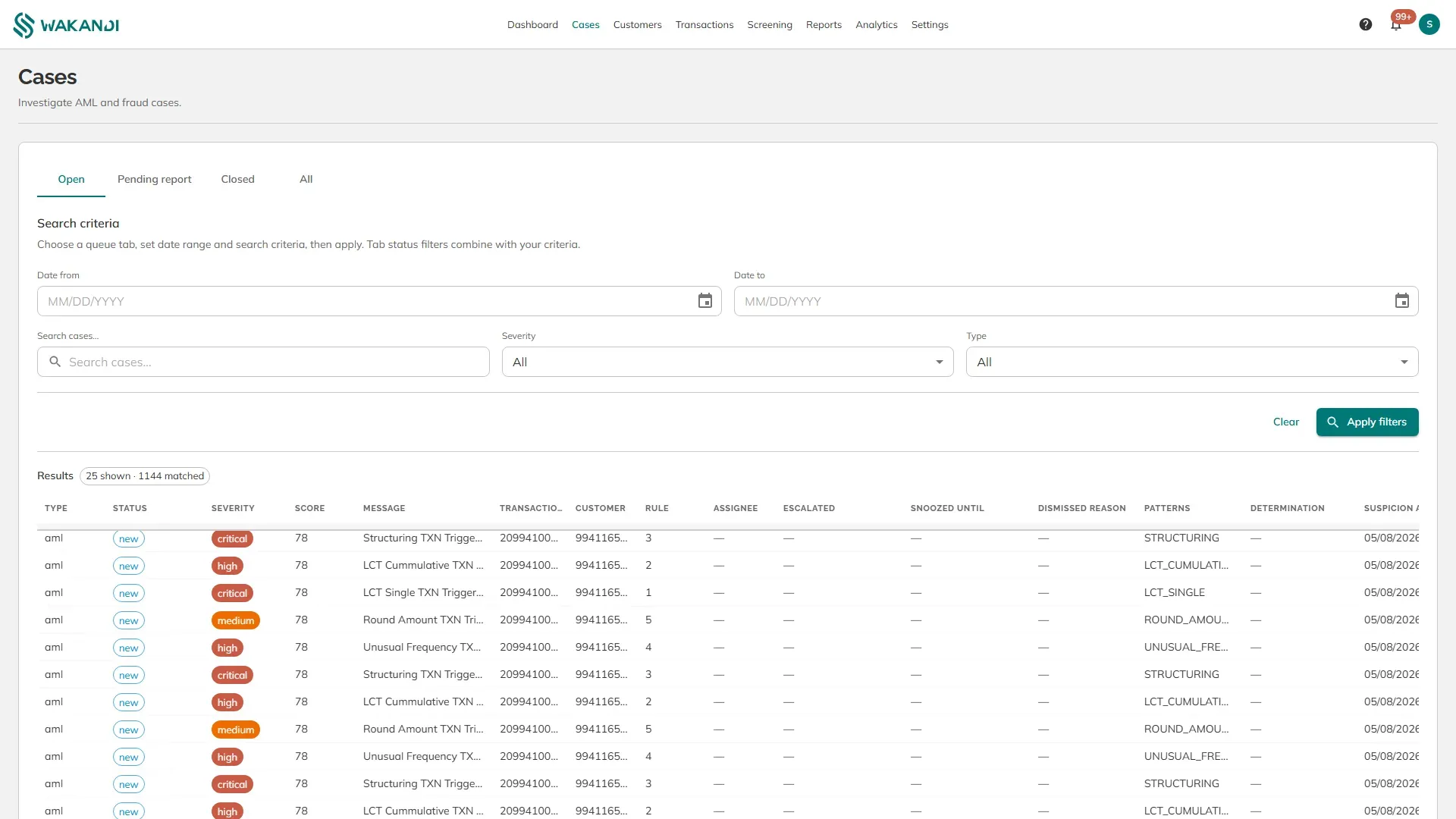
Figure 1: The Cases screen with the queue tabs above the search criteria and the results below Choose a queue tab: Open, Pending report, Closed or All. Open is the working queue.
Set your search criteria, then click Apply filters. You can narrow by date range, severity, case type, or free text. The count above the table tells you how many matched.
Click any row. The case opens on its own page. Reading its score and evidence is its own lesson: How an AML case is scored.
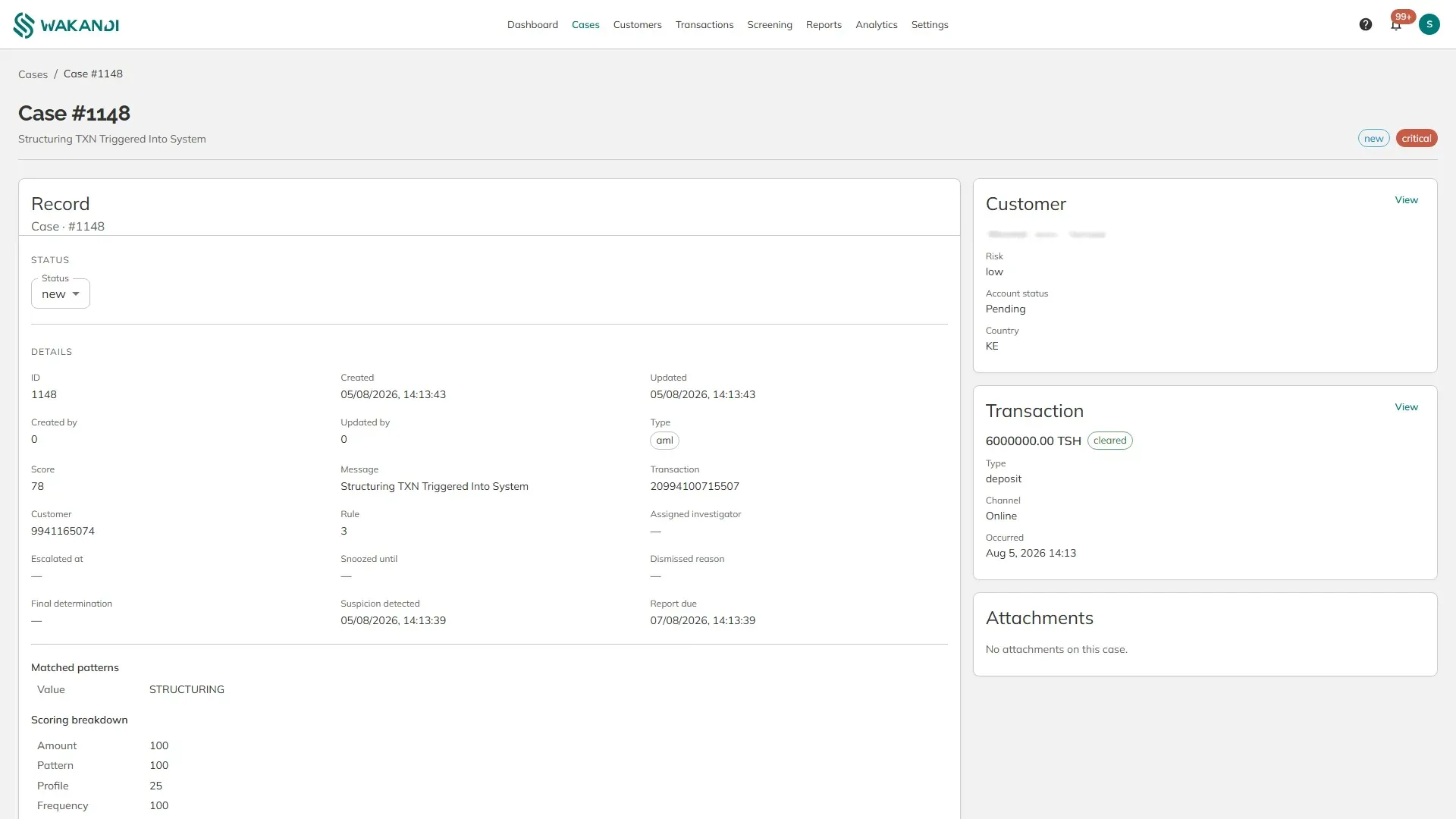
Figure 2: A case showing its details, matched pattern, scoring breakdown and the evidence behind it Read the case, then use the Customer and Transaction cards on the right. Click View on either to open the full record and come back.
Record what you found. Under Notes & history, type in the note box and click Add note. Then set Status at the top of the record.
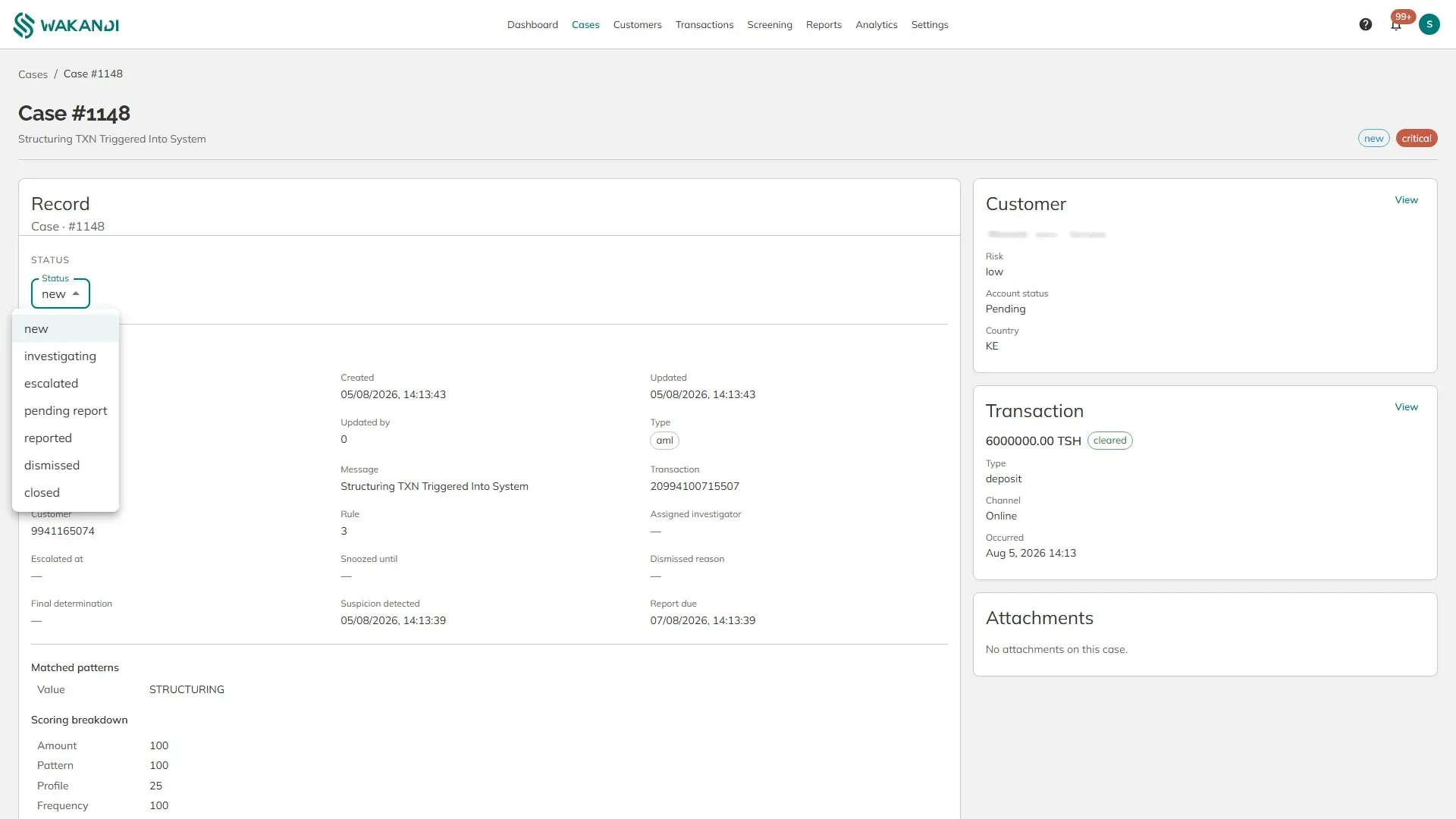
Figure 3: The Status list on a case, showing the seven states a case can move through
A case moves through these states:
- new — nobody has looked at it yet.
- investigating — you have picked it up.
- escalated — passed up for a second opinion.
- pending report — suspicious, and a report needs writing.
- reported — filed with the authority.
- dismissed — looked at and found to be nothing.
- closed — finished.
Note: Write the note before you change the status. The notes lesson in the first half of this course shows what a good one contains.
Common pitfalls & FAQ
- Where do I record a false alarm? Set the status to dismissed and add a note saying why. Do not leave it open.
- The same member keeps appearing. Check the transaction number on each case before treating them as separate events — several rules can fire on one transaction.
- The queue is empty. Your criteria may be too narrow. Click Clear, then Apply filters again.
- There is a report due date on the case. That is the deadline for filing a suspicious transaction report, counted from when the pattern was detected.