Introduction to loan reports
Summary
Pick the right loan report for the question in front of you: balances, arrears, disbursements or portfolio risk. About 3 minutes · 5 steps. Also called: loan reports, arrears report, PAR report, disbursement report.
Sign in with your email to read the rest of this article, track what you have finished, and earn your certificate.
Sign inPrerequisites
- A CAMS sign-in with permission to view reports.
- The date range, branch or product to report on.
Step-by-step
Sign in to CAMS.
In the left menu, click Reports, then Loan. The Loan Reports hub opens as a grid of report cards.
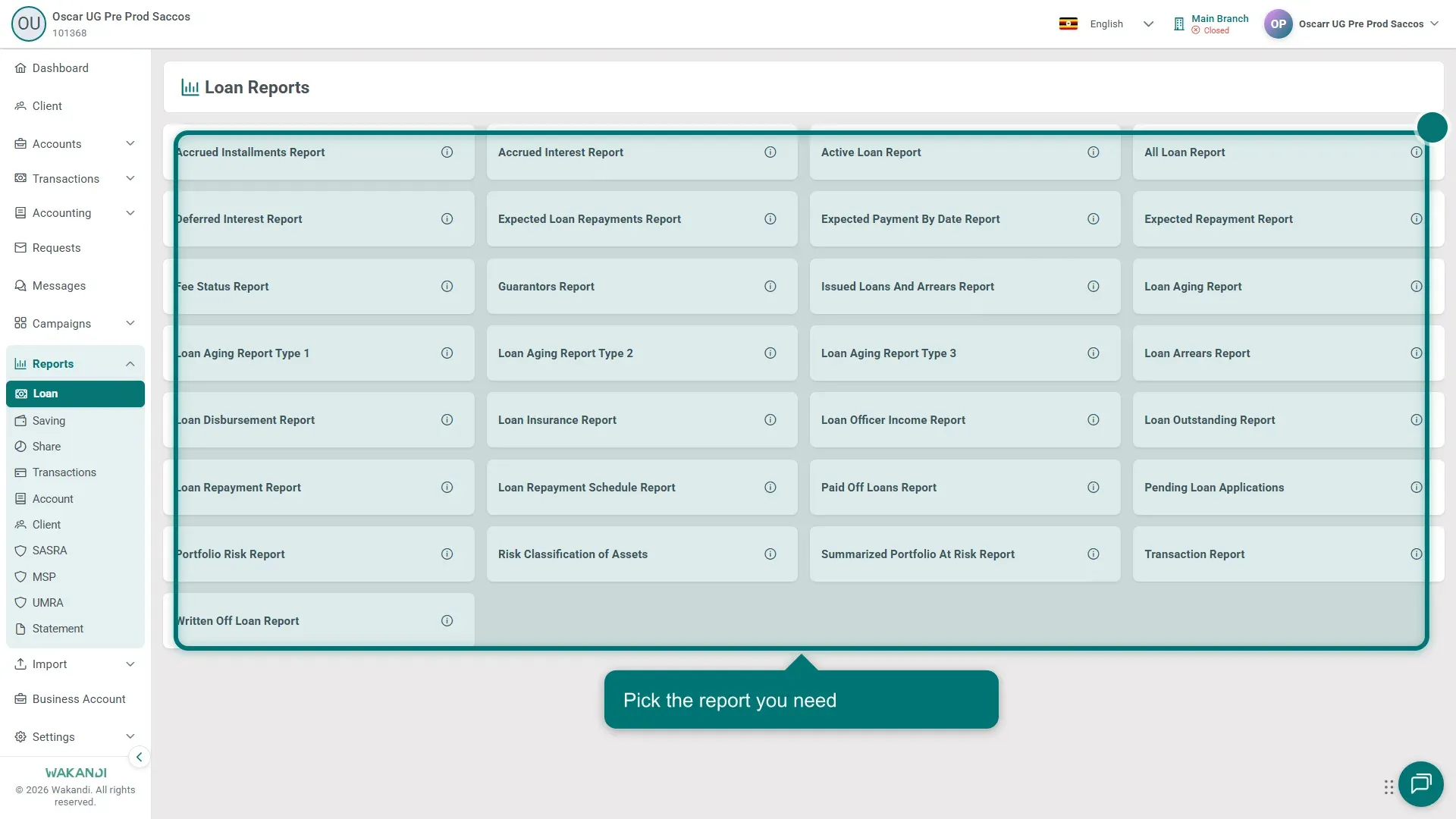
Figure 1: The Loan Reports hub reached from Reports then Loan, showing the grid of report cards Pick the card that matches your question:
- Active Loan Report: loans running right now. All Loan Report: every status, for audits.
- Loan Arrears Report: loans behind on payment. Loan Aging Report and Loan Arrear by Age Report: overdue amounts in age bands.
- Loan Disbursement Report and Loan Repayment Report: money paid out, and repayments posted. Loan Repayment Schedule Report: planned instalments and due dates.
- Loan Outstanding Report: outstanding principal. Portfolio Risk Report and Summarized Portfolio at Risk Report: PAR, the share of your lending with overdue payments.
- Also here: pending applications, paid-off and written-off loans, guarantors, fee status and loan officer income.
Click the card and set the filters. They vary by report: date range, branch, product, officer or status.
Click Submit, then Download if you need a copy. The run road is the same for every card; the first lesson walks it.
Note: Some titles look almost the same. Loan Aging Report, Type 1, Type 2 and Type 3 are four separate cards with different layouts. Pick the exact name on the card.
Common pitfalls & FAQ
- Which report shows late loans? Start with the Loan Arrears Report. For how long amounts have been overdue, use the Loan Aging Report.
- Active Loan Report or All Loan Report? Active covers running loans only. All lists every status, which suits audits.
- Can I save a report and reopen it later? No. Save and Saved Reports belong to the SASRA and MSP forms. Here you Download.
- Why are there saving and share cards on this hub? The Loan hub also carries Saving Account Statement Report, Saving Officer Portfolio Report, Saving Type Transaction Report and Shares Account Statement Report. Look here, not under Savings.