Run and save a SASRA return for the period
Summary
Generate SASRA Form 2A Capital Adequacy for one reporting period and save it. Every SASRA form follows this pattern. About 3 minutes · 6 steps. Also called: SASRA return, Form 2A, capital adequacy, regulatory return.
Sign in with your email to read the rest of this article, track what you have finished, and earn your certificate.
Sign inPrerequisites
- A CAMS sign-in with Reports and SASRA in your left menu.
- The financial year and quarter you are filing for. A saved form belongs to the period you select.
- Your finance team's agreement on which form you are preparing.
Step-by-step
Sign in to CAMS.
In the left menu, click Reports, then SASRA. The hub carries Form 2A to Form 2H, Form 9 Insider Lending and Performance Report and Sectoral Lending Loan Classification Return.

Figure 1: Sasra Reports hub with cards for Form 2A to 2H, Form 9 and Sectoral Lending Return Click the Form 2A Capital Adequacy card and wait until the form body has fully loaded.
Select the period filters, such as financial year and quarter. Labels vary by form.
Read the form sections and the calculated amounts on screen.

Figure 2: Form 2A open for 2026 Q3 showing capital adequacy return sections and calculated amounts When the form is right for that period, click Save. Check the save succeeds, then open Saved Reports whenever you need to reread a stored version.
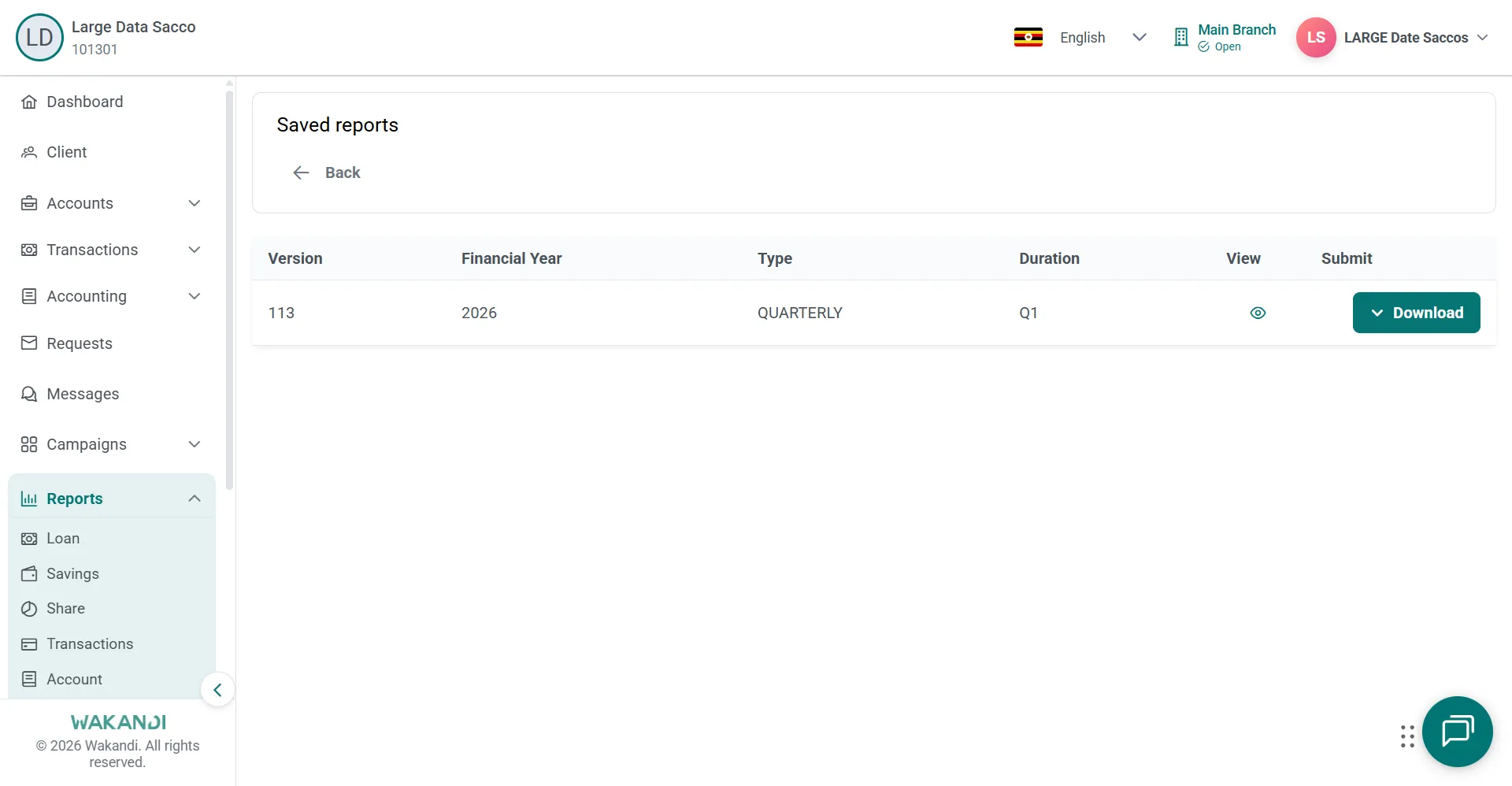
Figure 3: Saved reports list showing a stored version with financial year, quarterly type and duration
Note: Some forms show Edit Report in the toolbar. Use it only where your process allows a change, then save again if a fresh snapshot is needed.
Common pitfalls & FAQ
- Where is Submit? SASRA forms generate from the period filters and are stored with Save. Submit belongs to the grid reports.
- My saved list is full of near-identical copies. Every save stores a snapshot of the period on screen. Set the period first; to review an earlier filing, open it from Saved Reports instead of saving again.
- I see two Form 2A cards. Form 2A Capital Adequacy and its (alternate view) are separate layouts, and your environment may show only one. Agree with your finance team which one you use.
- Which form covers loan classification? Form 2D Risk Classification of Assets and Provisioning. For loan-level detail on the same subject, the Loan hub has Risk Classification of Assets.