How to open a member's AML profile
Summary
Open a member's AML profile to see their risk classification, KYC status and recent activity in one place.
About 2 minutes · 4 steps. Also called: member risk, customer due diligence, CDD, know your customer.
Sign in with your email to read the rest of this article, track what you have finished, and earn your certificate.
Sign inPrerequisites
- A sign-in for Wakandi AML Risk Monitoring.
- The member's name or member number.
Step-by-step
Open Wakandi AML Risk Monitoring and sign in.
In the top menu, click Customers.
Type the name or number in Search customers, then click Apply filters. You can also filter by Risk and by Account status.
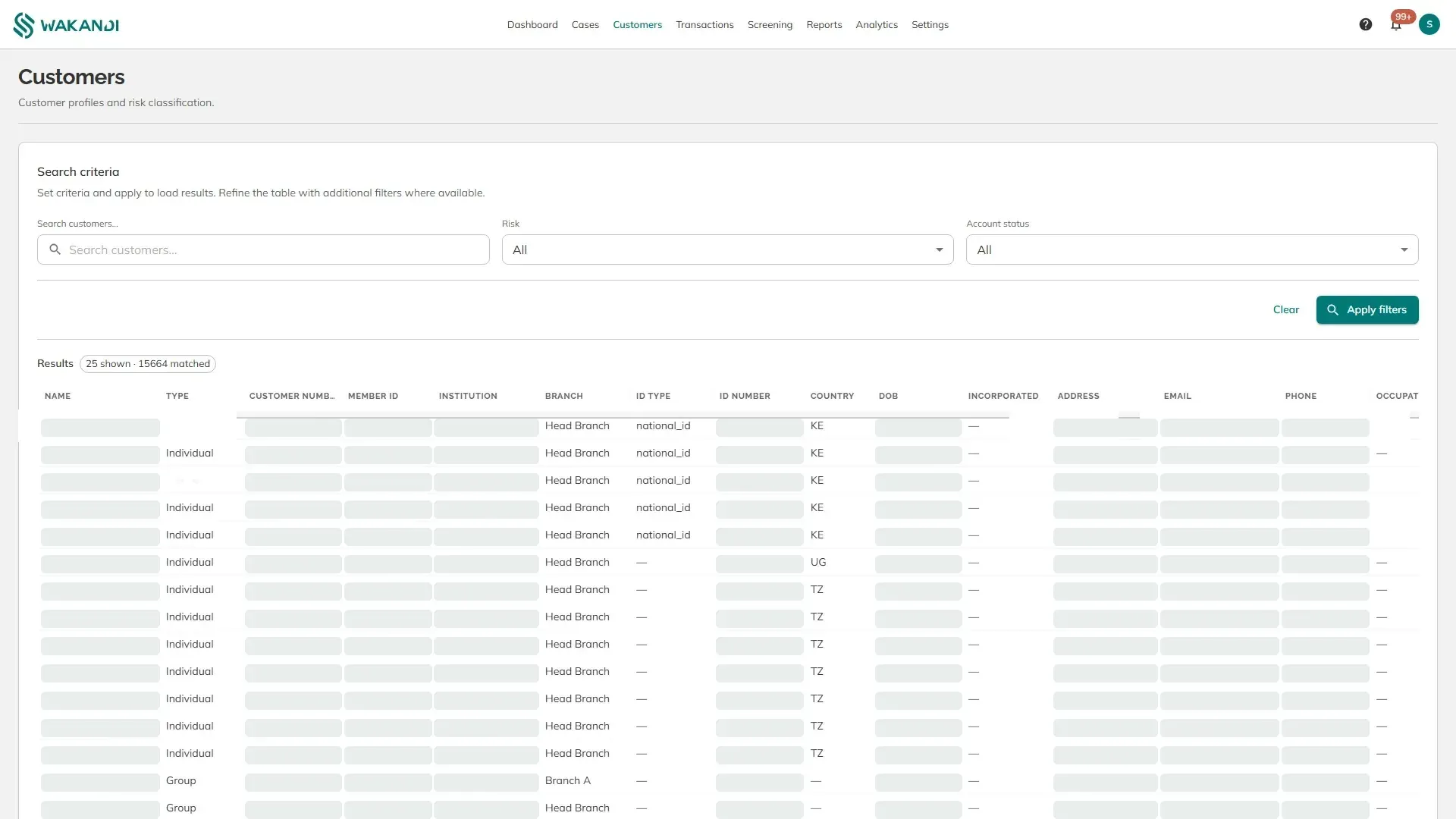
Figure 1: The Customers screen with the search, risk and account status filters above the results Click the member's row. Their profile opens.
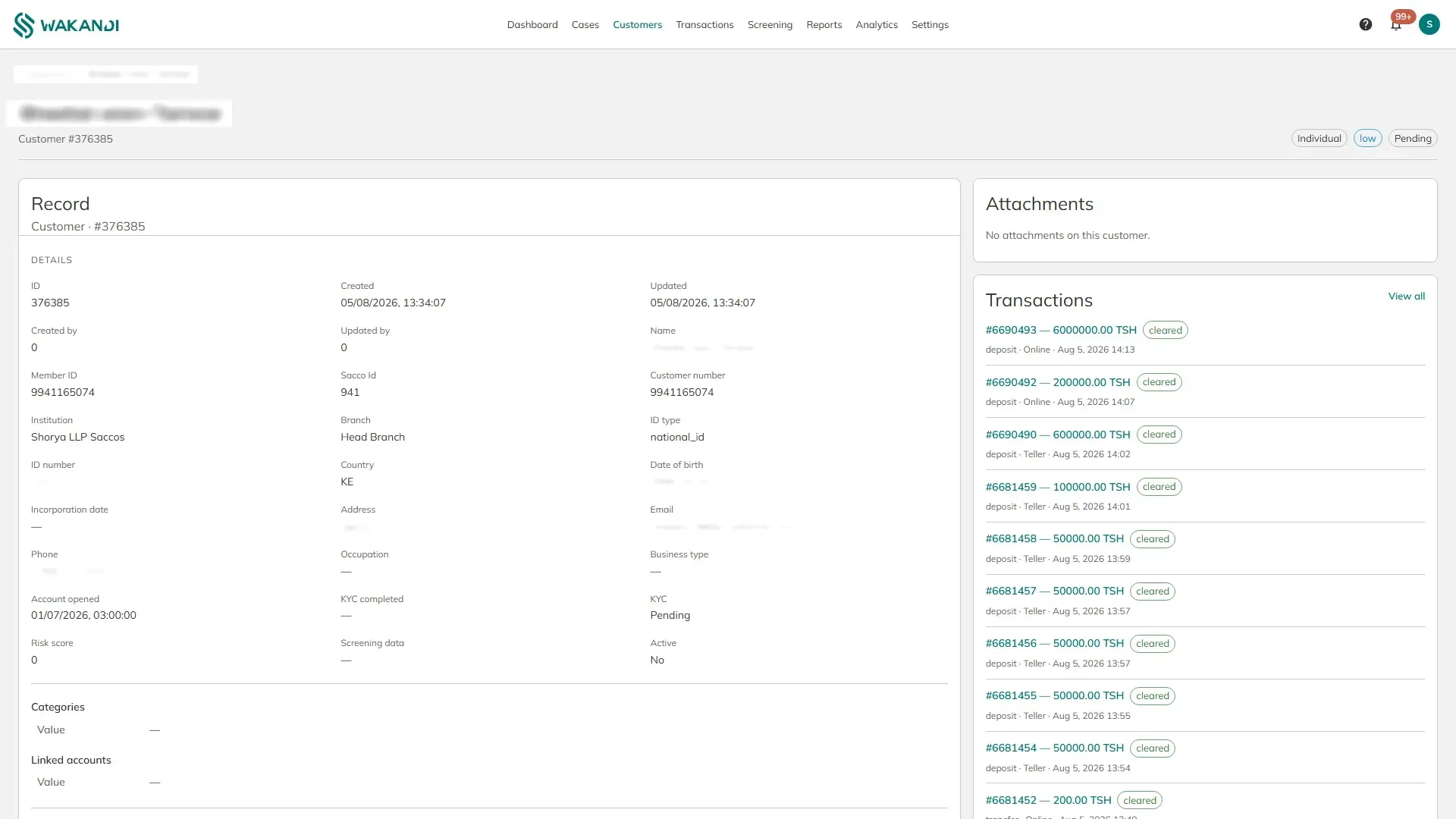
Figure 2: A member's AML profile with their details, risk score, KYC status and recent transactions
Then, the parts that matter for compliance:
Risk and Risk score. The classification beside the member's name, and the number behind it. High-risk customers on the dashboard counts everyone classified high or very high.
KYC. Whether their identity documents have been accepted, and when. Pending means the checks are not finished.
Screening data. What came back when this member was checked against sanctions and authority lists. A dash means they have not been screened yet.
Identity details. Type and number of the identity document, country, date of birth, address and contact details, as held in CAMS.
Transactions. Their recent activity, newest first, with View all to open the full list already filtered to them.
Notes and Activity. Notes are what your team writes about this member. Activity is the untouched record of changes, for audit.
Note: These details come from CAMS. Correct a wrong name, address or identity number in CAMS, not here, so both systems agree.
Common pitfalls & FAQ
- Risk score is 0 and risk says low. Nobody has classified this member yet. Zero is "not assessed", not "safe".
- Screening data is empty. Screening is run from the Screening screen and is not automatic. See How to screen a name against sanctions lists.
- The search finds nothing. Try the member number instead of the name, and check the spelling as it is held in CAMS.
- The member has cases but the risk still shows low. Cases do not change a classification on their own. Someone has to set it.