How to screen a name against sanctions lists
Summary
Check a person or organisation against international sanctions lists and against your own local list.
About 3 minutes · 5 steps. Also called: sanctions check, PEP check, watchlist, name screening.
Sign in with your email to read the rest of this article, track what you have finished, and earn your certificate.
Sign inPrerequisites
- A sign-in for Wakandi AML Risk Monitoring.
- The full name as written on the member's identity document. A nickname or short form will miss matches.
Step-by-step
Open Wakandi AML Risk Monitoring and sign in.
In the top menu, click Screening. You'll land on the Search & screen tab.
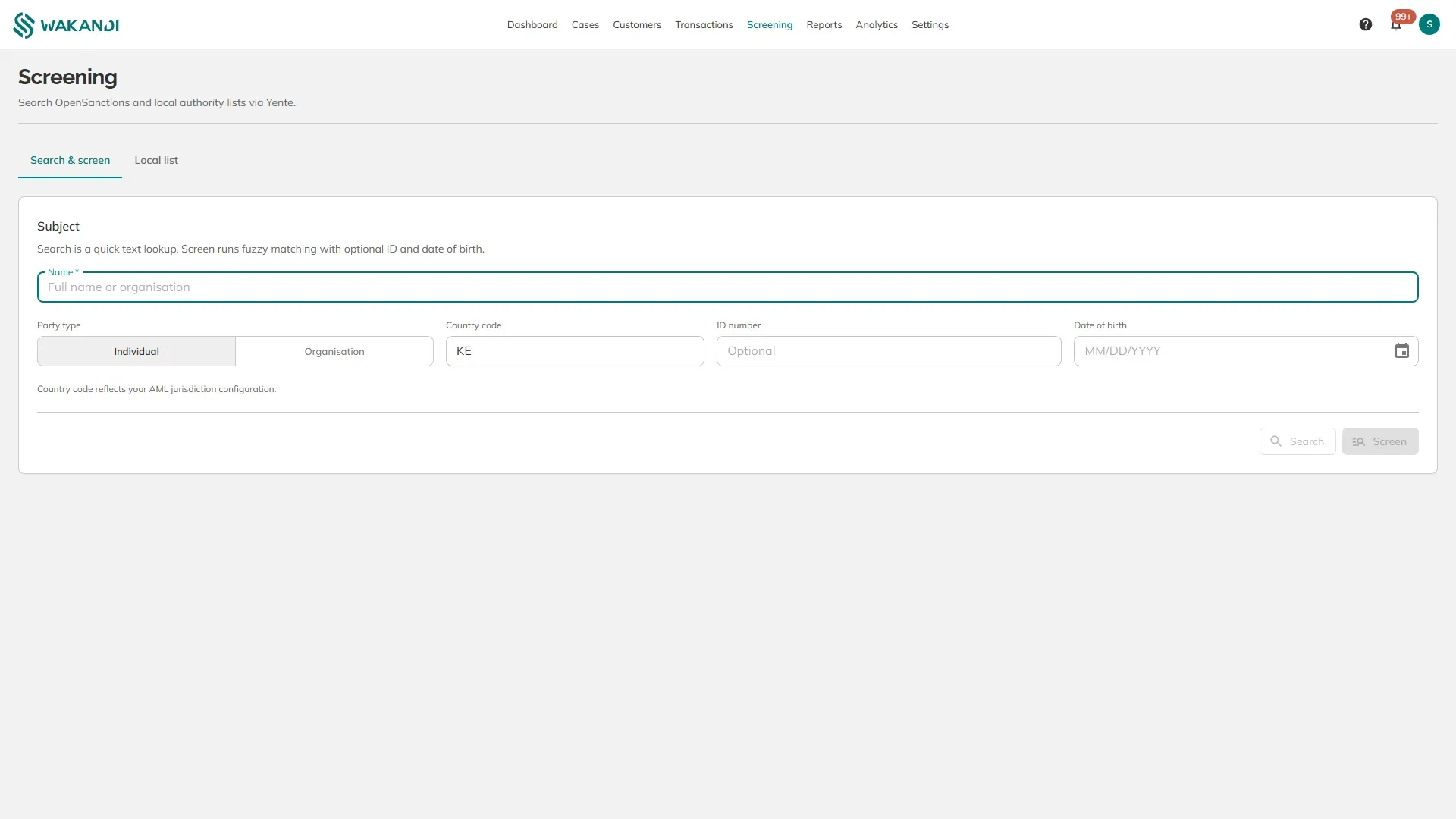
Figure 1: The Screening screen with the subject fields and the Search and Screen buttons Type the person or organisation into Name, then choose Individual or Organisation under Party type.
Add anything else you have. Country code, ID number and Date of birth all narrow the result. The country defaults to your AML jurisdiction setting.
Choose how to check:
- Search is a quick text lookup. Use it to see whether the name appears at all.
- Screen runs fuzzy matching, which also finds close spellings and uses the ID number and date of birth you entered. Use this for a decision you will record.
Screening reads OpenSanctions together with local authority lists.
Your own local list is the second tab. Click Local list to see the parties your institution has added itself, filtered by country and status.
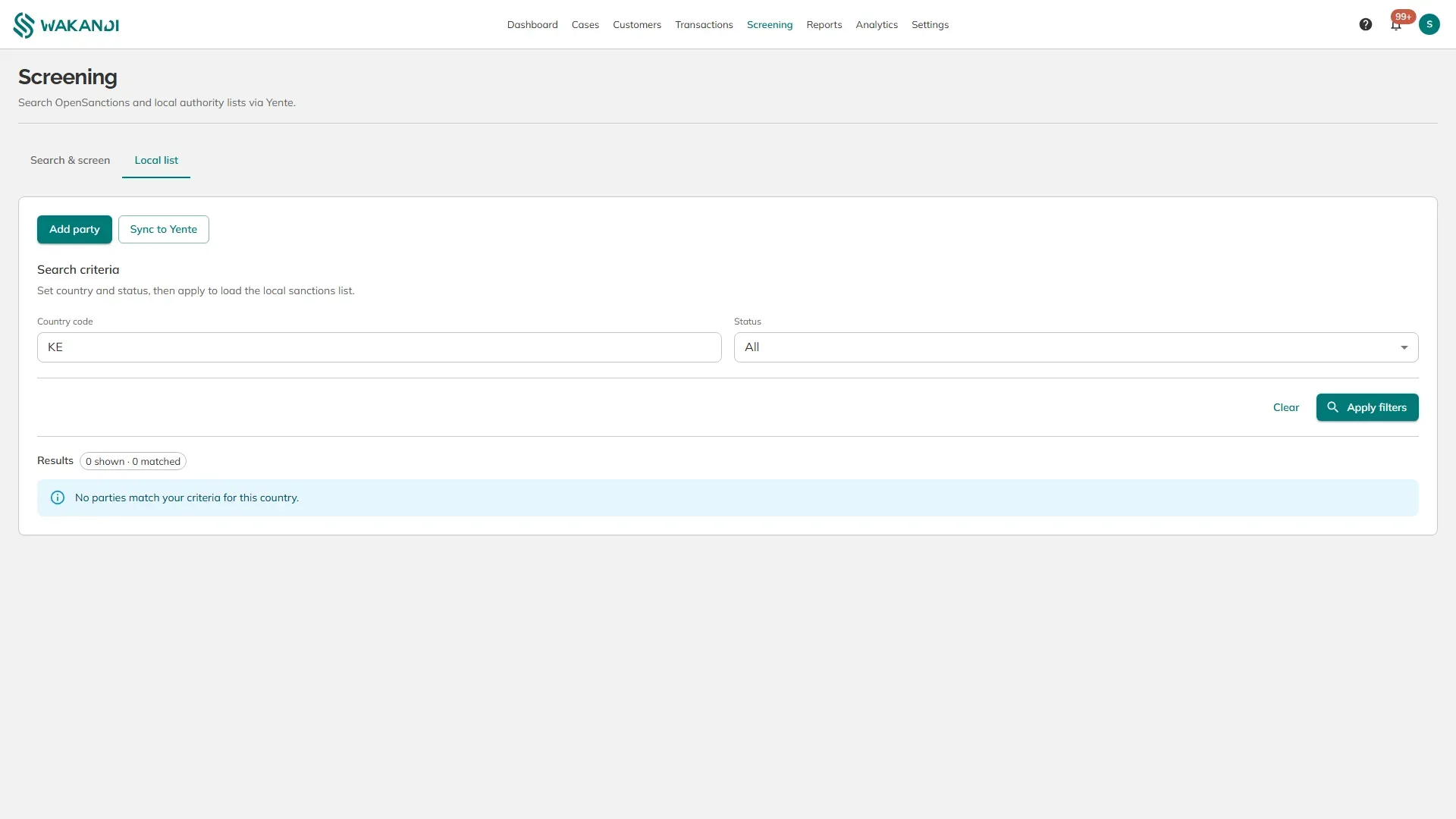
Use Add party to record someone your own institution has decided to flag. A name passed to you by your regulator, not yet on any international list, belongs here. Sync to Yente then pushes that list into the matching service, so your own entries are checked alongside the public ones.
Note: A name match is not proof — Politically exposed persons and sanctions shows how to tell a real match from a common name. Record what you compared in a note on the member's profile.
Common pitfalls & FAQ
- Search returns nothing but I expected a match. Try Screen instead. Search is exact text, so a different spelling or word order will miss.
- Too many matches to be useful. Add the date of birth or the identity number and screen again.
- The result does not save to the member. Screening from this screen is a lookup. Record the outcome as a note on the member's profile yourself.
- I get an error instead of results. The matching service is reached over the network and may be unavailable. Try again, then tell your administrator if it continues.