Create a Credit Product Policy in Settings
Summary
Create a credit product policy in Settings, so a lending product carries the credit rules and limits your SACCO has agreed.
About 4 minutes - 8 steps. Also called: CPP, credit policy, product policy, loan policy setup.
Sign in with your email to read the rest of this article, track what you have finished, and earn your certificate.
Sign inPrerequisites
- A Wakandi Admin Portal sign-in that shows Settings in the left sidebar.
- Sign-off from credit on the parameters you are about to enter. Save only after that approval.
- The policy name your team has agreed.
Step-by-step
Open the Wakandi Admin Portal and sign in.
In the left sidebar, expand Settings and click Policies. Wait until the default policy tab loads.
Click the Credit Product Policy tab. You now see the policies that govern credit product behaviour, such as limits and related credit rules.

Figure 1: Credit Product Policy tab listing policies with loan type, interest rate, loan amount, tenure and Add New Read the list before you add anything. If a close match exists, open that one and edit it instead.
Click create to open the Create Credit Product Policy form.
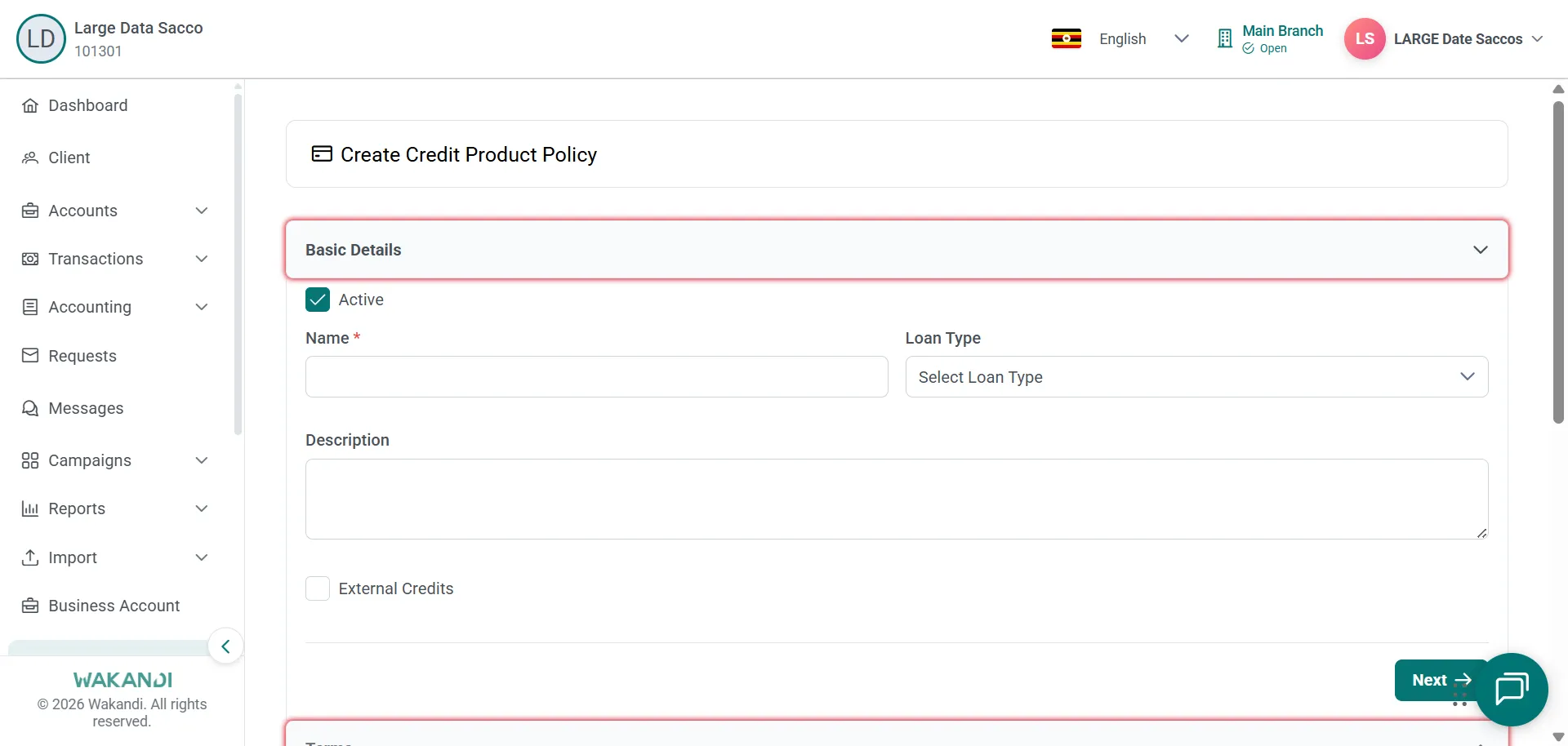
Figure 2: Create Credit Product Policy form open on Basic Details with Active, Name, Loan Type and Description Enter the policy name and the required credit parameters.
Complete every section on the form, then save.
Confirm the new policy appears in the Credit Product Policy list.
Common pitfalls & FAQ
- What does the policy control? A Quick Loan campaign can select your policy. On the Product and Budget step it then shows Interest rate, Tenure, Min loan (per member) and Max loan (per member) as read-only details. Use that view to check what you saved.
- A campaign search finds no policy. Confirm the policy was saved, check product setup under Settings, or try a different search term.
- Can I edit a policy that is already live? Policy changes can affect new applications immediately. Tell the affected teams before you publish. Where you can, draft on a copy instead.
- Where do provisioning bands go? Not on this form. Provisioning criteria live under Settings > Products > Loan Provisioning.
- I am on the wrong tab. Credit Group Policy, Membership Policy and Holidays sit beside Credit Product Policy on the same Policies page.