How to change a loan product's guarantor setting to Self only
Summary
Stop other members guaranteeing loans on a product, so borrowers back their loans with their own savings only. About 3 minutes · 7 steps. Also called: surety, security, co-signer, guarantor rules.
Prefer to listen? This topic is also a short podcast episode, Switching a loan product's guarantors to Self only, in the Podcasts section.
Keep reading — it's free
Sign in with your email to read the rest of this article, track what you have finished, and earn your certificate.
Sign inPrerequisites
- A CAMS sign-in with Settings and product rights.
- The name of the loan product you are changing.
- The change agreed with your credit committee.
Step-by-step
- Sign in to CAMS. If you are not sure how, see How to sign in and navigate CAMS Admin.
- In the left menu, click Settings, then Products. The Product Setup page opens on the Loan Product tab.
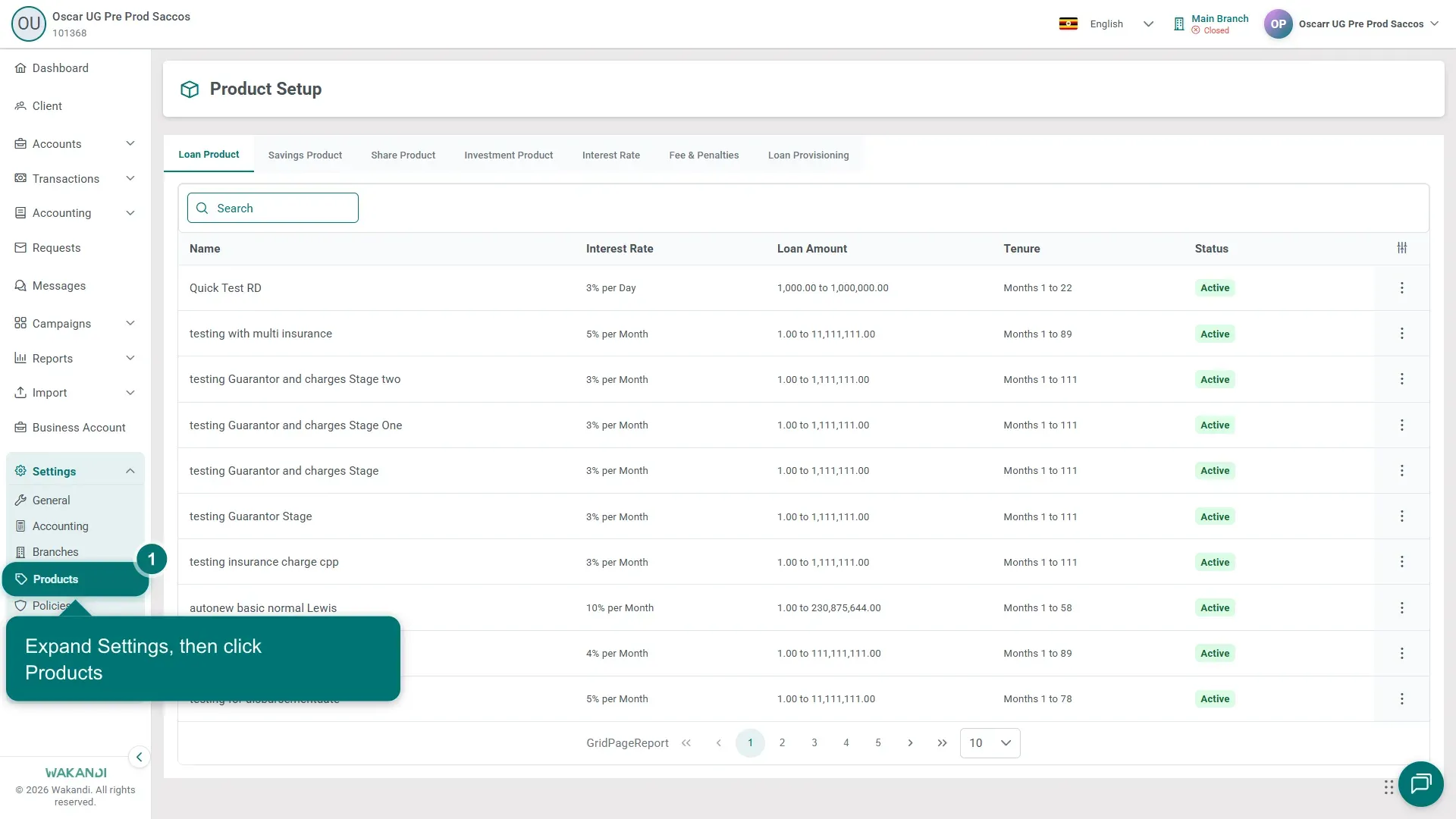
Figure 1: The Product Setup page on the Loan Product tab, with Settings expanded and Products highlighted in the left menu - Type the product's name into Search and find it in the list.
- Click the small menu button at the end of the product's row, then click View. The Loan Product Details page opens.
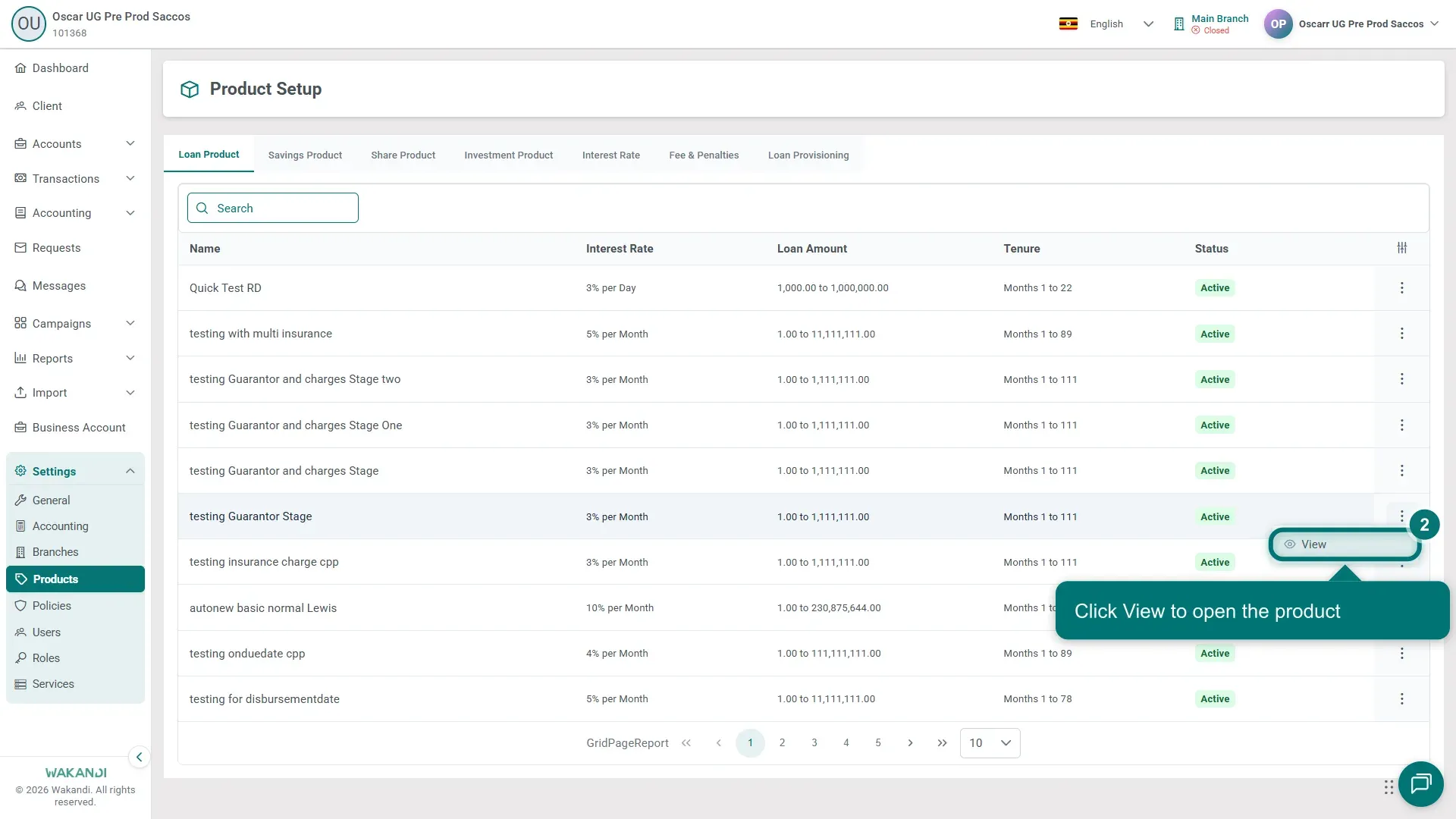
Figure 2: The row menu open on a loan product, with View highlighted - Click Edit and scroll to the Guarantors and Collateral section. It shows Guarantors and Minimum Number Of Guarantors.
- Change Guarantors from Self, Member to Self.
- Click Save, then open the product again and check that Guarantors now reads Self.
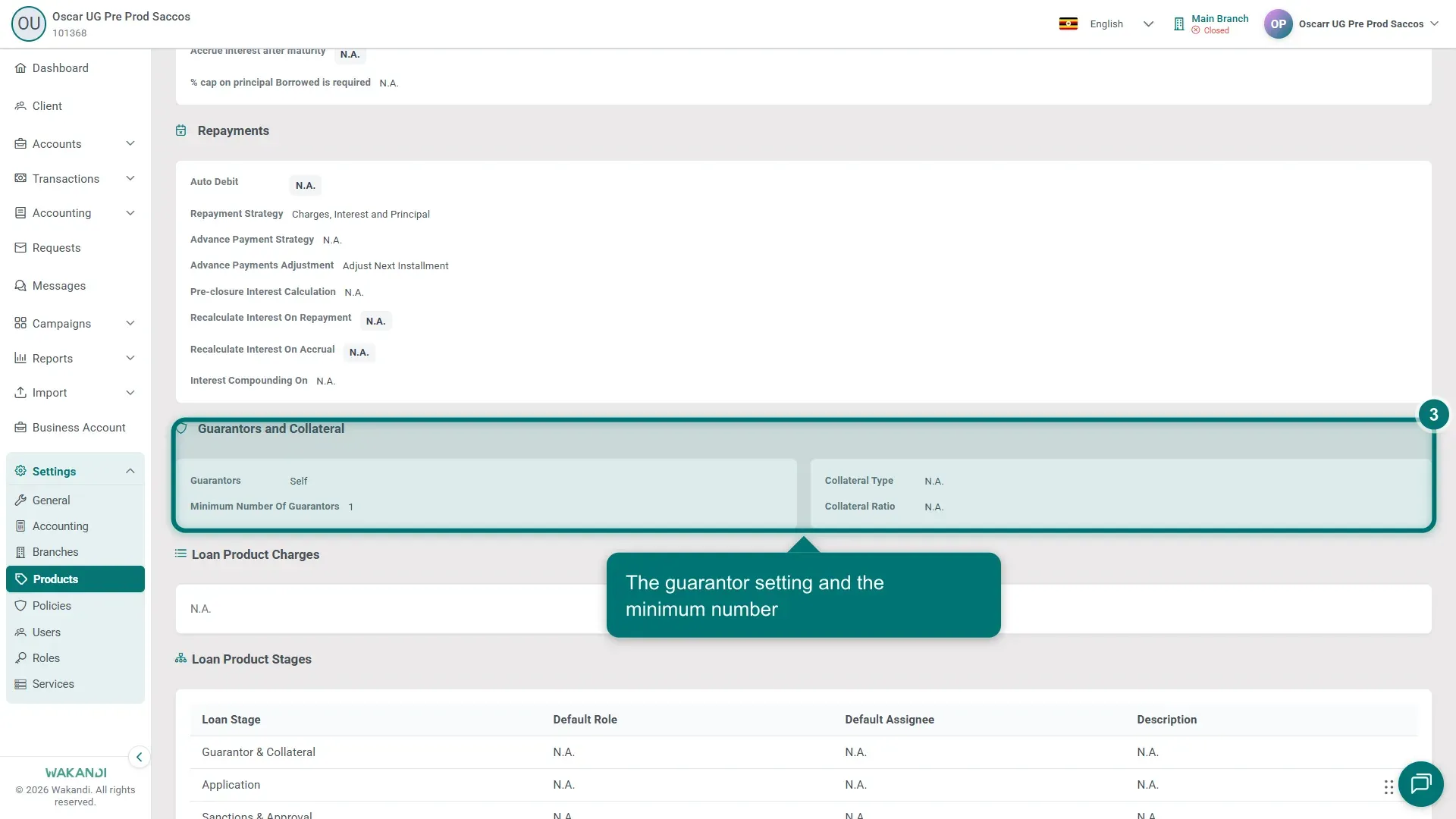
Figure 3: The Guarantors and Collateral section on Loan Product Details, with Guarantors reading Self
Warning: The change applies to loans created after you save. Loans that already have member guarantors keep them. Agree the change with credit operations before you save.
Common pitfalls & FAQ
- There is no Edit button. Your role may be view-only on products. Ask an administrator for product rights.
- What happens to running loans with member guarantors? Nothing. They keep the guarantors recorded on them; only new loans follow the new setting.
- What does Self mean? The borrower's own accounts stand behind the loan. No other member can be added as a guarantor on new loans from this product.
- I want the opposite. See "How to allow member guarantors on a loan product and set how many".