Check that member balances match the ledger
Summary
Check that the member-side balances in CAMS agree with the ledger figures in your books before you close a period. About 3–4 minutes · 7 steps. Also called: control account tie-out, month-end reconciliation, proving balances.
Sign in with your email to read the rest of this article, track what you have finished, and earn your certificate.
Sign inPrerequisites
- A CAMS sign-in with access to Reports and the Account category, plus branch access for every branch you are reconciling.
- The closing date of the period you are working on.
- The financial year start and end dates, from Settings > Accounting > Financial Year. The financial-year lesson shows where.
Step-by-step
Sign in to CAMS.
In the left menu, click Reports, then Account.
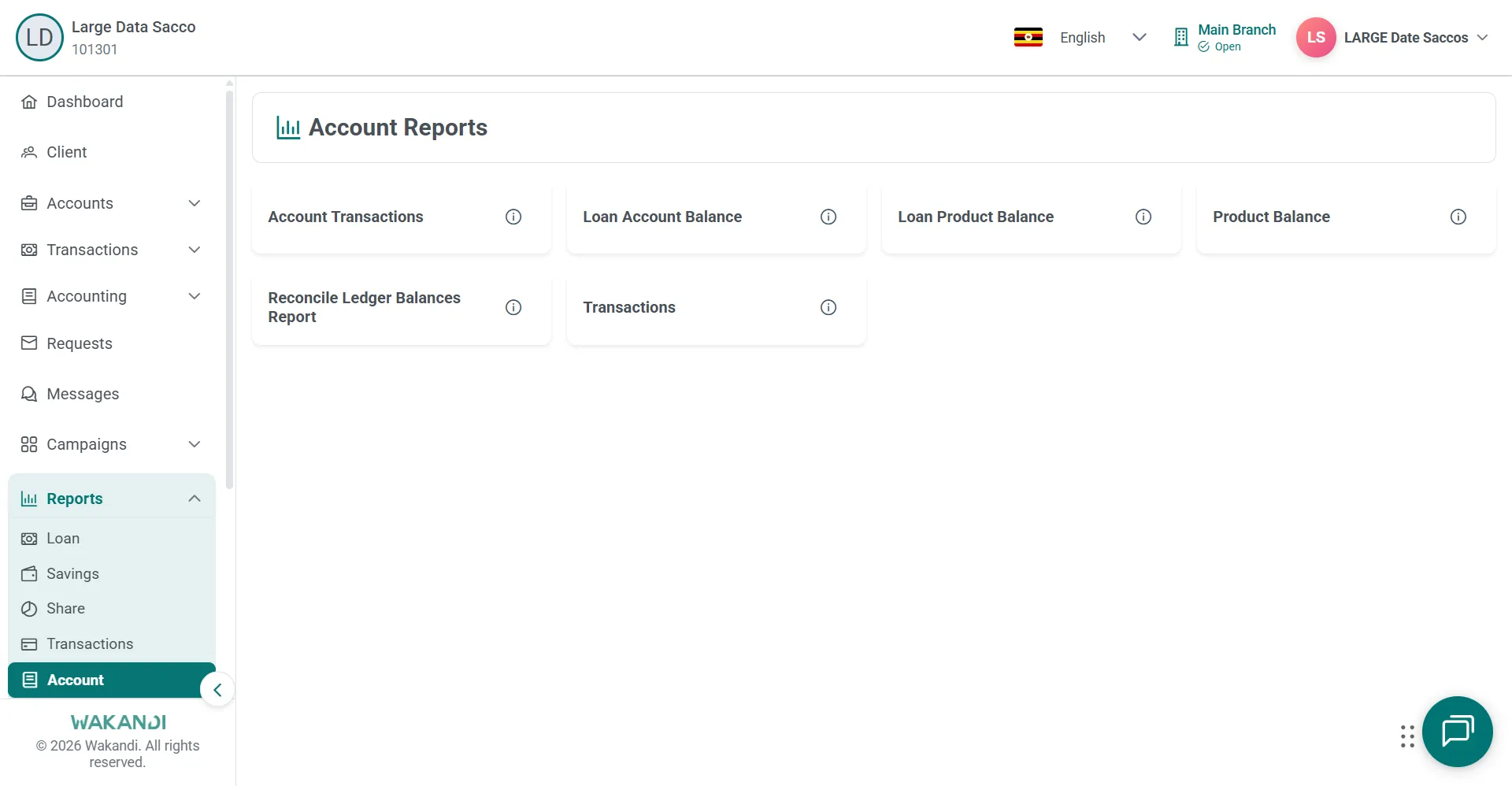
Figure 1: Account Reports hub with cards for Product Balance, Loan Product Balance and Reconcile Ledger Balances Report Click Product Balance, set the date range and branch, then click Submit. Note the balance shown for each product.
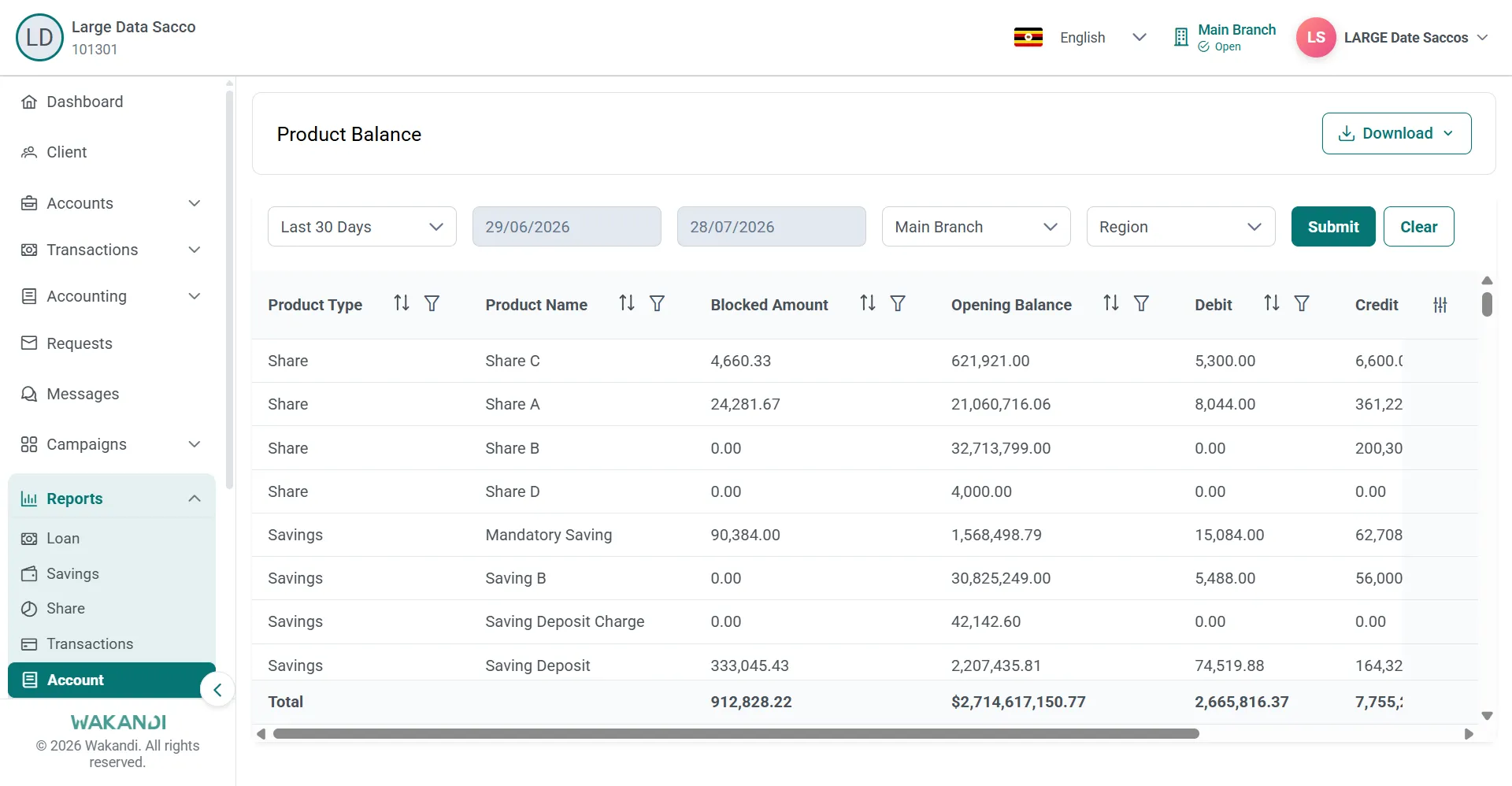
Figure 2: Product Balance report with date range, branch and Submit above per-product opening balance, debit and credit rows Go back to the hub and run Loan Product Balance with the same date range and branch. This gives the balance held against each loan product.
Run the Reconcile Ledger Balances Report over the same range. A difference between your operational balances and your ledger figures shows up here.
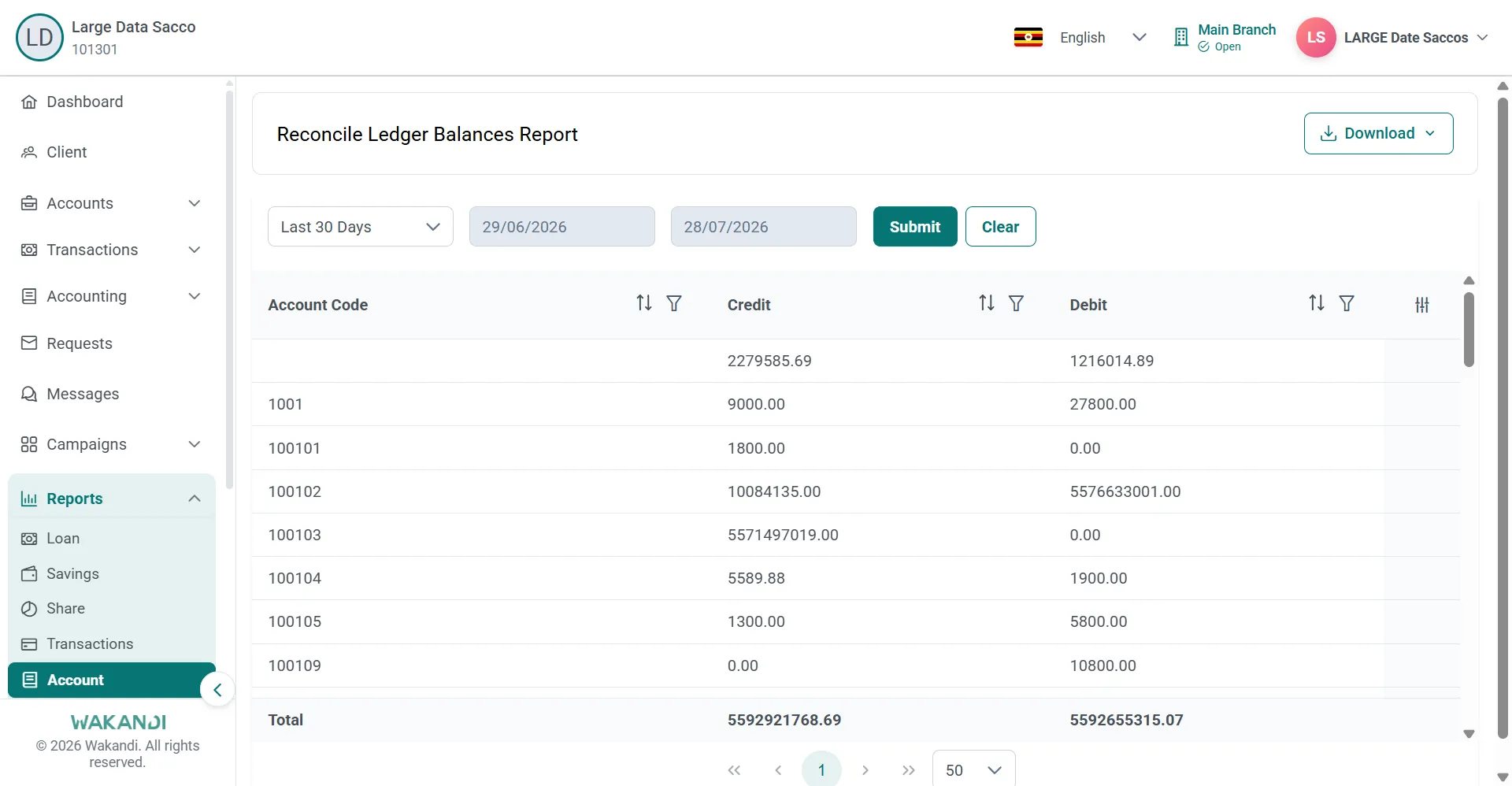
Figure 3: Reconcile Ledger Balances Report listing account codes with credit and debit totals for the selected period If a product does not agree, open Loan Account Balance to see the loan accounts behind that product's total. Account Transactions shows the movements on one account.
Click Download on each report and file the exports with your month-end pack.
Common pitfalls & FAQ
- Which report proves the difference? The Reconcile Ledger Balances Report. The balance reports give the member-side figures; the reconcile report is what you match to the ledger.
- The totals do not tie and I cannot see why. Confirm your date range sits inside one financial year, using the dates from the Financial Year tab.
- I think I opened the wrong report. Several card titles on this hub are close in wording. Use the exact name on the card, because similar titles produce different layouts.