The AML Risk Monitoring dashboard
Summary
The dashboard is the screen to open first each morning: it answers "is anything urgent today?" in one look.
About 2 minutes · 3 steps. Also called: compliance dashboard, AML overview, alerts screen.
Sign in with your email to read the rest of this article, track what you have finished, and earn your certificate.
Sign inPrerequisites
- A sign-in for Wakandi AML Risk Monitoring.
Step-by-step
Open Wakandi AML Risk Monitoring and sign in. You'll land on the dashboard.
Read the four cards along the top before anything else.
Read the panels underneath for the shape of the week.
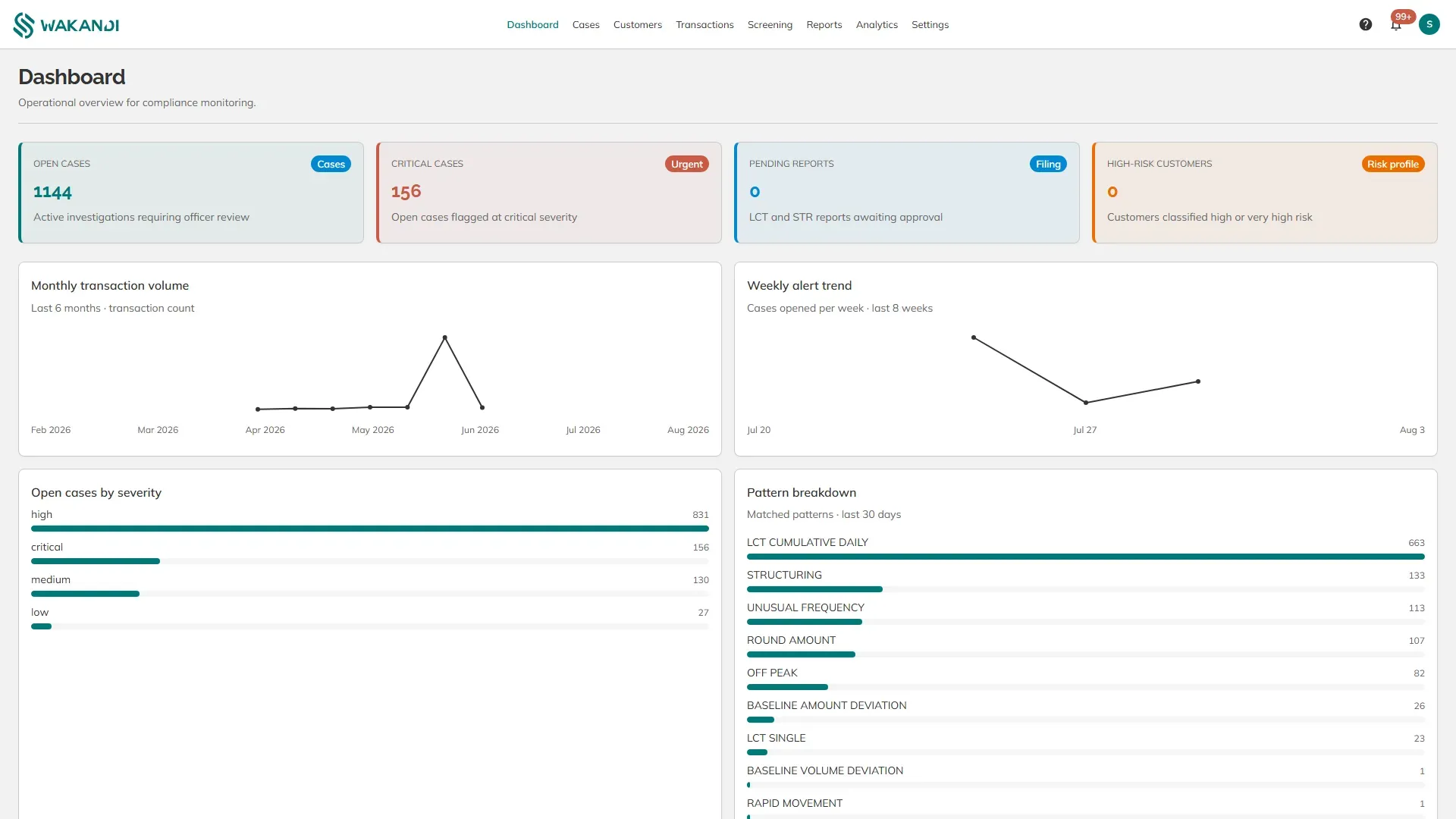
Figure 1: The AML Risk Monitoring dashboard, showing the four count cards, the severity breakdown and the matched patterns
Then, the main things on this screen:
The four cards (top).
- Open cases — everything still waiting for an officer. This is your workload.
- Critical cases — the open cases marked critical. Start here.
- Pending reports — reports written but not yet filed with the authority.
- High-risk customers — members classified high or very high risk.
Open cases by severity. The queue split into critical, high, medium and low, so you can see whether it is mostly serious or mostly routine.
Pattern breakdown. Which rules matched over the last 30 days, largest first. A pattern near the top is a real trend among your members, or a rule set too tight.
Top flagged members. The members with the most cases over the last 90 days. A member appearing here repeatedly is worth a look even when no single case is alarming.
Weekly alert trend and Monthly transaction volume. Cases opened per week beside money moved per month — read together, they tell a rise in alerts from a rise in business.
My work. Cases assigned to you, with Browse work queue to open the full list.
Recent activity. The last changes made in the system, and who made them.
Note: The counts cover your whole institution — there is no branch filter here. Narrow the list on the Cases screen instead.
Common pitfalls & FAQ
- The numbers look far too high. Cases are counted, not transactions — each rule that matches opens its own case.
- Pending reports and high-risk customers show zero. Both start at zero until a report is written or a customer is classified. On a new setup that is normal, not a fault.
- Nothing is assigned to me. Cases arrive unassigned. Open the queue and pick one up, or ask your administrator to assign work.