Set up a cash or bank account so the Cash Book and reconciliation work
Summary
Create a cash or bank ledger and register it as a cash/bank account, so it reaches the Cash Book and can be reconciled.
About 4 minutes · 7 steps. Also called: bank ledger setup, cash book account, till account, GL mapping.
Sign in with your email to read the rest of this article, track what you have finished, and earn your certificate.
Sign inPrerequisites
- A CAMS Admin sign-in with access to Accounting and to Settings > Accounting.
- The account number, name and type you want to register.
- A ledger code that already exists on the Chart of Accounts, and any opening balance agreed with your accounting staff.
Step-by-step
Sign in to CAMS Admin.
In the left menu, expand Accounting, click Charts of Accounts, then click Add Ledgers. The Ledger Details form opens. It is the same form as in How to set up the Chart of Accounts.
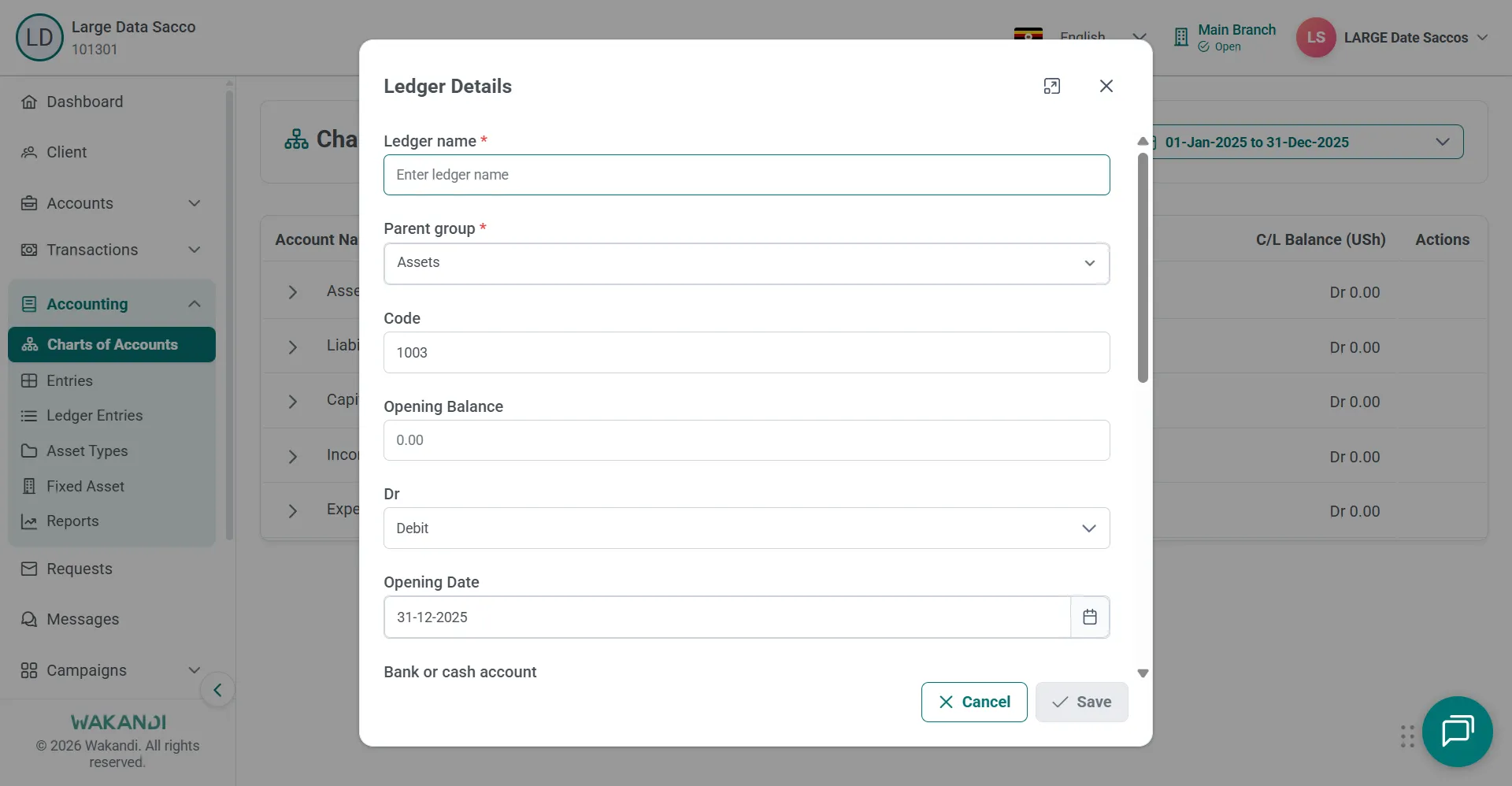
Figure 1: The Ledger Details dialog with ledger name, parent group, code, opening balance, debit side and opening date fields Fill in the name, parent group and code, then set the two flags that make it a cash or bank ledger: Bank or cash account and Reconciliation. Click Save and check it appears under the correct group.
Expand Settings and click Accounting, then open the Cash/Bank Accounts tab. Click Add Account.
Enter the account number, name and type with the matching general ledger code, then save. The new row appears in the list.
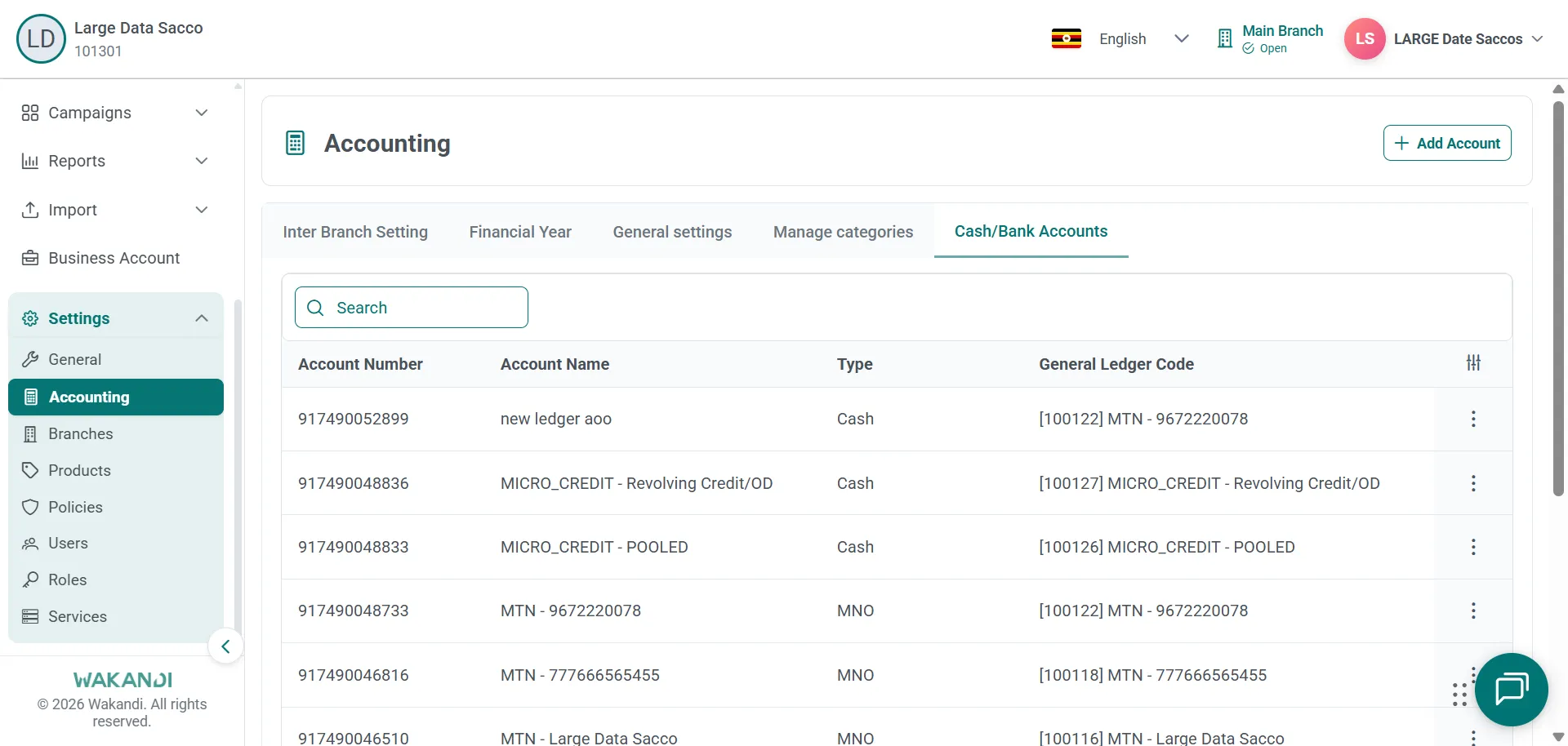
Figure 2: The Settings Accounting page on the Cash/Bank Accounts tab, listing accounts by number, name, type and ledger code Now check your work. Expand Accounting and click Reports, then click Cash Book.
Confirm the period shown at the top and look for your new ledger's rows.
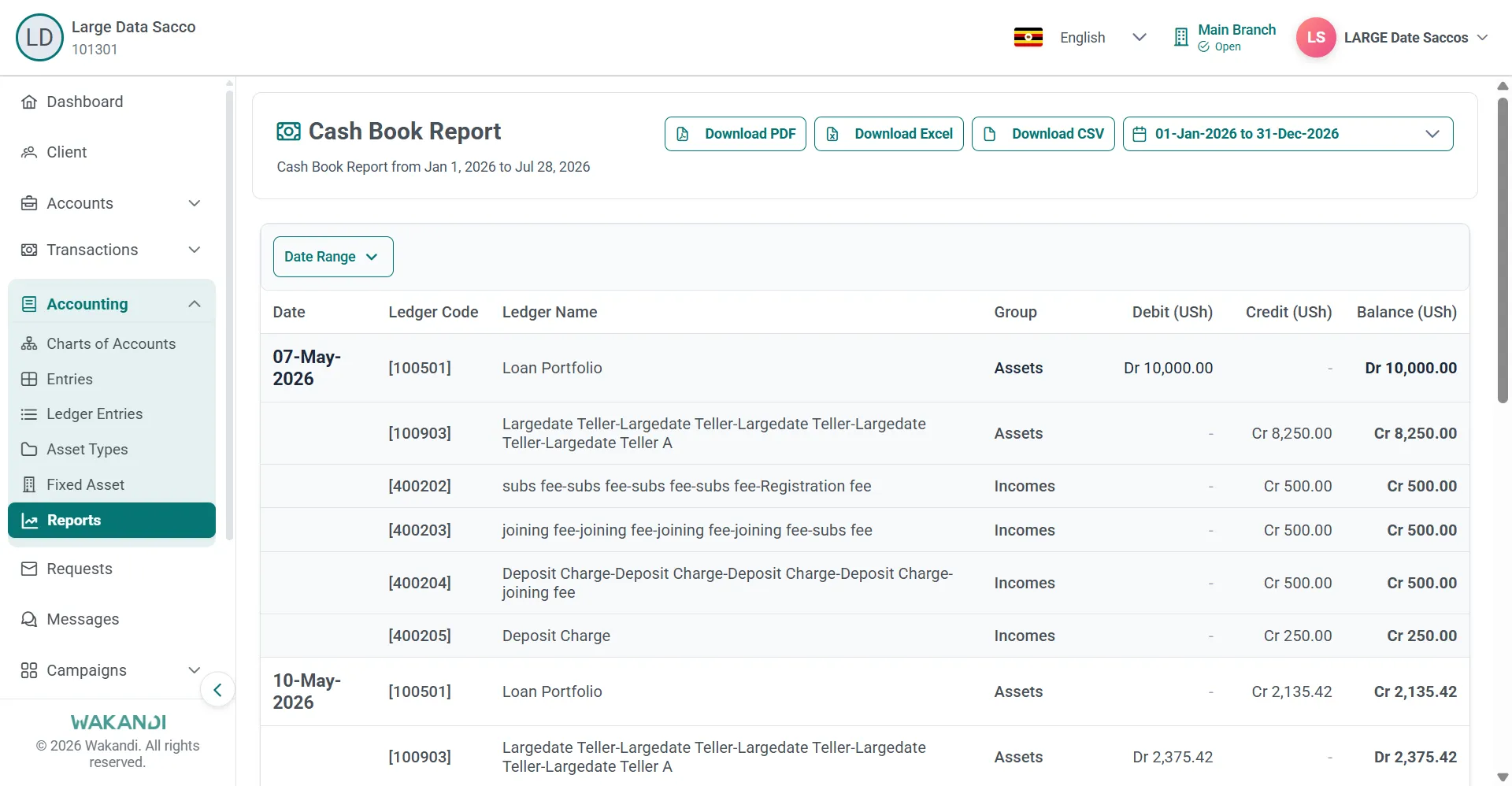
Figure 3: The Cash Book Report with its date range at the top and dated ledger rows showing debit, credit and balance
Common pitfalls & FAQ
- The ledger is in the chart but the Cash Book shows nothing. Check that Bank or cash account is set on it. Cash and bank ledgers need that flag before the Cash Book and reconciliation reports find them.
- The Cash Book is empty for my period. Widen the date range, or confirm that entries exist for that period.
- I cannot see the Cash/Bank Accounts tab. Your role may lack the cash/bank account permission. Ask your administrator.
- Can I remove an account? Not while open tills or pending postings still reference it.