Review the day's transactions before you close
Summary
Run the day's transaction reports for your branch, review what was reversed, and keep a copy of both.
About 4 minutes · 7 steps. Also called: end of day check, daily transaction report, reversed transactions, EOD reporting.
Sign in with your email to read the rest of this article, track what you have finished, and earn your certificate.
Sign inPrerequisites
- Reports in your left menu, and access to the branch you are checking.
- The date you are reporting on.
- This is the report side of closing. Counting your till is a separate task — see How to reconcile the teller.
Step-by-step
Sign in to CAMS.
In the left menu, expand Reports and click Transactions. Wait for the report cards to finish loading: Daily Transaction Report, Fees Income Report, Expense Report, Reversed Transaction Report and more.
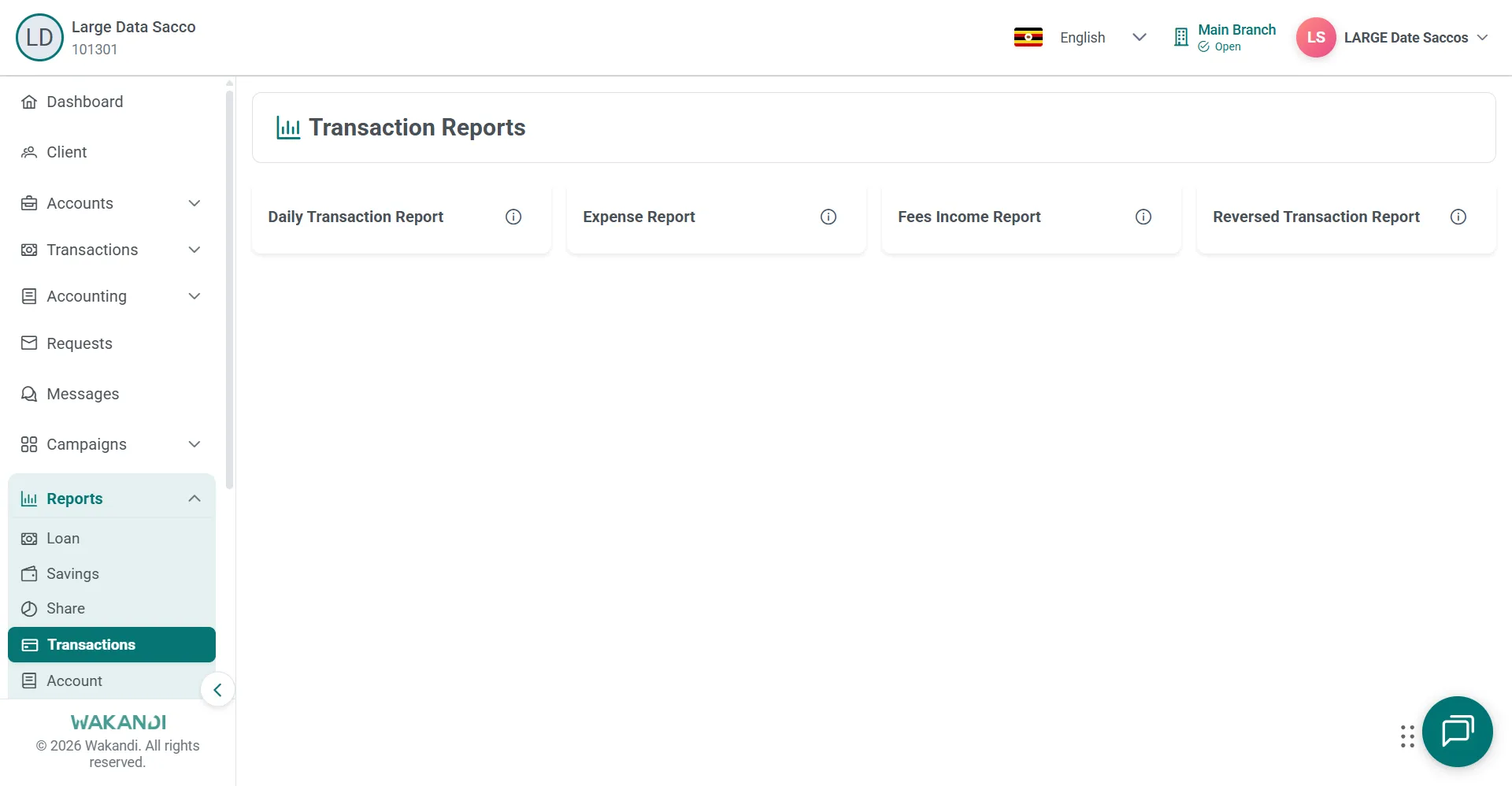
Figure 1: Transaction Reports hub with cards for Daily, Expense, Fees Income and Reversed Transaction reports Click the Daily Transaction Report card and wait for the filters to load.
Set the filters you need — date range, branch, product, officer or status — then click Submit. Clear resets them.
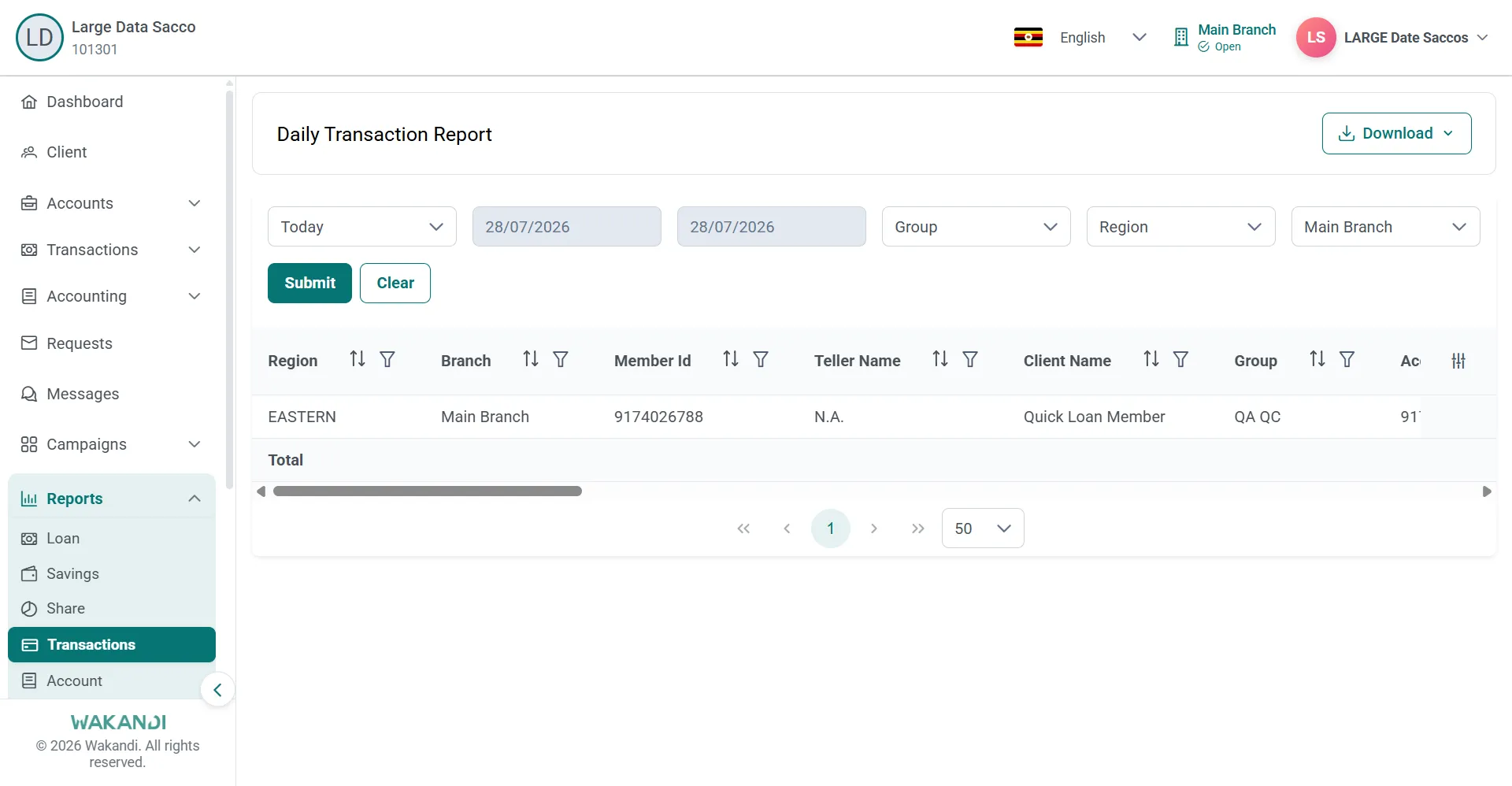
Figure 2: Daily Transaction Report with period, date, group, region and branch filters above Submit and Clear Wait until the results grid is fully loaded, then read it. To keep a copy, click Download and choose Excel, CSV or PDF.
Return to Reports → Transactions and click the Reversed Transaction Report card.
Set the dates, click Submit, and review every reversal for the day. Download it the same way if your Sacco keeps the evidence.
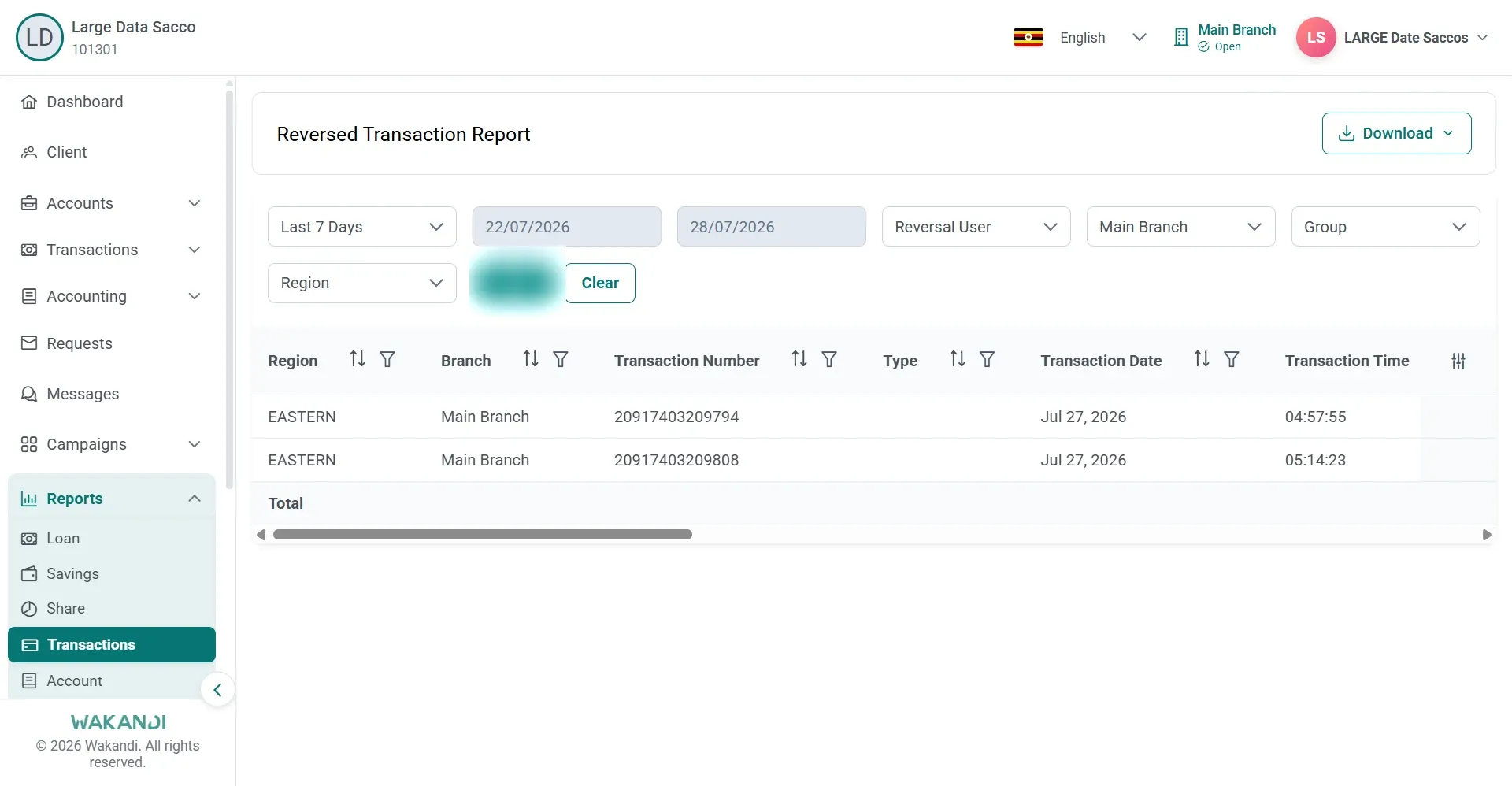
Figure 3: Reversed Transaction Report listing two reversed postings with date filters and a Download button
Common pitfalls & FAQ
- The grid comes back empty. Check the filters and your branch access, then click Submit again.
- The report is slow. Narrow the date range. Wide ranges on a large portfolio take longer to run.
- The downloaded file looks short. Wait for the grid to finish loading before you click Download, and run Submit again after any filter change.
- Why read reversals daily? A reversal reviewed the same day is a routine correction. One found months later is an audit finding.