Check the financial year dates before you post or report
Summary
Find the financial years your organisation has defined, and get the exact dates your postings and reports should sit inside.
About 3 minutes - 6 steps.
Also called: accounting period, year end, period close, posting into a closed year.
Sign in with your email to read the rest of this article, track what you have finished, and earn your certificate.
Sign inPrerequisites
- A Wakandi Admin Portal sign-in with access to Settings > Accounting.
- The date you are about to post into, or the period you are about to report on.
- You are only reading this tab. You do not need to change anything on it.
Step-by-step
Open the Wakandi Admin Portal and sign in.
In the left sidebar, expand Settings, then click Accounting. Wait until the page and its tabs finish loading.
Open the Financial Year tab. Wait until the year list finishes loading.
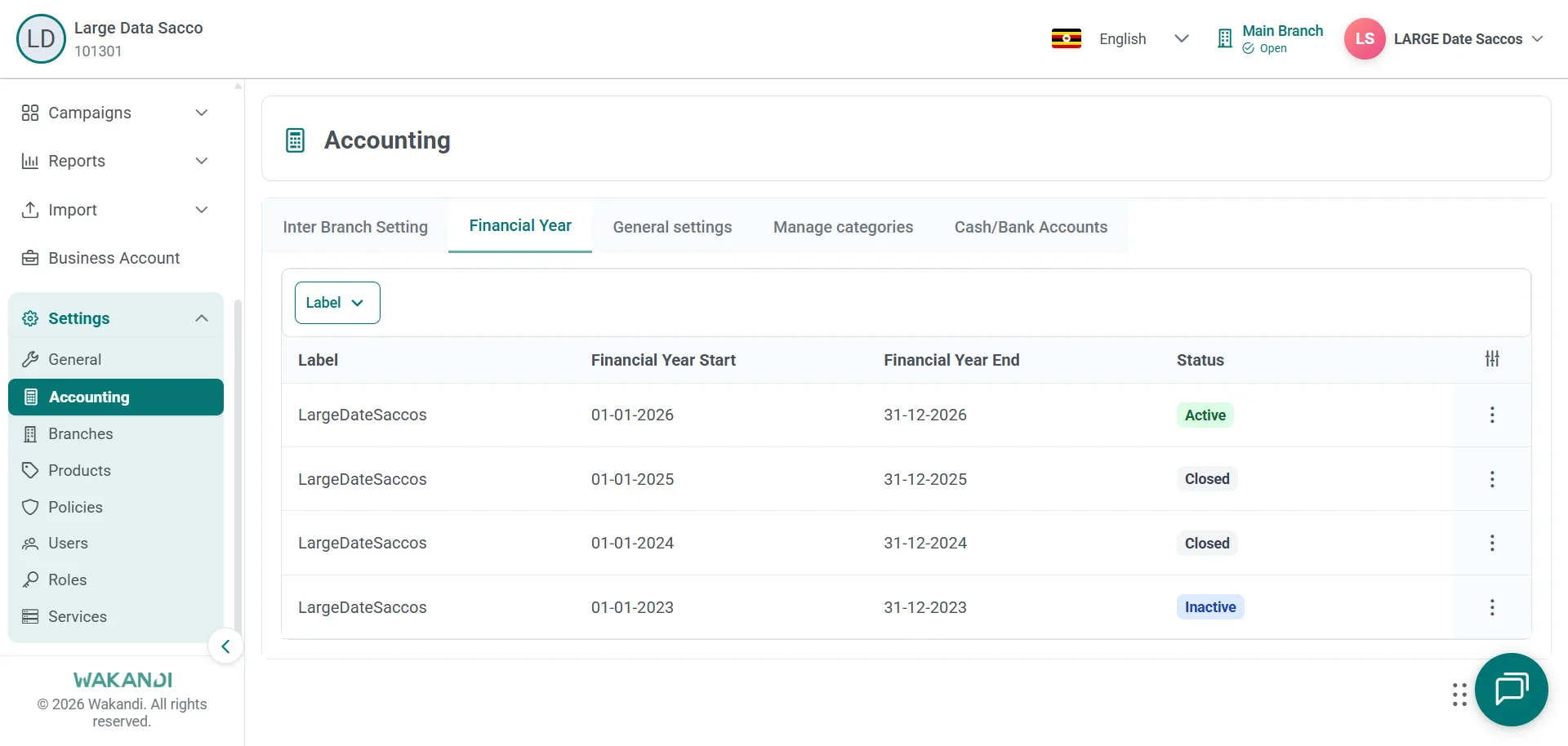
Figure 1: Financial Year tab under Settings Accounting listing each year with start date, end date and status Find the row that covers the date you care about. Read Financial Year Start, Financial Year End and Status. Status shows values such as Inactive or Closed.
Write down that start date and that end date. They are the boundary for any date range you set.
To see the period an entry list is working to, expand Accounting and click Entries. The heading names the active period, for example Entries from Jan 1, 2025 to Dec 31, 2025. Set Date Range so it stays inside the year you noted.
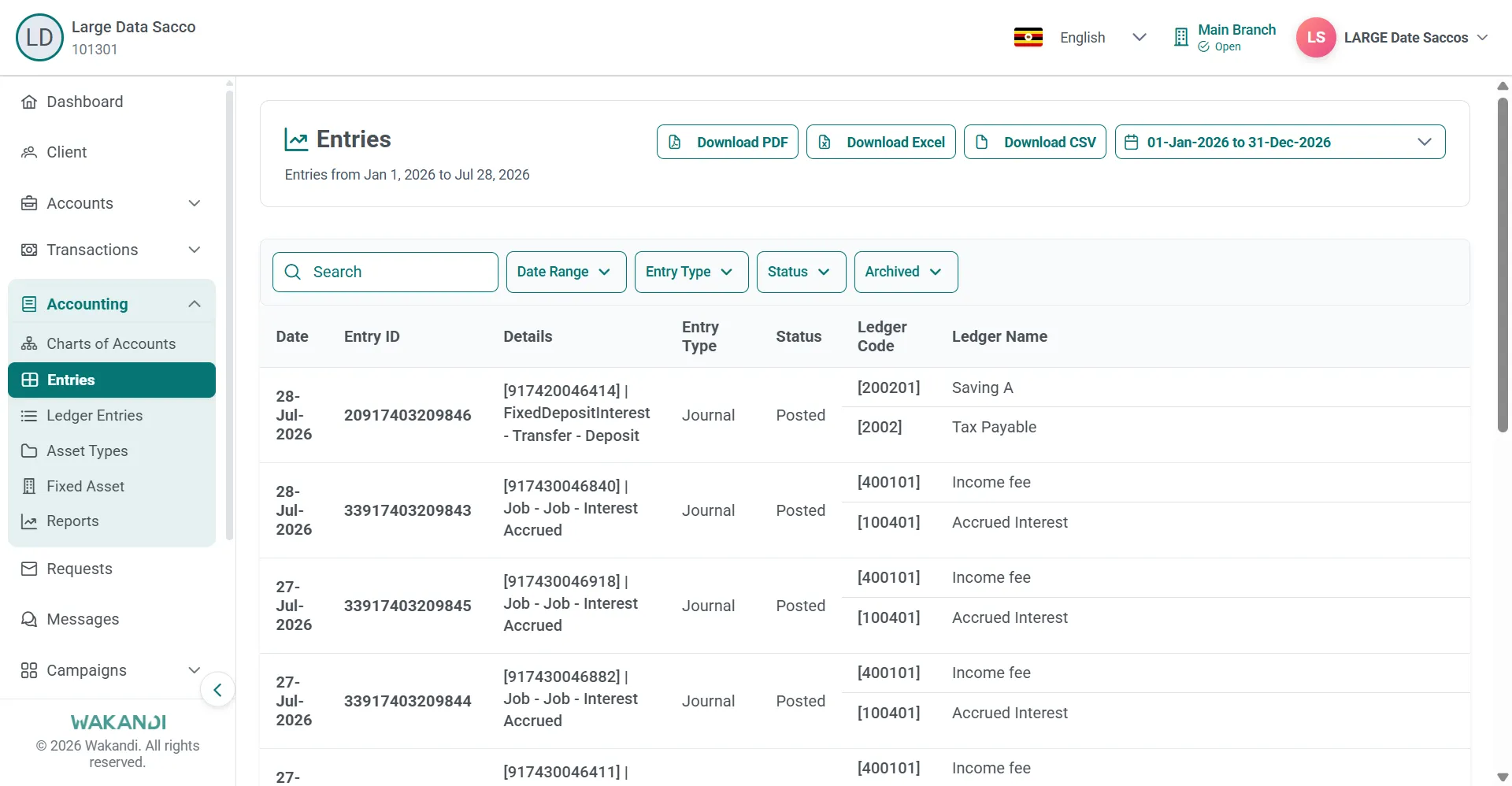
Figure 2: Accounting Entries page with the active period in the heading and Date Range, Entry Type and Status filters
Common pitfalls & FAQ
- My statements do not agree and I cannot explain it. Your date range may cross two financial years. Align it to the start and end dates on the Financial Year tab, then run the report again.
- Can I post into a closed year? Closed years should not receive routine day-to-day postings. Speak to your finance lead before you try.
- A year shows Inactive. Inactive and Closed are separate statuses on this tab. Ask your finance lead which year your branch should be posting into today.
- I cannot see the Financial Year tab. Some tabs appear only when your role has the matching permission. Ask your administrator for access.
- Should I close the year myself? Not on your own. Wait until finance confirms all postings for the period are complete, because closing the wrong year can block operational posting.
- Which reports should use these dates? Use the same period across your trial balance, cash flow, equity and tax reports. Trial Balance Report, under Accounting > Reports, shows its active period at the top.
- Several years are listed. That is normal. The tab lists the years defined for your organisation, so match the dates to your period rather than taking the first row.