Register a fixed asset and set its depreciation
Summary
You will register one purchased asset in the fixed asset register and set how it depreciates.
About 8 minutes - 10 steps. Also called: add fixed asset, asset register, depreciation method, effective life.
Sign in with your email to read the rest of this article, track what you have finished, and earn your certificate.
Sign inPrerequisites
- A CAMS sign-in that can open Accounting.
- The asset type already created in Accounting → Asset Types. It carries the ledgers and the depreciation rate.
- The supplier invoice to hand, with the asset or invoice number, purchase date and value.
- The serial number, warranty expiry and supplier details where the asset has them.
- The depreciation method, averaging method and effective life your accountant uses for this class of asset.
- The creditor's ledger, if the asset was bought on credit.
Step-by-step
Sign in to the Wakandi Admin Portal.
In the left menu, expand Accounting and click Fixed Asset. Wait for the Fixed Assets list to load.
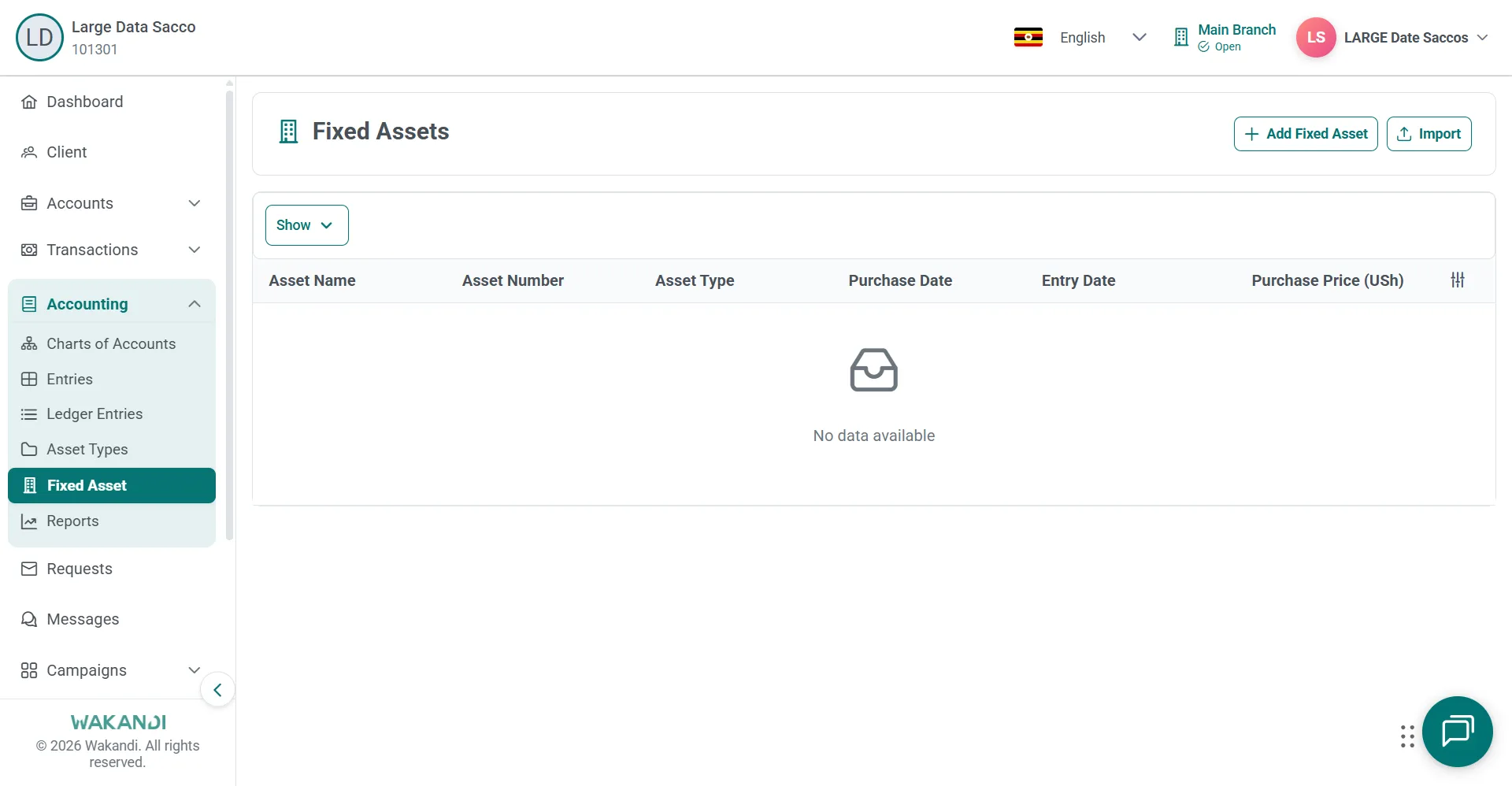
Figure 1: Fixed Assets page under Accounting with Add Fixed Asset and Import buttons above the asset list Click Add Fixed Asset and wait for the Details form to finish loading.
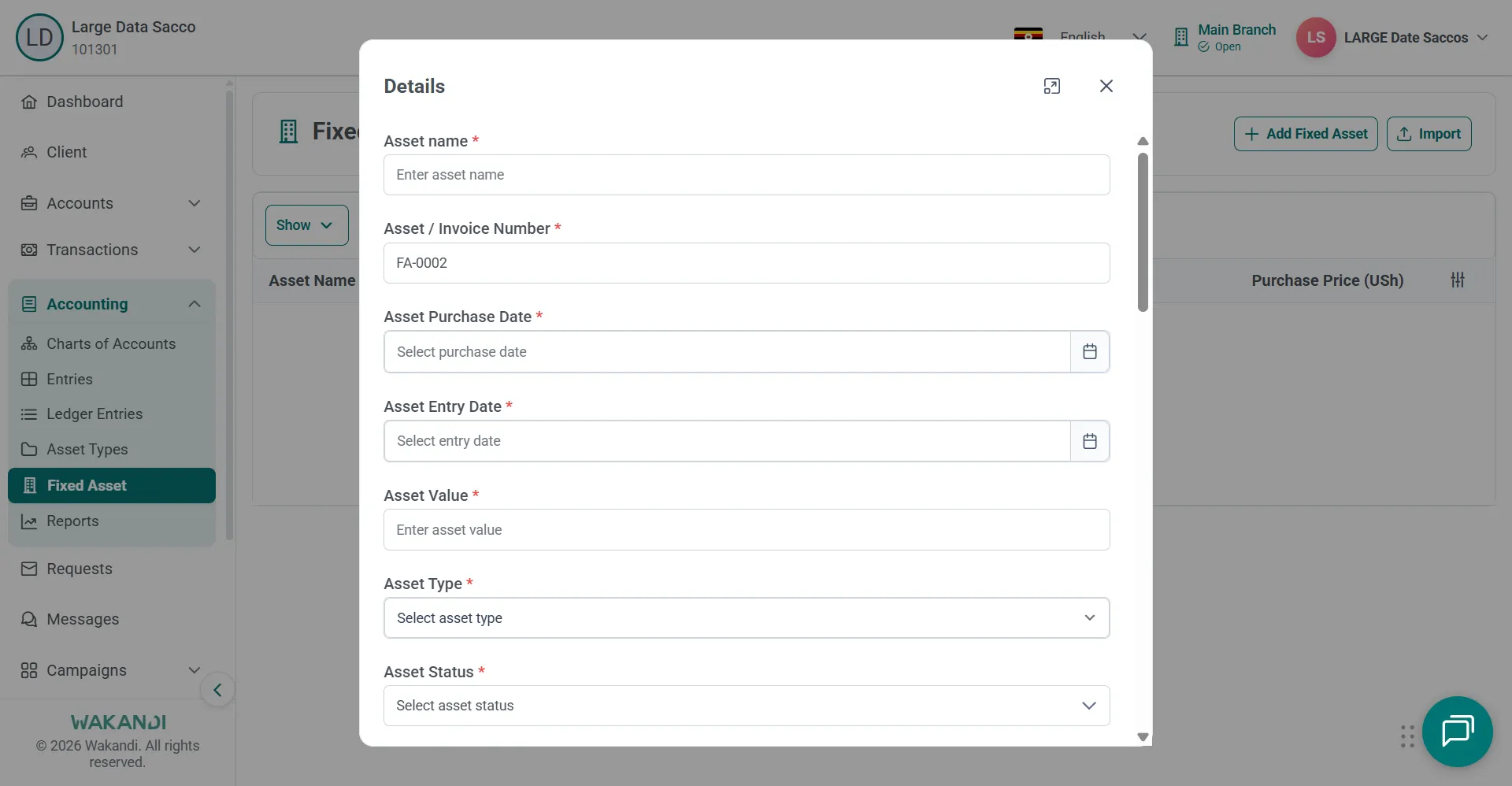
Figure 2: Add Fixed Asset Details form with asset name, invoice number, purchase and entry dates, value and type Enter the Asset name and the Asset / Invoice Number.
Enter Asset Purchase Date, Asset Entry Date and Asset Value. Take all three from the invoice in front of you.
Select Asset Type and Asset Status.
Add Description, Serial Number, Warranty Expiry, Supplier Name, Supplier Company and Supplier Address where you have them.
Select the Creditor's Ledger if the asset was bought on credit.
Set Depreciation Method, Averaging Method and Effective Life (Years). Review the depreciation and book value fields the form shows.
Click Save and confirm the asset appears in the Fixed Assets list.
Common pitfalls & FAQ
- The asset type I need is missing. Open Accounting → Asset Types, click Add Asset Type and create it. Then start this form again.
- Save will not go through. The required fields are asset name, asset or invoice number, both dates, asset value, asset type, asset status and depreciation method.
- Which date goes where? Both dates should match your supporting invoice.
- I have thirty assets to load. Use Import on the Fixed Asset page instead of this form. Check that the asset types exist first, and keep the file for audit. Import is not covered here.
- Two assets share a number. Keep asset and invoice numbers unique so an auditor can trace each one.
- The asset is missing from the report. Open Accounting → Reports → Assets, check the period shown at the top, and widen the date range.