How to open a Fixed Deposit account for a member
Summary
Open a Fixed Deposit account for a member, where an agreed amount is locked away for a set term and earns interest. About 4 minutes · 11 steps. Also called: FD, term deposit, fixed savings, locked savings, time deposit.
Sign in with your email to read the rest of this article, track what you have finished, and earn your certificate.
Sign inPrerequisites
- Your CAMS Admin sign-in.
- The member is already registered — see How to find a member.
- A Fixed Deposit product exists — see How to configure savings and share products.
- The amount, term and interest rate agreed with the member.
Step-by-step
Sign in to CAMS Admin. New to it? Start with How to sign in and navigate CAMS Admin.
In the left menu, click Client. Search for the member and click their row. Their profile opens.
Open the Accounts tab, then click Add saving at the top right. The Add saving window opens with the member already filled in.
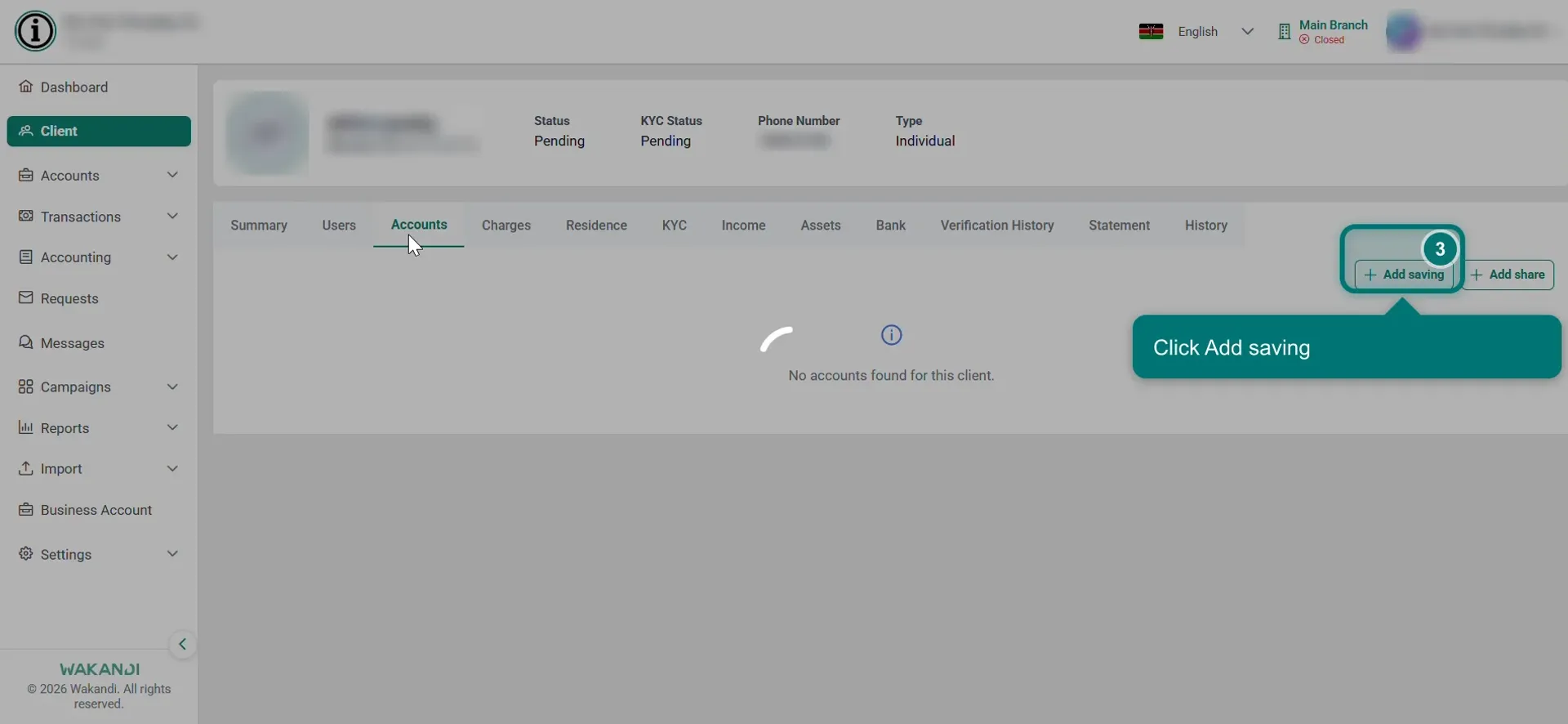
Figure 1: The member's Accounts tab with the Add saving button highlighted In Product, pick the Fixed Deposit product you agreed with the member. Your institution may offer several, each with its own interest arrangement, so read the names rather than take the first one. The Fixed Deposit fields appear.
Enter the Tenure (a number) and pick the Tenure Period (the unit). Tenure 5 with Monthly locks the money for five months.
Enter the Opening Balance, which is the amount being deposited.
Enter the Interest Rate as a percentage for each Tenure Period, so 5 with a Monthly period means 5% a month. Interest Amount is worked out for you and cannot be edited.
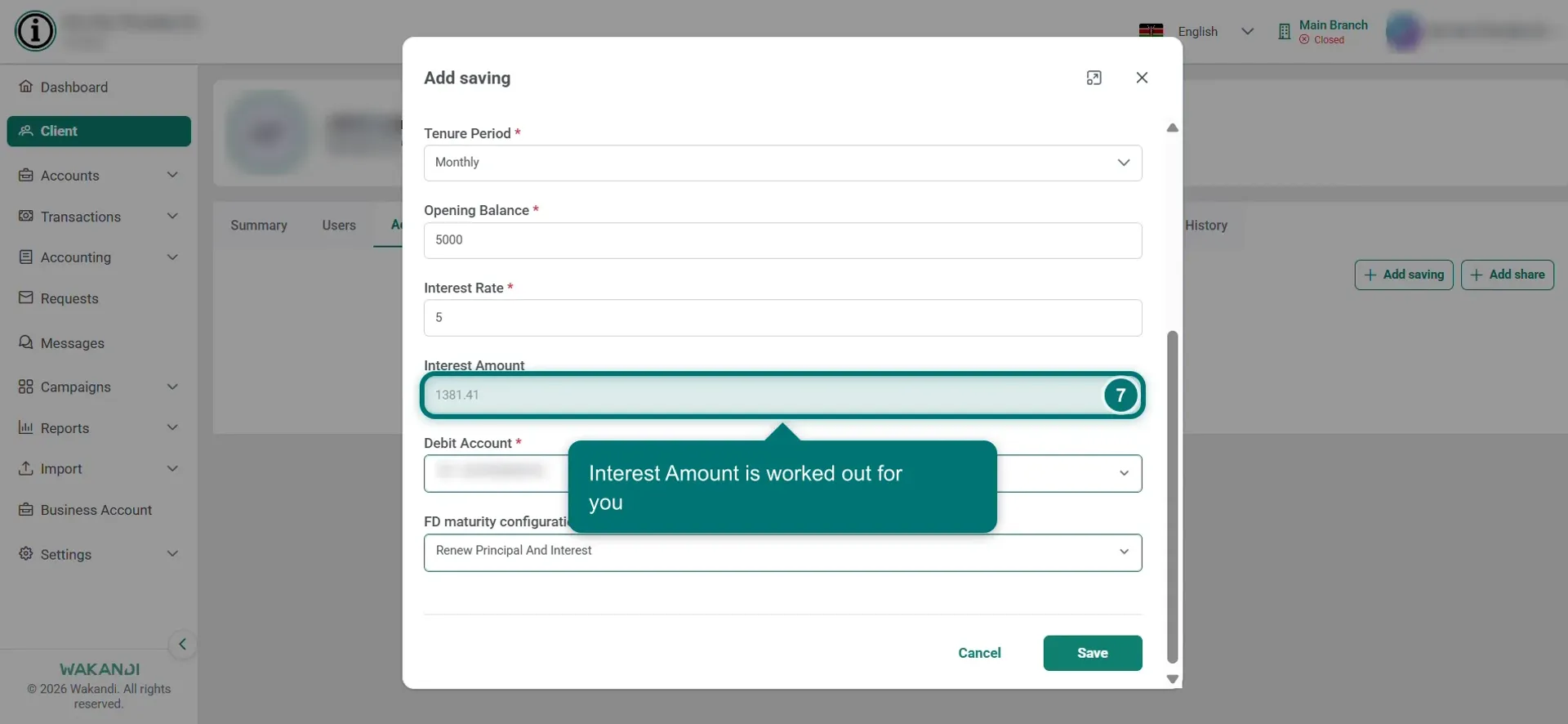
Figure 2: The Add saving window with the Fixed Deposit fields filled in and Interest Amount calculated In Debit Account, pick where the deposit money comes from, such as the teller's till.
In FD maturity configuration, choose what happens on the day the term ends:
- Renew Principal And Interest locks the deposit and its interest away again.
- Transfer Interest To Saving Account And Renew pays the interest out and relocks the deposit.
- Transfer To Saving Account pays everything out.
- Withdrawal Maturity hands the money back.
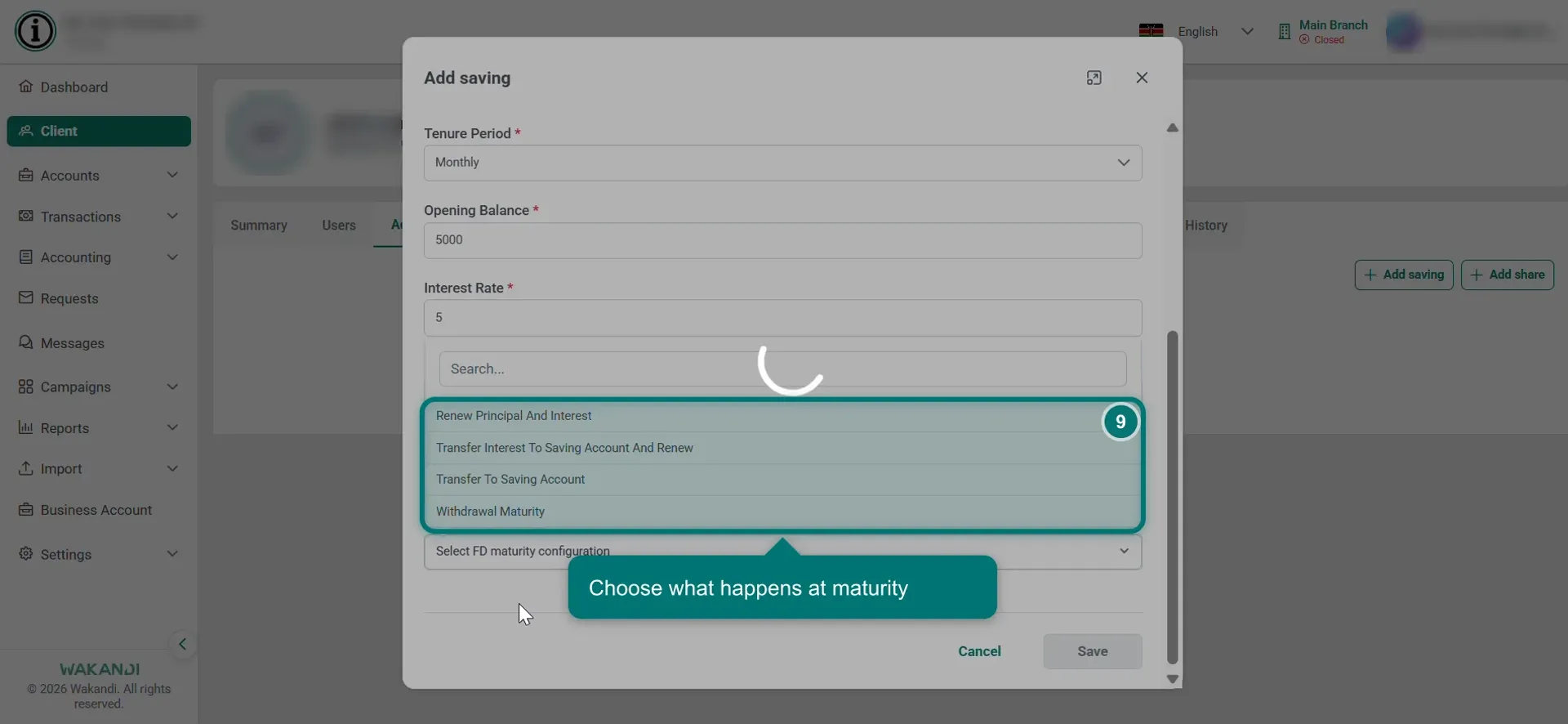
Figure 3: The FD maturity configuration list open, showing all four options If you picked either Transfer option, a Credit Account field appears. Pick the savings account the money should be paid into.
Warning: Saving moves the money out of the debit account and locks it until the maturity date. Check the amount, the term and both accounts first, because taking it out early needs a premature withdrawal.
Click Save. You'll see Saving created successfully, and the account appears as Active with its maturity date. Back on the member's Accounts tab it is listed under Savings. That row carries the account number, product name and status, plus the Opening Date, Maturity Date and Interest.
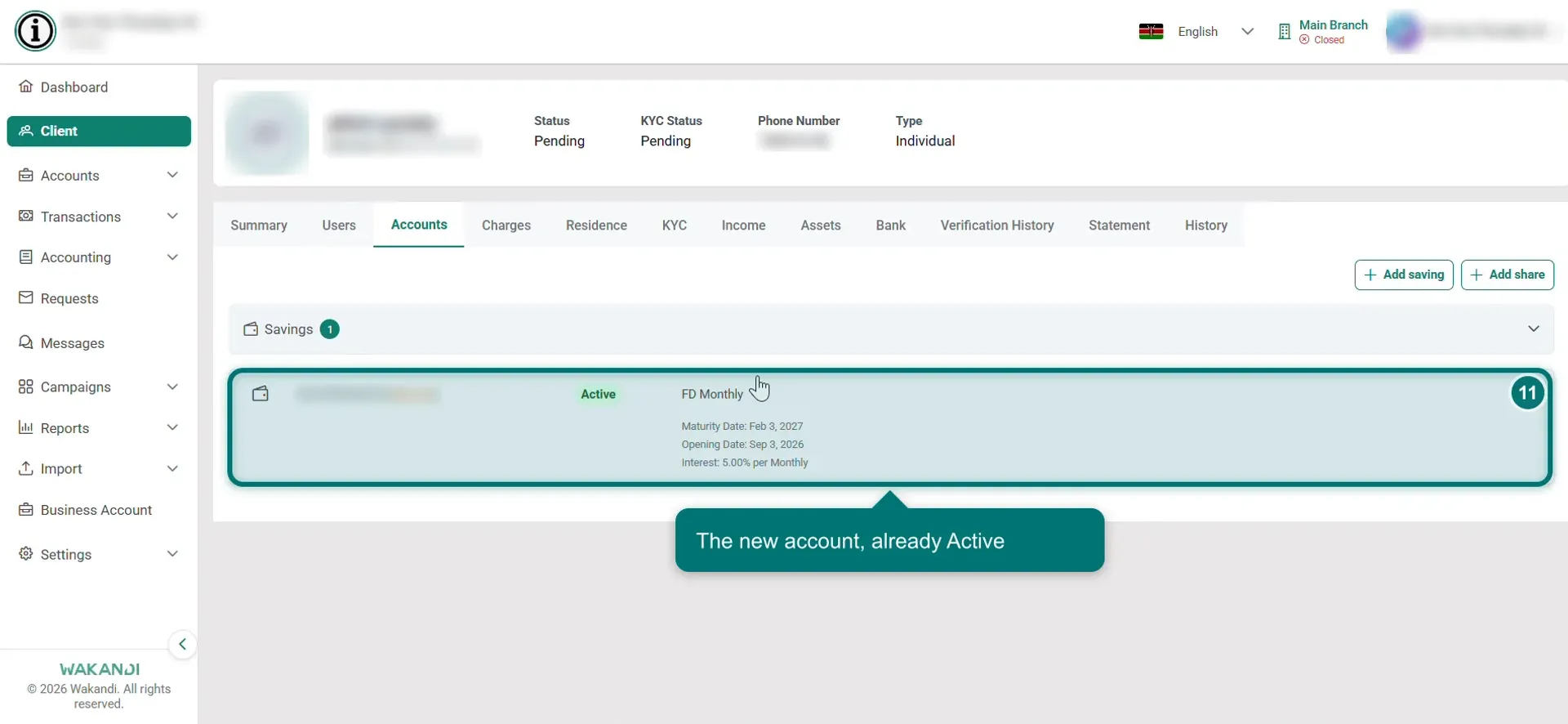
Figure 4: The new Fixed Deposit account shown as Active after saving
Another way in: click Accounts, then Savings, then New saving. Pick the Client/Member and the Product yourself, then continue from step 5.
Common pitfalls & FAQ
- Save does nothing. A required field is empty. It shows a red message such as Interest Rate is required. Fill it in and save again.
- I can't find a Fixed Deposit product. One has to be set up first, using the product guide above. If you see several with similar names, ask whoever set them up which one you should use.
- The Maturity Date or Interest shows N/A on the Accounts tab. Those columns can be slow to fill on a new account, and not every product uses all of them. Open the account and read Fixed Deposit Details instead.
- Where do I check the maturity details? Open the account under Accounts > Savings. Fixed Deposit Details shows the dates, the maturity amount, the rate and the interest earned so far.
- The member wants their money back early. See How to close a Fixed Deposit account.