How to unblock a member whose login is locked
Summary
Unblock a member whose login is locked after repeated failed sign-in attempts, so they can use the app or portal again. About 2 minutes · 6 steps. Also called: locked out, account locked, unlock a member, cannot log in, blocked login, wrong PIN too many times.
Sign in with your email to read the rest of this article, track what you have finished, and earn your certificate.
Sign inPrerequisites
- A CAMS sign-in with the Client.Edit permission (the right to edit a client). Without it, Unblock is not shown.
- The member's Member Id or name, so you can find them.
Step-by-step
Sign in to CAMS Admin. New to it? See How to sign in and navigate CAMS Admin.
In the left menu, click Client, search by Member Id, and click the member's row.
Open the Users tab. It lists the people who can sign in for this member, showing Full Name, Email Address, Country code, Phone Number and Role. The member's own login is the row whose Role is Owner.
On the right of the user's row, open the three-dot (⋮) menu, then click Unblock. It sits below Edit and Delete, and appears only while the login is locked.
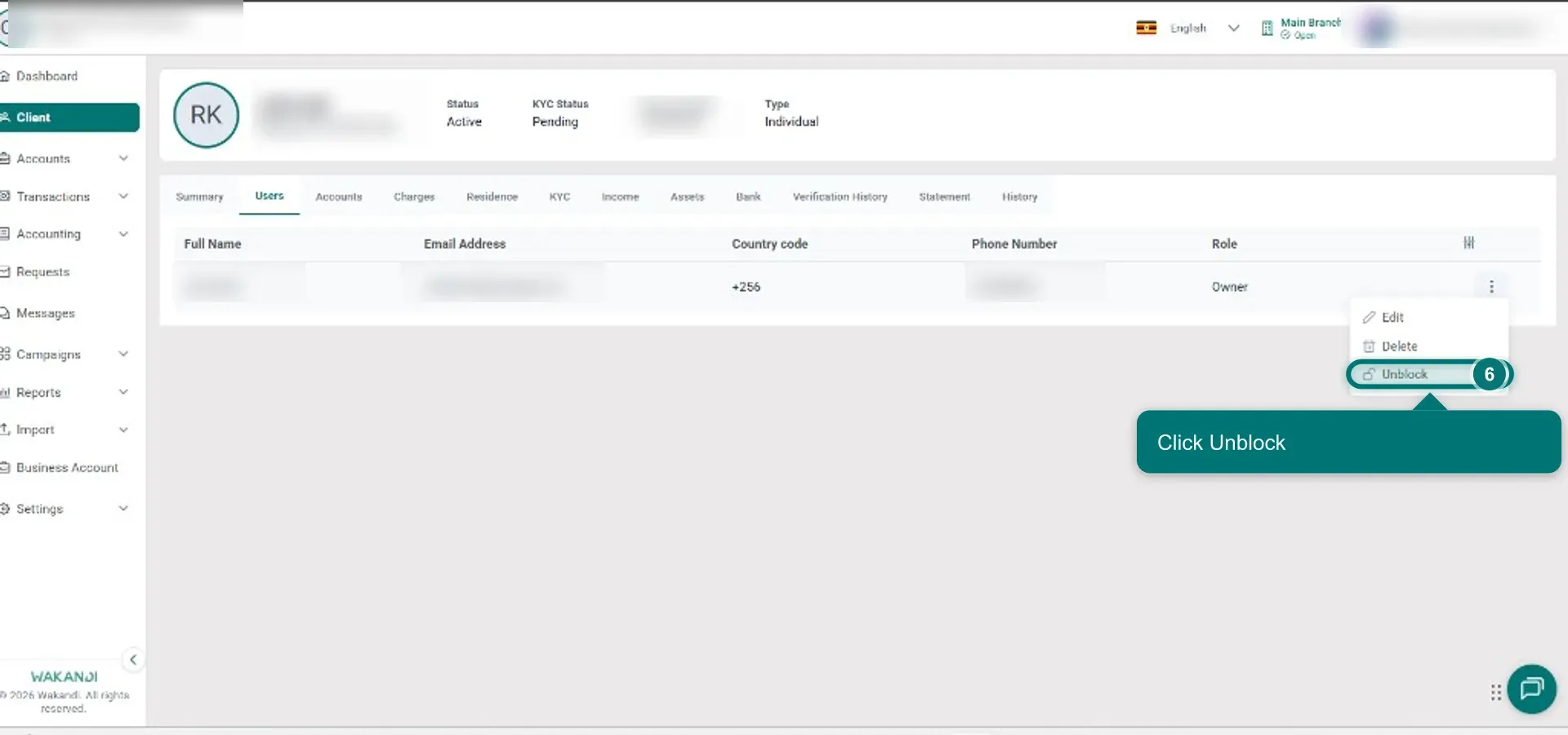
Figure 1: The Users tab on a member's details with the three-dot menu open and Unblock highlighted below Edit and Delete Confirm in the dialog. It names the lock reason and asks Do you really want to unblock the user?
A success message appears. Reopen the three-dot menu to check your work: Unblock has gone, so the login is no longer locked. The member can now sign in with the same PIN (their secret number) or password as before.
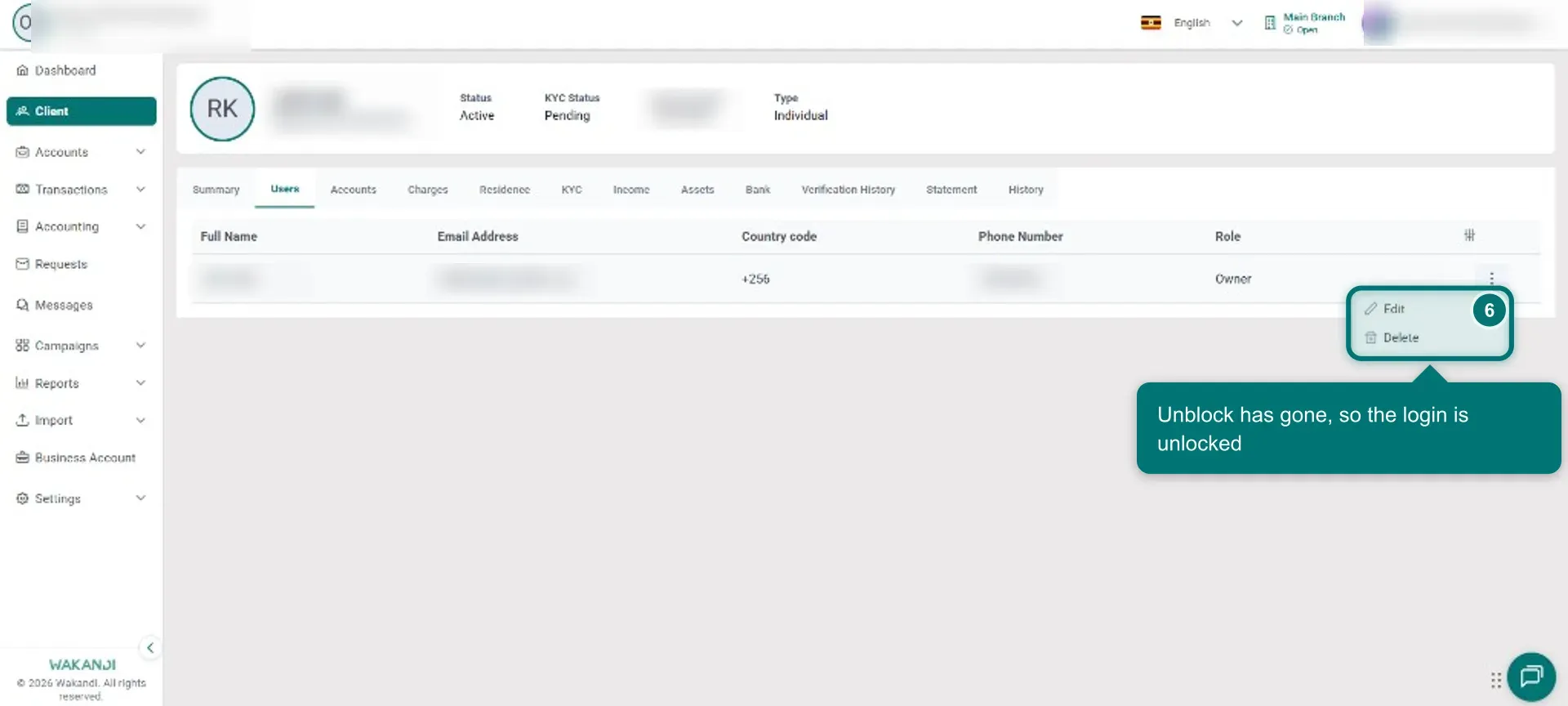
Figure 2: The three-dot menu reopened after unblocking, showing only Edit and Delete
Note: Unblock clears the login lock and nothing else. It does not change the member's status (Active, Dormant or Exited), does not activate or deactivate them, and does not reset the PIN or password. Unblocking here also clears the same lock in CAMS Admin V1, because both share one login.
Common pitfalls & FAQ
The member sees "Account has been locked due to invalid login attempts." That is this lock. Follow the steps above.
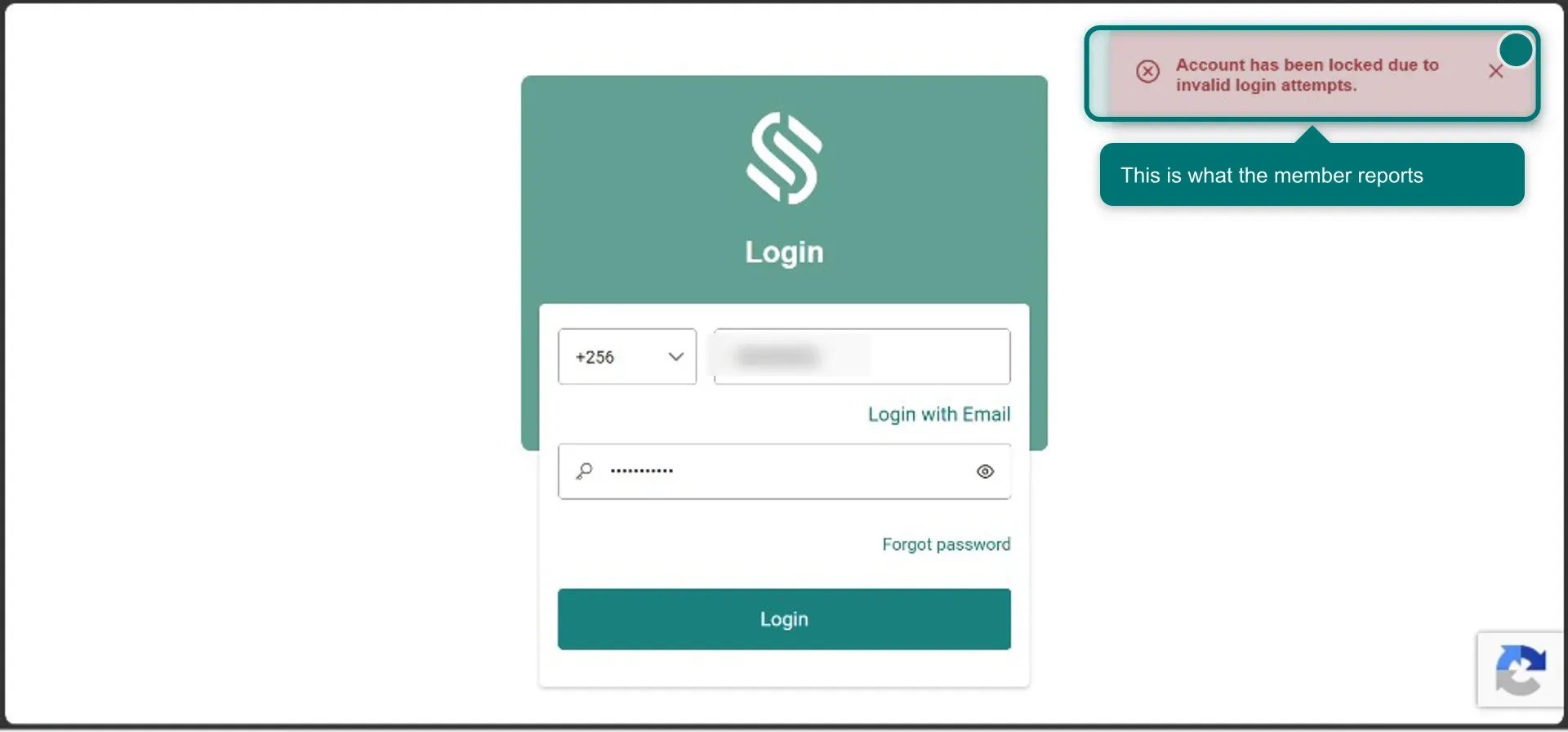
Figure 3: The Wakandi sign-in screen with the red "Account has been locked due to invalid login attempts." banner I don't see Unblock in the menu. It appears only when the login is locked, your role can edit clients, and the member has not exited. If the menu shows only Edit and Delete, one of those three is not met.
The member still cannot sign in after unblocking. This lock is already cleared, so look elsewhere. Check the PIN or password, and the connection. The Email Address and Phone Number on the Users tab are the ones the member signs in with on USSD or the app. Check they match what the member is actually typing. To fix a wrong number, see Change a member's phone number or mobile network operator.
Does Unblock reset a forgotten PIN or password? No. The same PIN or password still works. A forgotten one has to be reset separately.
It locked again. Repeated failed attempts lock the login again and Unblock comes back. Unblock once more, then help the member get the PIN or password right.
The Users tab is empty. Then there is no login to unblock. The membership may be unfinished. Check the member's Summary tab and any invitation still waiting.
I'm on a group and there is no Unblock. The option lives on individual member details only, never on a group's Users tab.