How to close a Fixed Deposit account
Summary
Close a member's Fixed Deposit account, either by letting it run to its maturity date or by paying it out early with a premature withdrawal. About 3 minutes · 8 steps. Also called: break an FD, close a fixed deposit, early withdrawal, cash out a term deposit, FD maturity.
Sign in with your email to read the rest of this article, track what you have finished, and earn your certificate.
Sign inPrerequisites
- Your CAMS Admin sign-in.
- The member's Fixed Deposit account. To open one, see How to open a Fixed Deposit account for a member.
- For an early payout, the member's instruction to break the deposit before its maturity date.
Step-by-step
Sign in to CAMS Admin. New to it? Start with How to sign in and navigate CAMS Admin.
In the left menu, click Accounts, then Savings. The Savings list opens.
Find the account and click its row. Fixed Deposit accounts show FixedDeposits in the Type column. The header then names the member, their Member Id, the status, the product and the account number. Check those before going further.
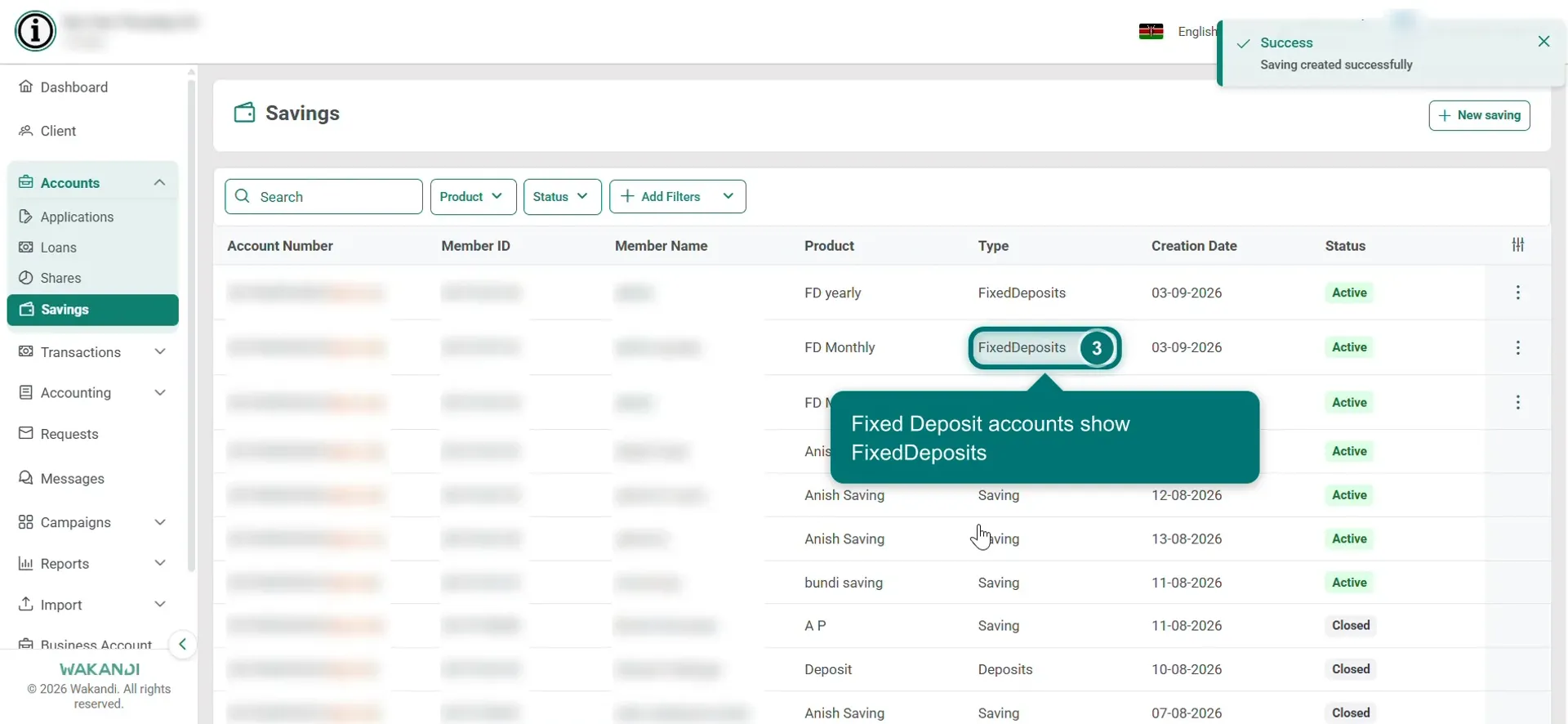
Figure 1: The Savings list with a Fixed Deposit row and its Type column highlighted Read Fixed Deposit Details. Maturity Date is the day the term ends and Maturity Amount is what the deposit is worth then. Interest Till Date is the interest earned so far, which is the figure a member asks about. On Maturity is what CAMS will do on the day. Interest Rate is shown per period, as in 5% / Monthly, next to the Interest Rate Calculation Method.
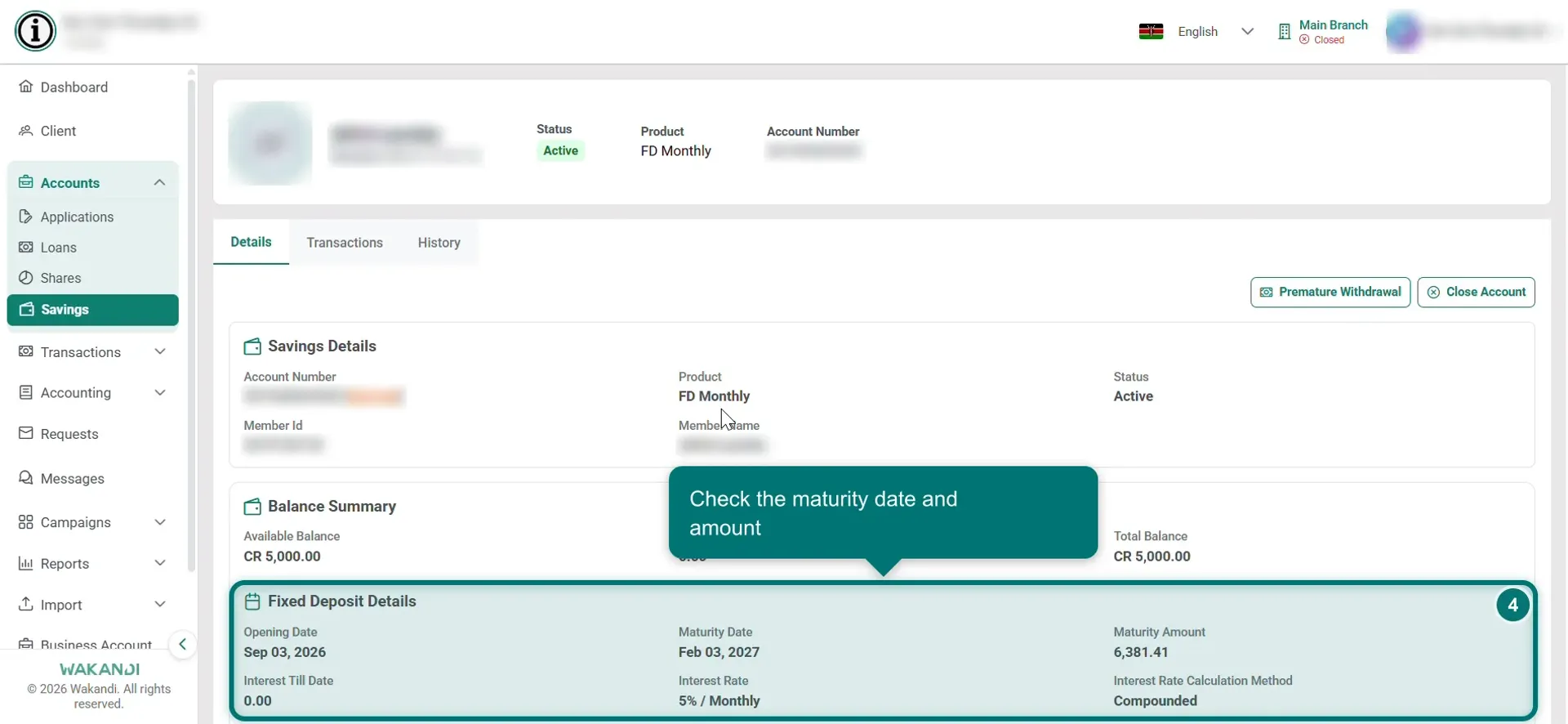
Figure 2: The account's Fixed Deposit Details showing the maturity date, maturity amount and On Maturity setting To let it mature, do nothing. On the maturity date CAMS closes or renews the deposit on its own, following the On Maturity setting chosen when the account was opened.
To pay it out early, click Premature Withdrawal at the top right. The Fixed Deposit Premature Withdrawal window opens with four sections. Account Details repeats the account number, type, product and status. Interest Maturity Information repeats the dates, the rate and its calculation method, plus Maturity Amount and On Maturity. Associated Accounts names the debit and credit accounts. Interest Amount is the one you fill in.
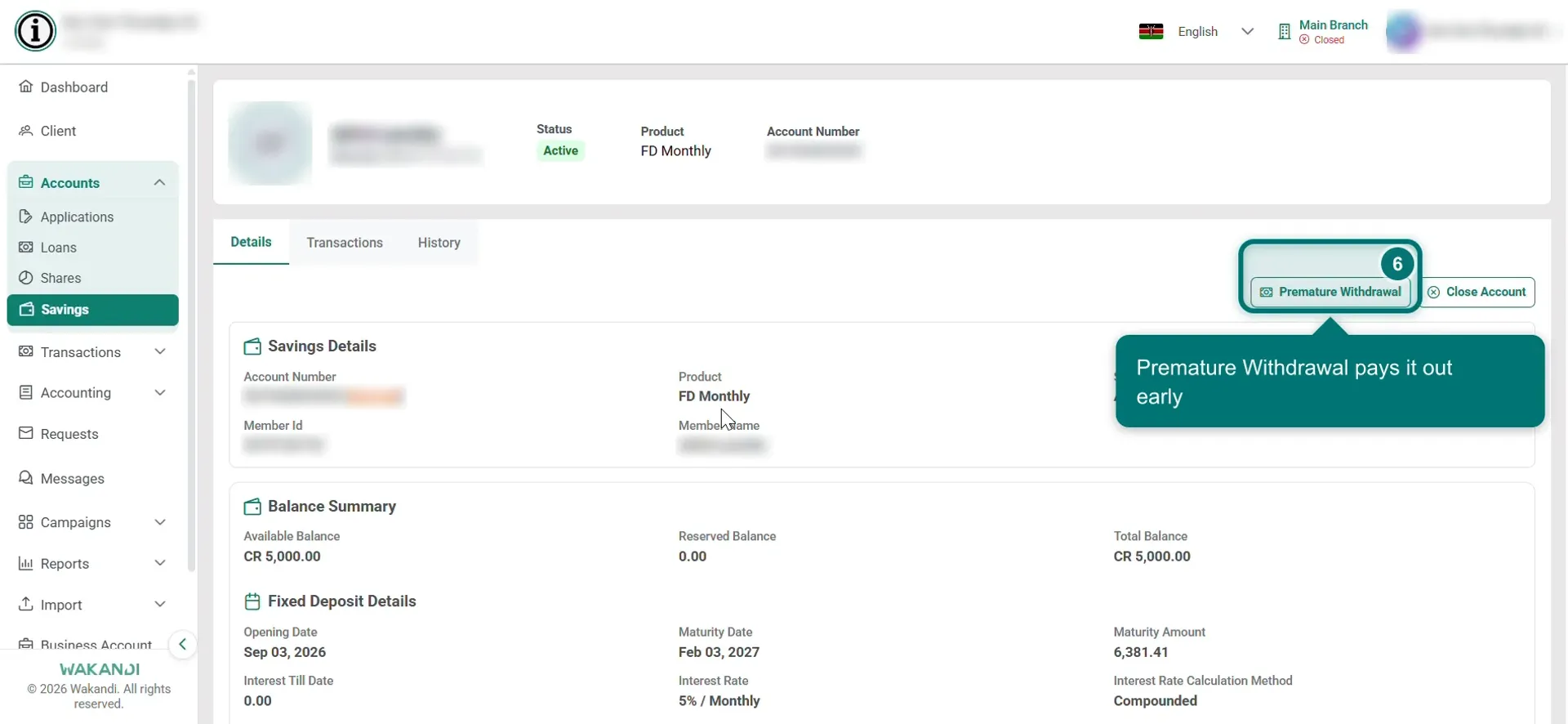
Figure 3: The account details page with the Premature Withdrawal button highlighted
Warning: A premature withdrawal ends the deposit before its term. The member gives up the maturity amount shown on this screen. Read the figures back to them before you confirm.
In Interest Amount, set Interest Till Date: how much of the interest earned so far to pay out. It opens at the full amount, and the line underneath gives the range you can use, from zero up to that maximum.
Check every figure, then click Confirm Withdrawal. Cancel backs out and changes nothing.
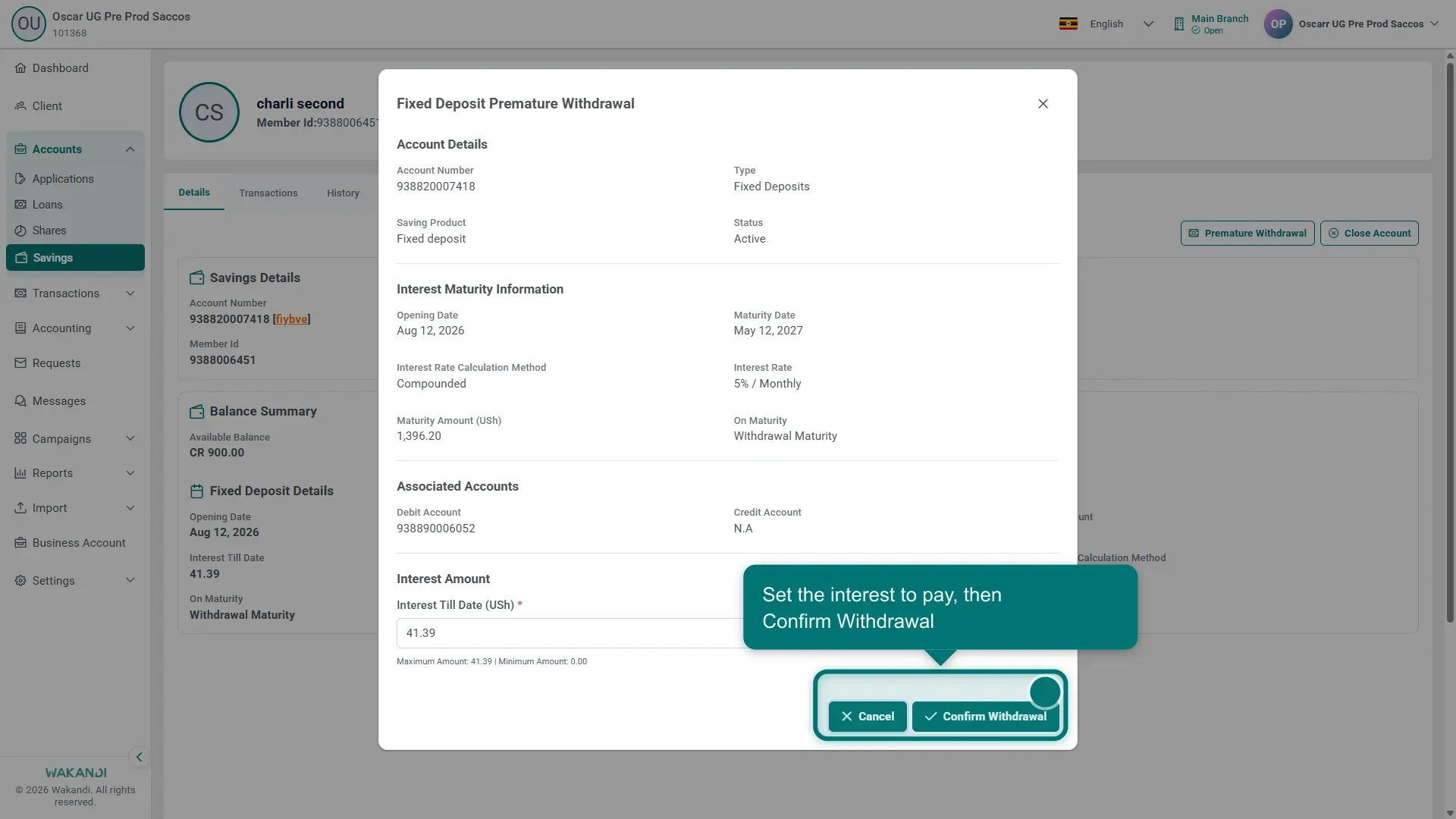
Figure 4: The Fixed Deposit Premature Withdrawal window, with the editable Interest Amount above the Cancel and Confirm Withdrawal buttons
Common pitfalls & FAQ
- There is no Premature Withdrawal button. Check you opened a Fixed Deposit account rather than an ordinary savings account, and that its status is still Active.
- What is the difference between Premature Withdrawal and Close Account? Close Account sits on the same Details tab and is the general way to close a savings account. Premature Withdrawal is the Fixed Deposit one. It puts the maturity figures in front of you before you commit, which is what the member needs to hear. Use it on a Fixed Deposit unless your institution says otherwise.
- How much does the member lose by breaking it early? They give up the Maturity Amount, which is what the deposit would have been worth had it run to term. What they get instead depends on the Interest Amount you enter, and that can be anything from zero up to the interest earned so far. Follow your institution's rule for that figure rather than deciding it at the counter.
- The withdrawal or closure is refused. Money held back on the account can stop it. Check Balance Summary on the Details tab. If it shows a Reserved Balance, find out why that money is held before trying again.
- The deposit matured but nothing happened. Maturity is handled by a scheduled job, so allow for it to run. Then reopen the account and check its status and transactions.
- Can I change the maturity setting after opening? Nothing in this flow changes it. Check with a colleague who administers savings products before promising a member a different outcome.