Check what a guarantor already covers before you approve
Summary
Check how many loans a member already guarantees, and how much cover they have given, before you accept them as a guarantor again. About 4 minutes - 8 steps. Also called: guarantor exposure, security check, guarantor risk.
Sign in with your email to read the rest of this article, track what you have finished, and earn your certificate.
Sign inPrerequisites
- Your CAMS sign-in for the Wakandi Admin Portal.
- The guarantor's name.
- The loan account number, if you also want to check the cover on one loan.
Step-by-step
Open the Wakandi Admin Portal and sign in.
In the left sidebar, click Dashboard.
Click the Loans tab. Wait for the KPI cards and charts to finish loading.
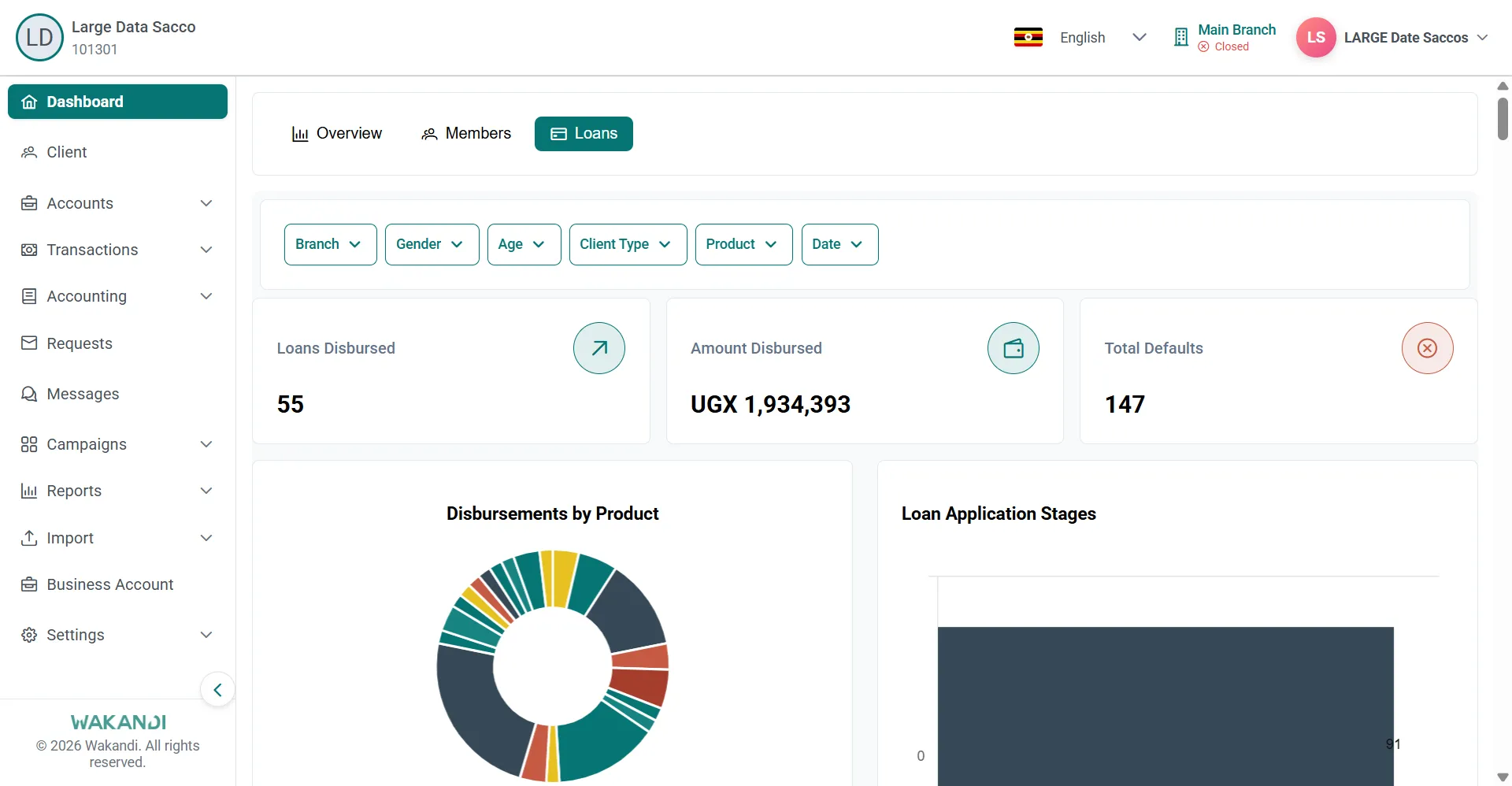
Figure 1: Dashboard Loans tab showing loans disbursed, amount disbursed and defaults cards above disbursement charts Scroll down to Loan Guarantor Exposure. The lower tables load a moment after the cards.
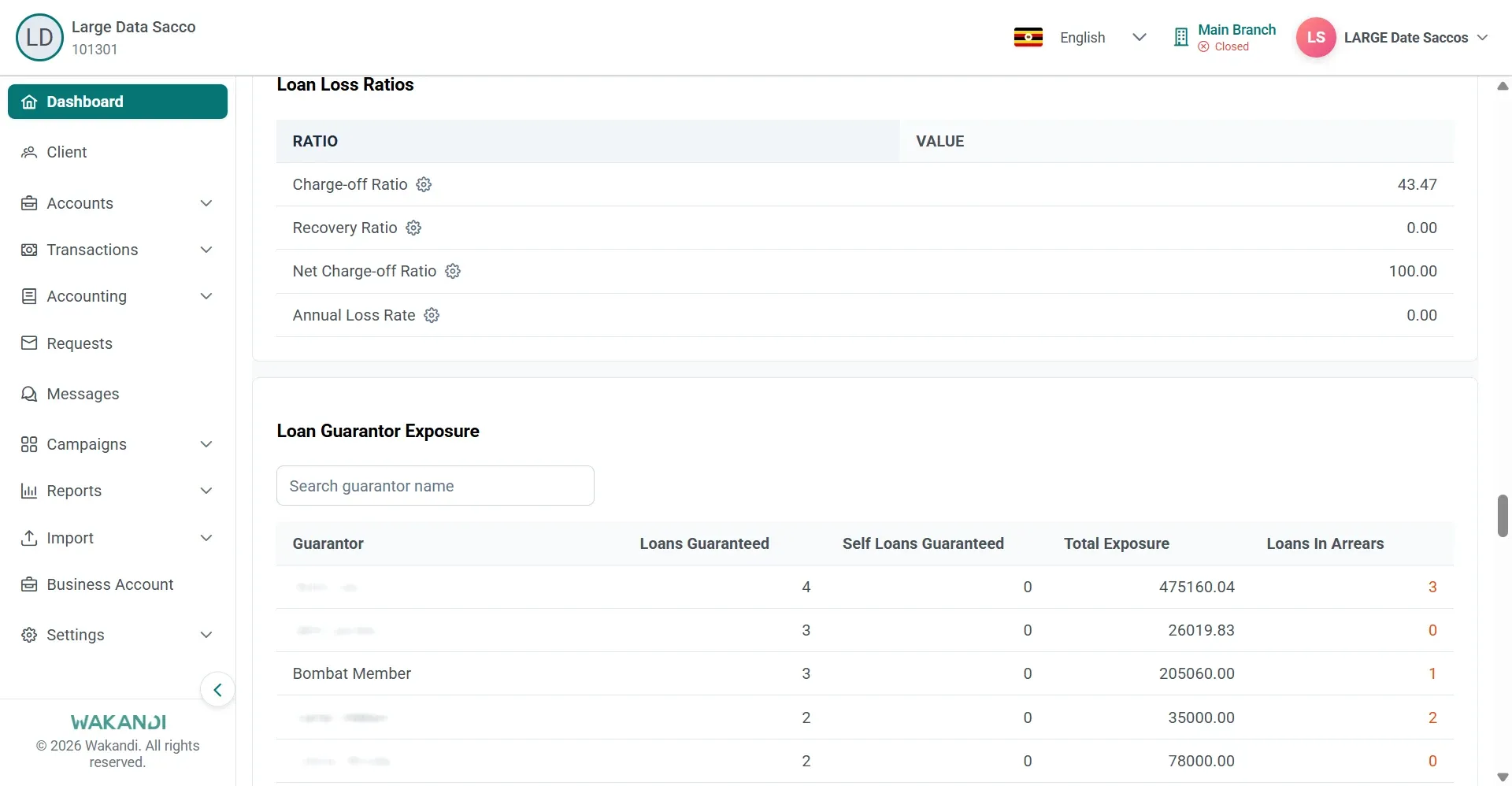
Figure 2: Loan Guarantor Exposure section with its search box and rows for loans guaranteed, exposure and arrears Click the search box above the table and type part of the guarantor's name. The rows filter as you type.
Read the matching row. It shows Number of Loans Guaranteed, Self Loans Guaranteed, Total Exposure and Number of Loans in Arrears.
To check the cover on one loan, click Accounts in the left sidebar, then Loans. Search for the loan, then click its row to open it. Search finds loans in the tab you are on.
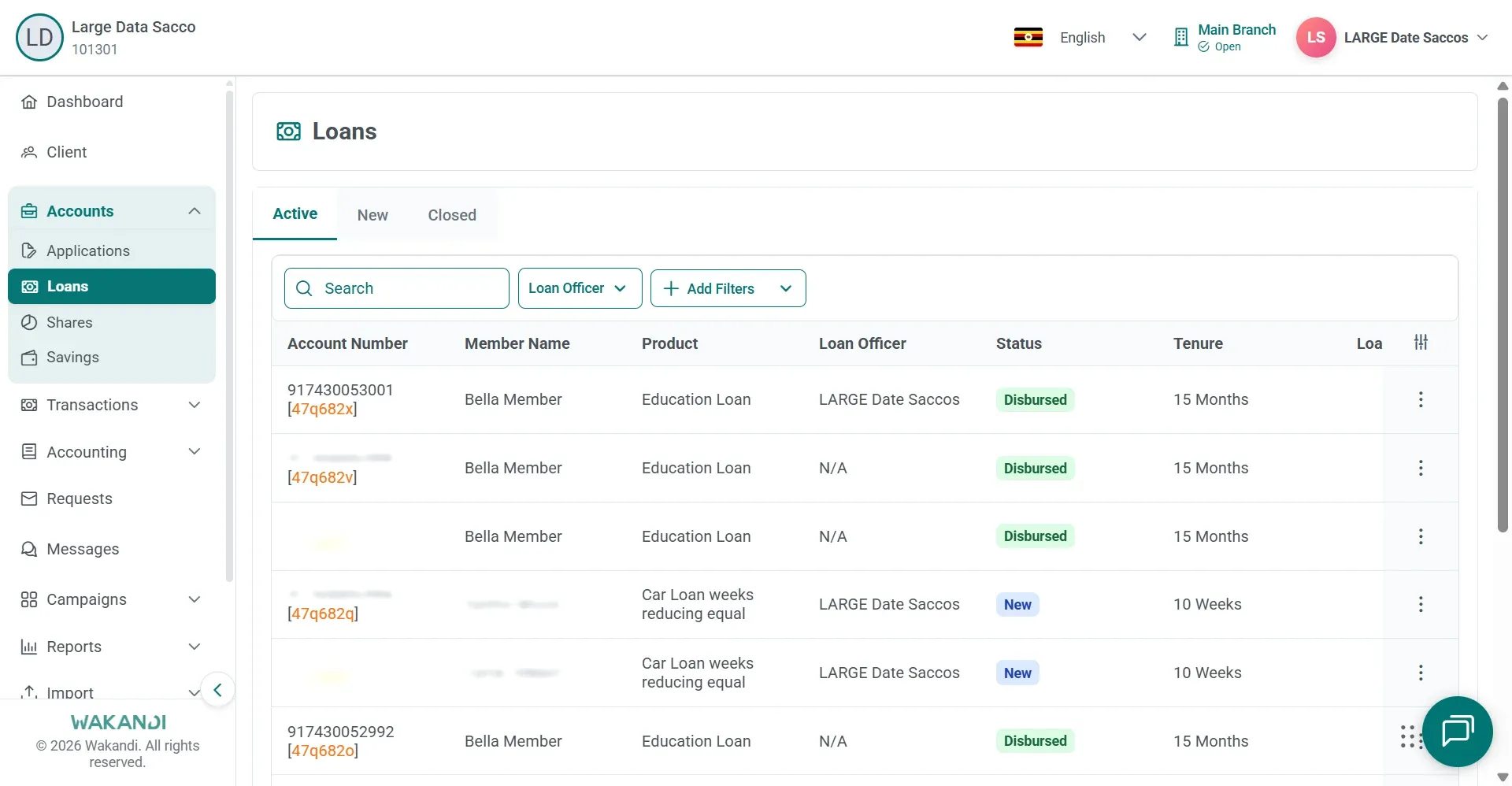
Figure 3: Loans list on the Active tab with the search box and loan accounts by member and product Click the Guarantors tab. Each row shows the percentage of the guarantee and the blocked fund information for that guarantor.
Note: Loans in arrears are highlighted on the guarantor table. Follow up a high count on the client or loan account screens before you commit that person to more.
Common pitfalls & FAQ
- I cannot find Loan Guarantor Exposure. It sits below the charts on the Loans tab, and the lower tables appear after the KPI cards. Wait, then scroll the whole page.
- The numbers look smaller than I expected. Filters such as Branch, Product or Date narrow the figures. Clear them for the full picture, or set them on purpose when you want one slice.
- The search finds nobody. Type part of the name rather than all of it. Clear the text to bring the full list back.
- The loan has no guarantors at all. If the product needs guarantee cover, stop there. Complete the Guarantors tab before any further approval.
- I need the whole list, not one person. In the left sidebar, expand Reports and click Loan. Click the Guarantors Report card, set your filters and click Submit. Use Download for Excel, CSV or PDF.
- What are blocked funds? Money held on the guarantor's account. Check the account has enough available or blocked funds when your product requires blocking.