How to add AML users and choose their role
Summary
Add someone to Wakandi AML Risk Monitoring and give them the right role. About 4 minutes · 6 steps. Also called: add a user, permissions, access, compliance officer login.
Sign in with your email to read the rest of this article, track what you have finished, and earn your certificate.
Sign inPrerequisites
- A sign-in for Wakandi AML Risk Monitoring with an administrator role.
- The person's work email address and mobile number.
Step-by-step
- Open Wakandi AML Risk Monitoring and sign in.
- In the top menu, click Settings.
- Click the Users tab. You'll see everyone who has access, with their role.
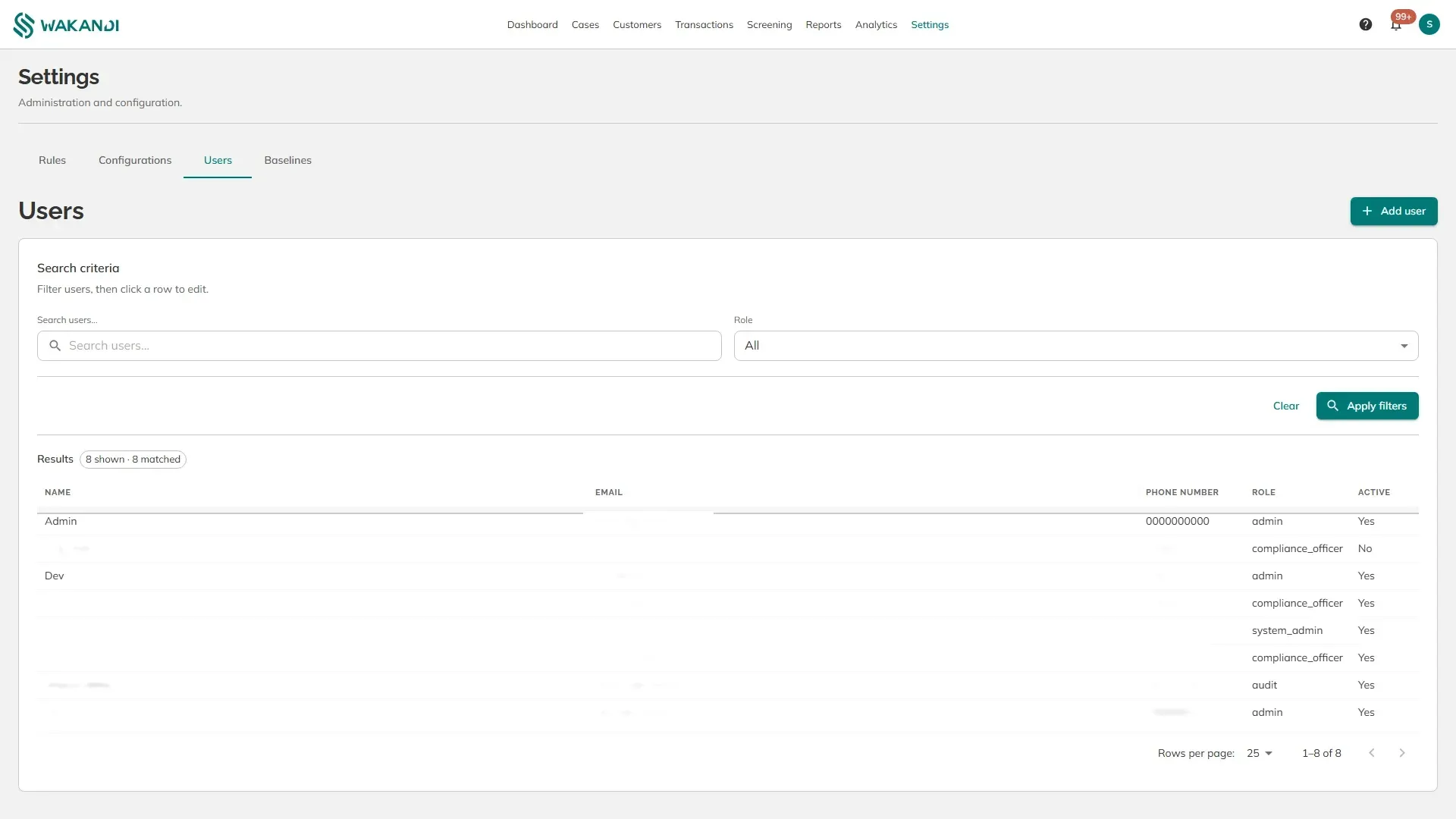
- Click Add user, at the top right. The new user form opens.
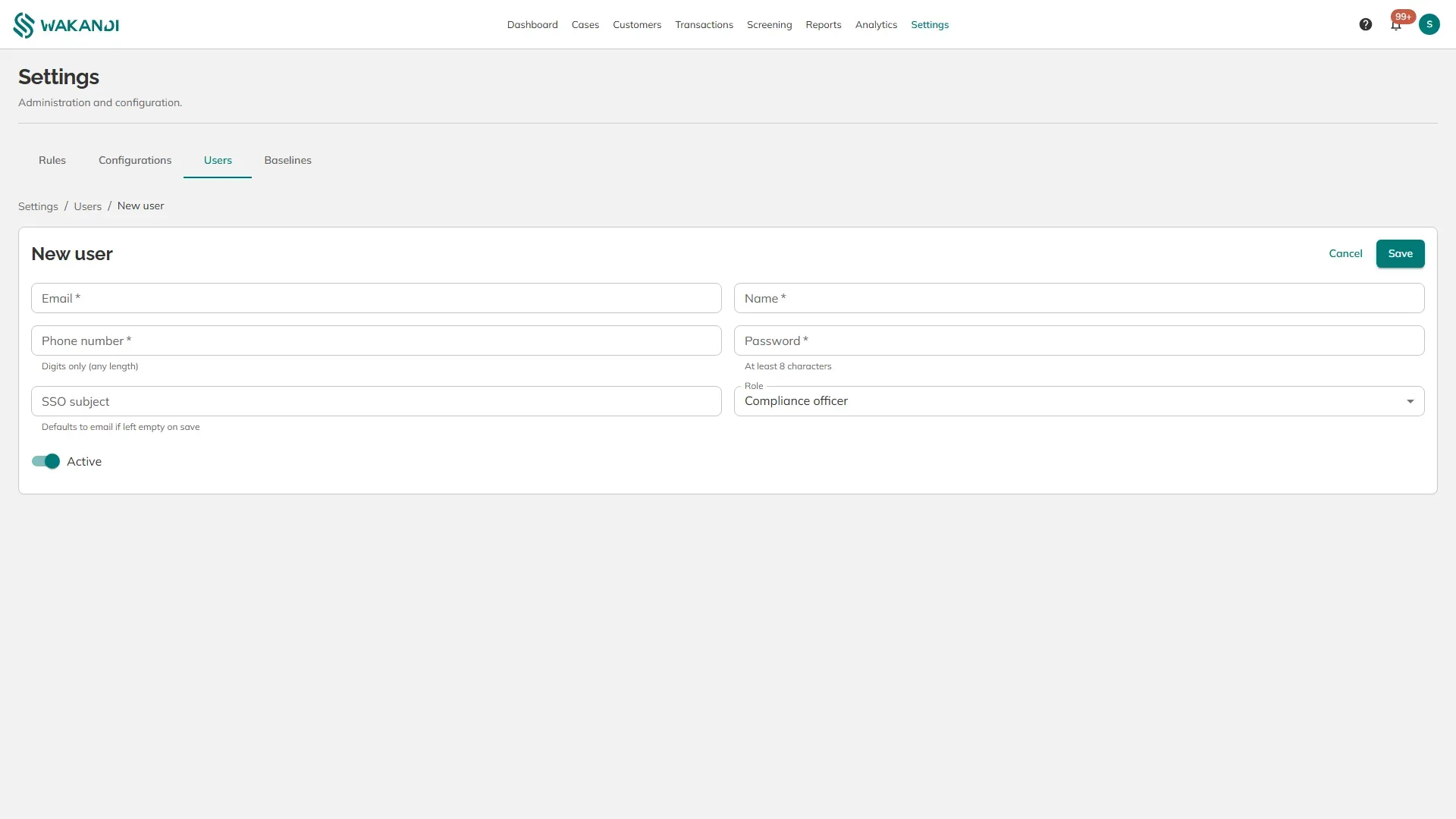
- Fill in Email, Name, Phone number and Password. The phone number takes digits only. The password needs at least eight characters.
- Choose the Role, leave Active on, and click Save.
The roles:
- Compliance officer — works the case queue. This is the role for the people doing the daily reviewing.
- Admin — everything an officer can do, plus the rules, configurations, baselines and users.
- System admin — for technical administration of the service itself.
- Audit — reads cases and records without changing them, for internal or external auditors.
SSO subject is for institutions that sign in through their own identity provider. Leave it empty and it defaults to the email address.
To change someone later, click their row on the Users tab.
Warning: These sign-ins reach member names, identity numbers and transaction histories. Give the Audit role to anyone who only needs to look, and switch Active off the day someone leaves rather than deleting them, so their past decisions stay attributable.
Note: A phone number matters for more than contact. Rules can send an immediate SMS alert, and that only reaches a user who has a number stored here.
Common pitfalls & FAQ
- The new user can't sign in. Check that Active is set to Yes, and that they are using the email address exactly as entered.
- Can they use their CAMS password? No. This is a separate service with its own sign-in.
- Someone left. Should I delete them? Switch them to inactive instead. Deleting removes the person behind past notes and decisions.
- Nobody is receiving SMS alerts. Check that a phone number is stored on each user, and that the rule lists them under Notify recipients.