How to add collateral and guarantors to a loan
Summary
Attach guarantors to a loan and record the assets a member has pledged behind it.
About 3 minutes · 6 steps. Also called: loan security, sureties, co-signers, pledged assets, collateral.
Sign in with your email to read the rest of this article, track what you have finished, and earn your certificate.
Sign inPrerequisites
- A CAMS sign-in that can open loan accounts and client profiles.
- The loan account number or the member's name.
- The guarantor's member details and the percentage of the loan they will guarantee.
- The asset details to record: type, value and location.
Step-by-step
Sign in to CAMS.
In the left menu, click Accounts, then Loans, and search the member's name or account number.
Click the loan's row, then click the Guarantors tab and let it load. Each row shows the guarantor, the account carrying the guarantee, the percentage of guarantee and any Blocked Fund.
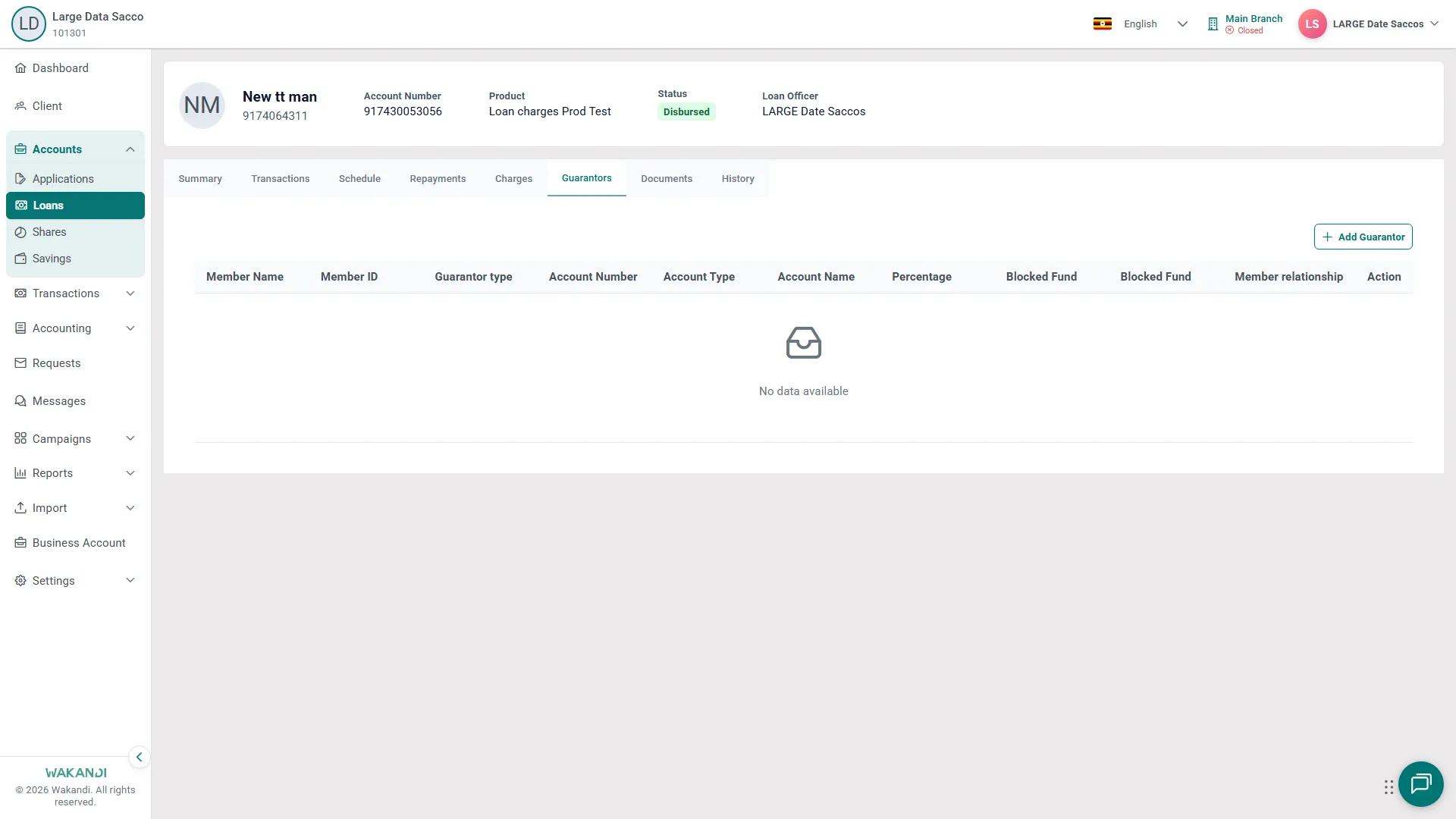
Figure 1: The Guarantors tab on a loan, showing the columns kept for each guarantor — member, guarantor type, account, percentage of guarantee and blocked funds — with Add Guarantor at the top right Click Add Guarantor, fill in the guarantor and account details, then save. Read the percentage and relationship back on the new row.
Note: When the loan product blocks a guarantor's funds, that account needs enough money in it for the block to go through. Check the balance before you save.
- To record collateral, click Client in the left menu, open the member, then click the Assets tab. Anything recorded already shows its Type, Value and Location.
- Click Add Asset, choose the Type, fill in Value and Location, note how the value was checked, then save.
Tip: Keep valuations and signed agreements on the loan's Documents tab. Click Upload Documents and pick the right document type so colleagues find the file later.
Common pitfalls & FAQ
- There is no Collateral tab on the loan. Pledged assets sit on the member's profile, on the Assets tab.
- The Guarantors tab looks empty. Give it a moment — CAMS loads tab content after the loan opens. If the product requires guarantee cover, fill the tab before the next stage is approved.
- How much does one person already guarantee? On the Dashboard, open the Loans tab and scroll to Loan Guarantor Exposure. For every loan at once, run the Guarantors Report under Reports > Loan.
- I opened an application, not a loan. Applications holds requests still in the stages. The Guarantors tab lives on the loan account, under Loans.