Posting an expense transaction
Summary
Record a Sacco running cost, such as office supplies or travel, so the money leaves your cash or bank account and the right expense ledger is updated.
About 4 minutes · 8 steps. Also called: petty cash payment, record an expense, pay an expense, office expense.
Sign in with your email to read the rest of this article, track what you have finished, and earn your certificate.
Sign inPrerequisites
- Your till showing Open in the header.
- The expense ledger, and the cash or bank account the money came out of.
- The amount, who you paid, and a short description.
Step-by-step
Sign in to CAMS.
In the left menu, expand Transactions and click Teller.
On the New Transaction tab, click General Ledger. An expense is an internal entry, so it does not go through Client Transaction.
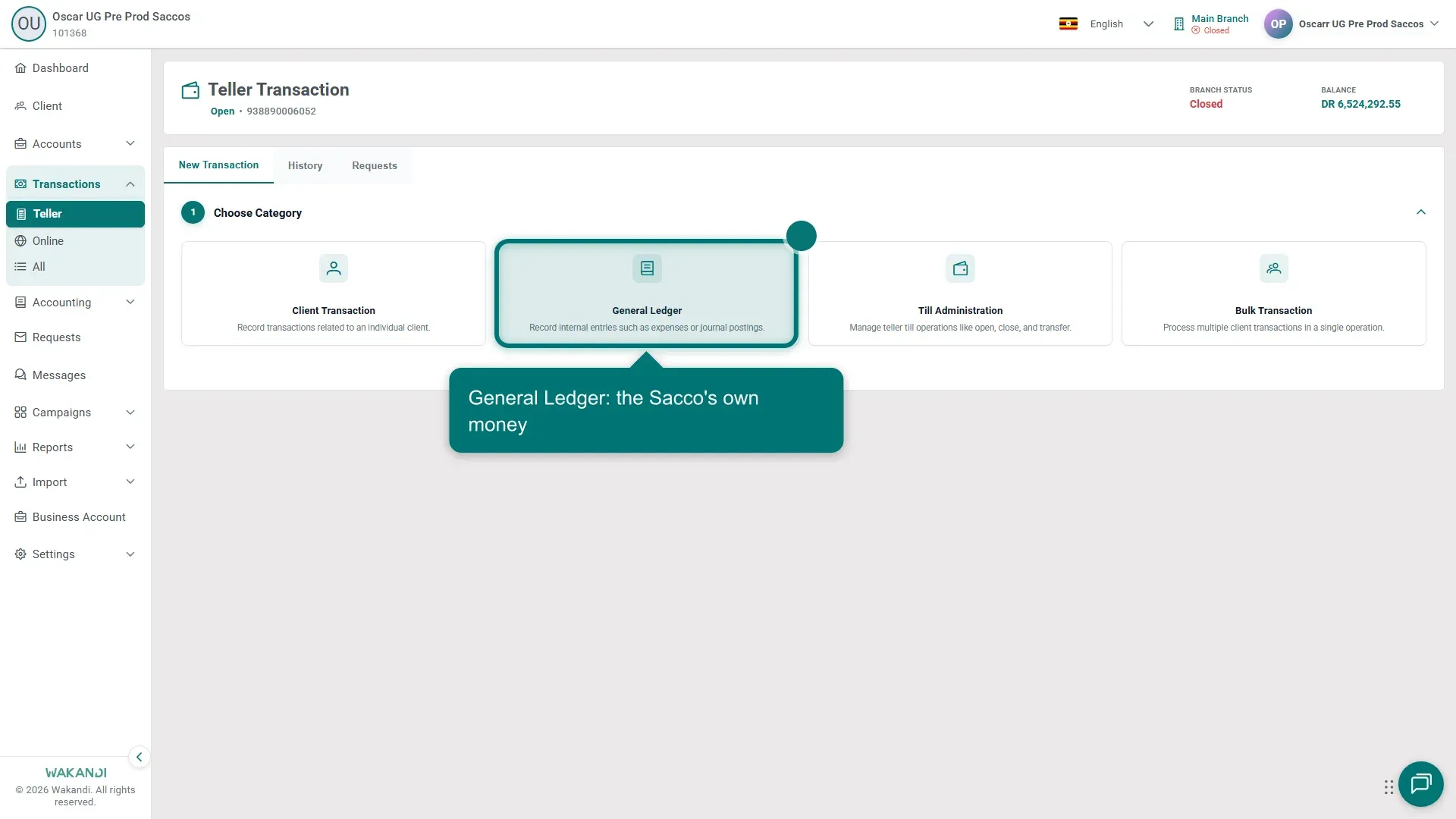
Figure 1: The Choose Category cards with General Ledger highlighted — the route for an expense On Choose Type, click Record Expense and wait for the Enter Transaction Details form.
Fill in the Description / Comment and Transaction Date. Add an Expense Number if your Sacco uses one.
Pick the Transaction Mode that matches how you paid, then choose the Debit Account — the expense ledger for the cost.
Choose the Account (Credit) the money left and type the amount. Add Cheque #, Reference and Paid To where they apply, then check the Total Amount.
Warning: A posted entry cannot be edited. Read the accounts and the amount once more, or click Reset to start the form again.
- Click Submit, then open the History tab to see the entry with a Posted status.
Common pitfalls & FAQ
- Record Expense or Record Payment? Record Expense is for a specific business cost; Record Payment is for a general outgoing payment.
- Which account goes where? The Debit Account is the expense ledger. The Account (Credit) is the cash or bank account the money left. CAMS posts both sides in one entry.
- I posted the wrong amount. Reverse the entry, then post the expense again. The steps are in Making general ledger transactions as a teller.
- How do I see all expenses for a period? Run the Expense Report under Reports → Transactions. See Review the day's transactions before you close.