How to reconcile the teller
Summary
Count your cash at the end of the day, match it to the balance CAMS expects, then close the till.
About 4 minutes · 7 steps. Also called: balance the till, cash up, end of day, close till, till reconciliation.
Sign in with your email to read the rest of this article, track what you have finished, and earn your certificate.
Sign inPrerequisites
- Your CAMS sign-in mapped to your own teller till.
- Your counted physical cash, plus the receipts and vouchers from your shift.
Step-by-step
Sign in to CAMS.
In the left menu, expand Transactions and click Teller. The Balance in the header is the cash CAMS expects in your till.
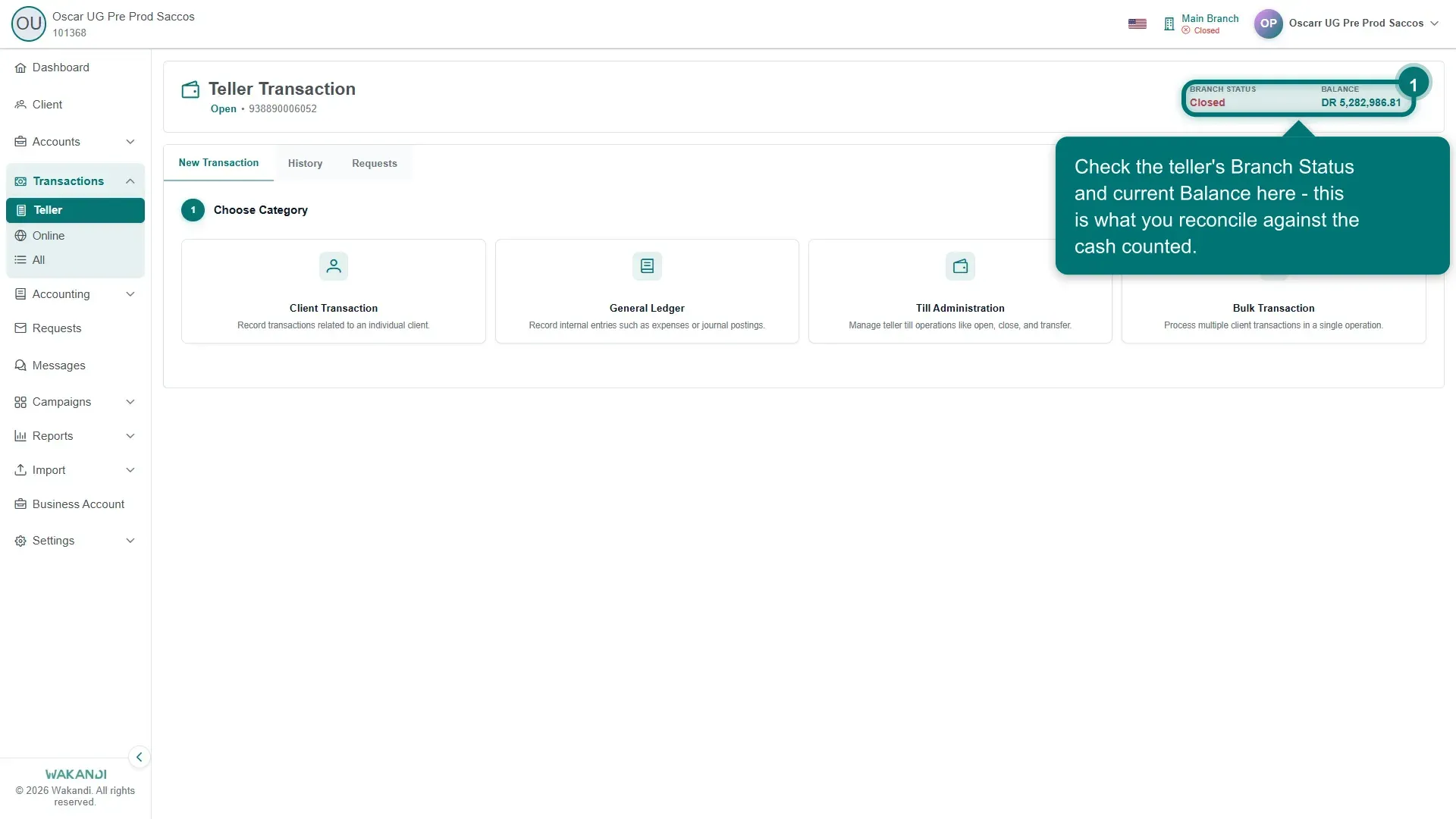
Figure 1: The Teller Transaction page: till account number, Branch Status and Balance in the header, with the New Transaction, History and Requests tabs Click the History tab. Set Start Date and End Date to cover your shift, and check Viewing Teller shows your own till.
Match each row to your receipts and vouchers. A row shows the Transaction Type, Client Name, Account Number, Debit, Credit and a Status of Posted.
Count your physical cash and compare the total with the Balance in the header.
If they disagree, go back to History and look for a missing posting, a duplicate, or a wrong amount. Fix a wrong client entry with Error Correction — see Correct a transaction you posted in error.
Warning: Do not close the till while the cash and the Balance still differ. Find the cause first.
When the cash matches, open Till Administration and click Till Closing. Confirm with Till Balance, which shows each till's Status and closing Balance.
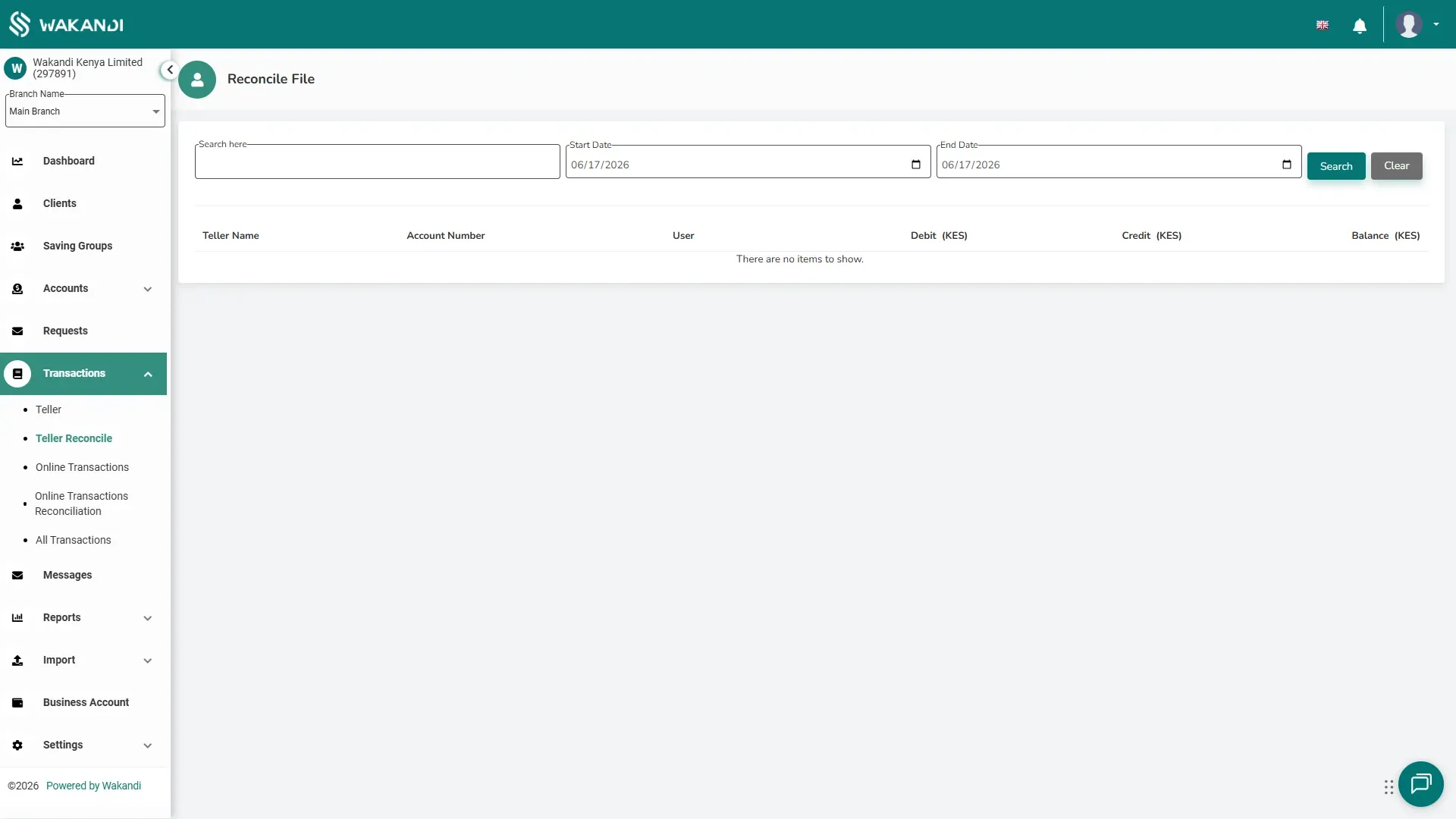
Figure 2: The Teller Reconcile report: search a date range to check each teller's Debit, Credit and closing Balance
Common pitfalls & FAQ
- A transaction I posted is not in History. It may be waiting for approval. A pending request on the Requests tab holds the posting back.
- Till Closing is greyed out. The till may not be open, or you may be on another teller's till. Check the header first.
- The balance shows DR. Is that wrong? No. DR is the normal way a till holding cash is shown. Compare the amount, not the label.
- The till is still open the next morning. Tell your supervisor. The previous day was not closed, and the balance carries over.